


- Document Solutions for PDF JS Overview
- Key Features
- Licensing and Redistribution
- Quick Start
- Memory Management
-
Features
- Create and Save
- Document Properties
- Pages
- Text
- Graphics
- Form XObjects
- Images
- Fonts
-
Annotations
- Text Annotation
- Free Text Annotation
- Line Annotation
- Polyline Annotation
- Square Annotation
- Circle Annotation
- Polygon Annotation
- 3D Annotation
- Stamp Annotation
- Ink Annotation
- File Attachment Annotation
- Link Annotation
- RichMedia Annotation
- Sound Annotation
- Widget Annotation
- Watermark Annotation
- Redact Annotation
- Text Markup Annotation
- Caret Annotation
- Appearance Streams
- Forms
- Output Intents
- Merge and Split PDFs
- Actions
- Outline
- Tagged PDF
- PDF Conformance
- Attachments
- Redact Annotation
- Security
- Digital Signatures
- Incremental Update
- Linearization
- Export
- Image Features
- Snippet Helpers
- Samples
- Tutorials
- API Reference
- Release Notes
Link Annotation
Link annotations allow users to navigate to another location within the document or to an external resource, such as a web page. Adding hyperlinks to a PDF makes the document interactive and improves navigation.
The link is typically associated with a specific area on the page and can trigger actions such as opening a URL. For more information about link annotations, see PDF Specification 2.0, Section 12.5.6.5.
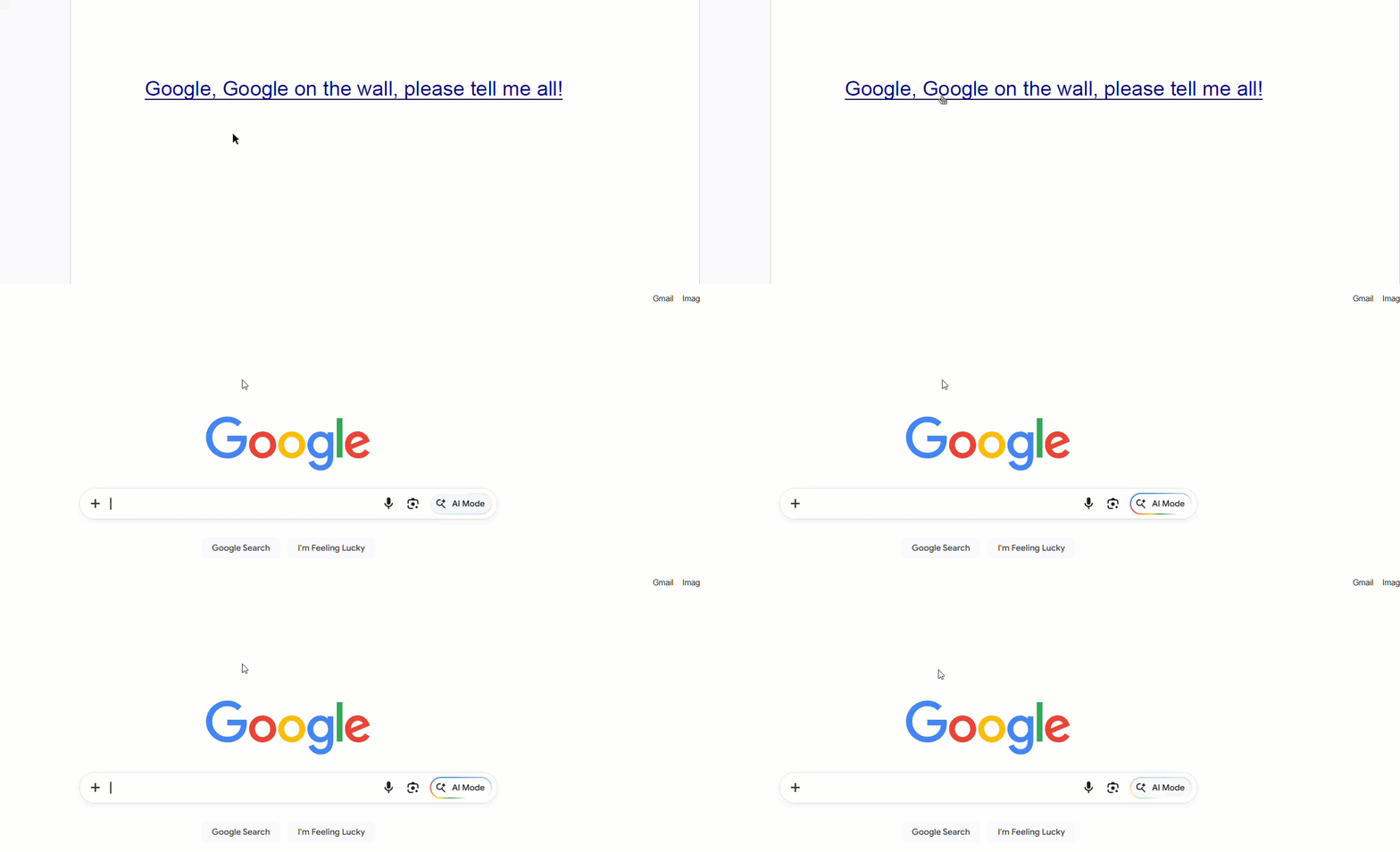
Use the LinkAnnotation class to add links to a PDF document.
Add a Hyperlink
To add a hyperlink:
Create a PdfDocument.
Draw text or define an area that represents the hyperlink.
Create a LinkAnnotation and add it to the page’s annotations collection.
Note: The examples on this page use helper functions from the Snippet Helpers module. These utilities are provided only to simplify the examples and are not part of the DsPdfJS API.
const doc = new PdfDocument();
const page = doc.pages.addNew();
const ctx = page.context;
const inch = ctx.resolution;

const url = "https://www.google.com/";
const tf = new Format({ fontSize: 20, foreColor: "DarkBlue", underline: true });

// Draw the linked text:
const tl = new Layout({
    marginAll: inch,
    maxWidth: ctx.width,
    maxHeight: ctx.height,
    runs: [{ text: "Google, Google on the wall, please tell me all!", format: tf }],
});
ctx.drawLayout(tl, 0, 0);

// Add a link annotation using the text layout’s computed bounds:
const link = new LinkAnnotation();
link.rect = tl.contentRect;
link.action = new ActionURI(url);
page.annotations.add(link);

const docData = doc.savePdf();
Util.saveFile("LinkAnnotation.pdf", docData);