Form XObjects
Form XObjects are reusable self-contained pieces of PDF content that can be rendered multiple times within a PDF document. A FormXObject is stored once in the document and can be drawn on one or more pages using the drawForm method.
DsPdfJS allows you to create Form XObjects, generate their content using the context property, and render them with different sizes and positions.
Create and Render Form XObjects
To create and render a Form XObject:
Create a FormXObject instance.
Generate content using the context property.
Render the FormXObject using the drawForm method.
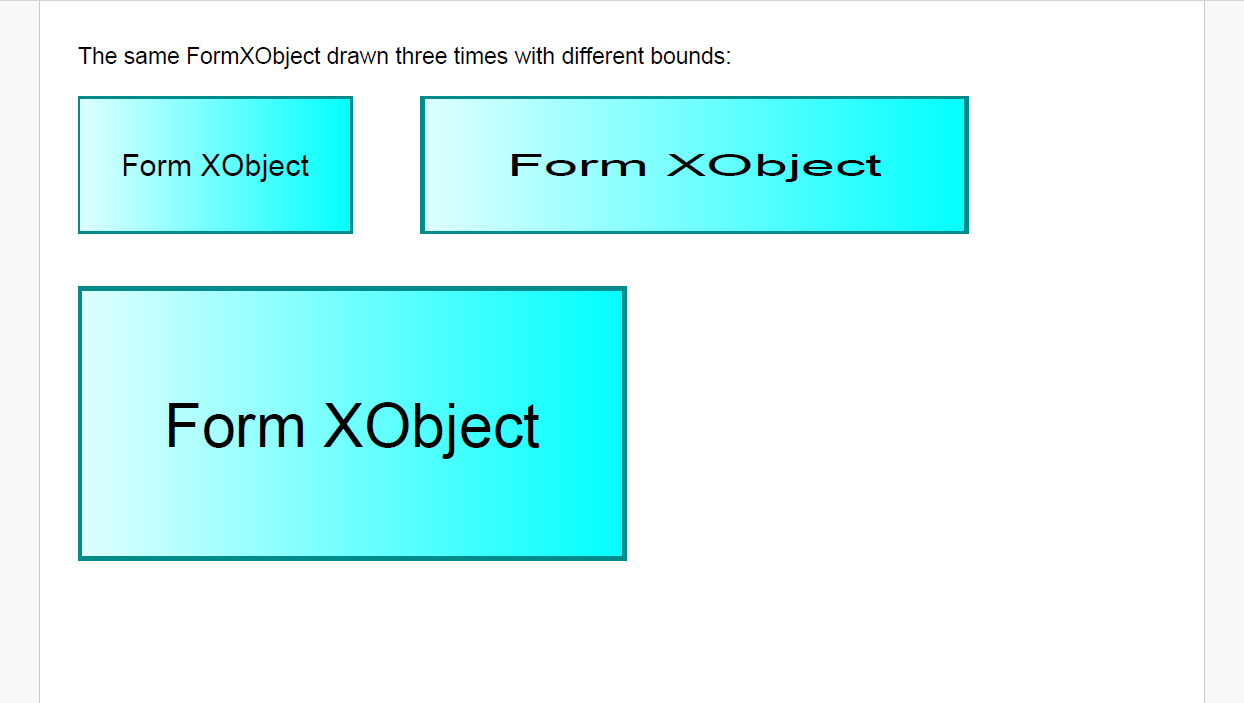
The following example demonstrates how to create a FormXObject and render it multiple times with different bounds:
// Form XObjects: create a FormXObject, build its content, draw it with drawForm().
// A FormXObject is a reusable self-contained piece of content: it is stored once
// in the PDF and can be drawn any number of times on any page.
const doc = new PdfDocument();
const page = doc.pages.addNew();
const font = Font.getPdfFont(StandardPdfFont.Helvetica);
// Create a FormXObject with explicit bounds:
const bounds = { x: 0, y: 0, width: 144, height: 72 };
const fxo = new FormXObject(doc, bounds);
// Generate the form's content through its context property
// (all drawing APIs available for page content work here as well):
const g = fxo.context;
g.drawRect(bounds, { fillBrush: new LinearGradientBrush({ startColor: "LightCyan", endColor: "Cyan" }) });
g.drawRect(bounds, { lineColor: "DarkCyan", lineWidth: 2 });
const tl = new Layout({
    maxWidth: bounds.width,
    maxHeight: bounds.height,
    textAlignment: TextAlignment.Center,
    paragraphAlignment: ParagraphAlignment.Center,
    defaultFormat: new Format({ font: font, fontSize: 16 })
});
tl.append("Form XObject");
tl.performLayout();
g.drawLayout(tl, 0, 0);
// Draw the same FormXObject instance three times with different bounds;
// the content is scaled to the destination rectangle:
const pg = page.context;
pg.drawText("The same FormXObject drawn three times with different bounds:", new Format({ font: font, fontSize: 12 }), 20, 20);
// original size
pg.drawForm(fxo, 20, 50, 144, 72);
// stretched horizontally
pg.drawForm(fxo, 200, 50, 288, 72);
// bounds overload; keepAspectRatio fits the content proportionally
pg.drawForm(fxo, { x: 20, y: 150, width: 288, height: 144 }, { keepAspectRatio: true });
const outputFile = path.join(__dirname, 'FormXObjects.pdf');
await writeFile(outputFile, doc.savePdf());
console.log(`Created ${outputFile}`);