Redact Annotation
Use a Redact Annotation to remove or cover sensitive information in a PDF. DsPdfJS supports redacting arbitrary rectangular areas (for example, parts of a page that contain personal data) and automatically redacting link annotations that match a specific URL pattern. In both cases, you add one or more RedactAnnotation objects, and then call the redact method of PdfDocument class to apply the redactions to the document content.
Mark Redact Area and Apply Redaction
Redaction is performed in two stages: marking areas for redaction and then applying the redaction to permanently remove the content.
To mark content for redaction, create a RedactAnnotation object and define the region to redact. The area can be specified using a rectangle or by assigning bounds collected from text search results through the area property. Add the annotation to the page’s annotations collection to mark the content.
You can customize the appearance of the redacted region using properties such as overlayFillColor and overlayText. After all redaction annotations are added, call the redact method of the PdfDocument class to permanently apply all pending redactions.
Note: The examples on this page use helper functions from the Snippet Helpers module. These utilities are provided only to simplify the examples and are not part of the DsPdfJS API.
const doc = ds.PdfDocument.load(await loadFileAsArray("pdfs/SlidePages.pdf"));
const redact = new ds.RedactAnnotation();
Object.assign(redact, {
rect: { x: 16, y: 16, width: 280, height: 300 },
page: doc.pages.getAt(0),
overlayText: `This content has been redacted by DsPdfJS v${ds.DsPdf.instance.version} on ${new Date().toLocaleString()}`,
overlayFillColor: "PaleGoldenrod",
});
// Apply the redaction to the document content:
doc.redact();
return doc;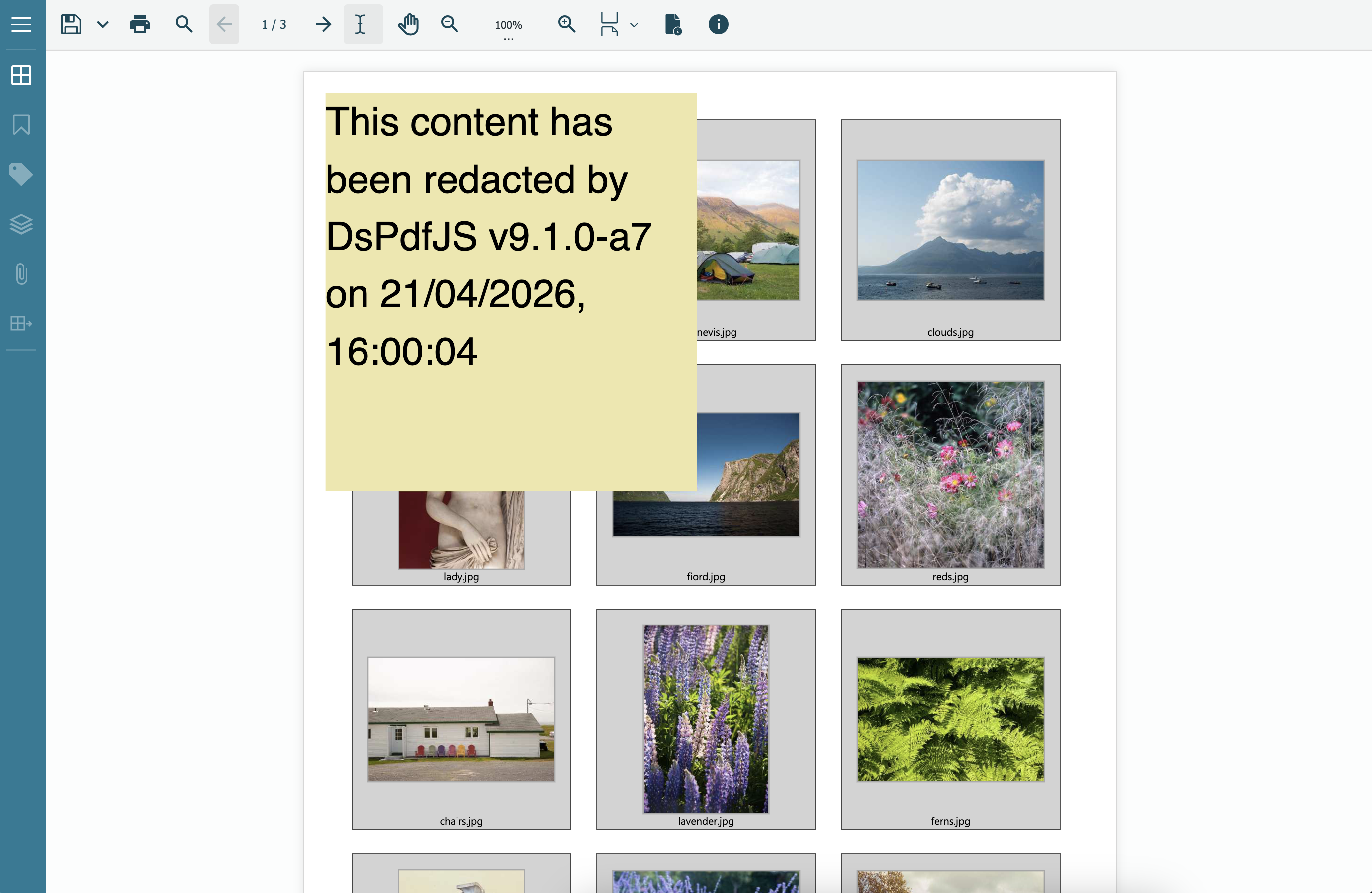
Preseve Original Image
When redacting content that overlaps an image, the redaction process may modify the image data in the document. In some cases, the same image resource may be referenced from multiple pages or resource dictionaries. To avoid altering the original image resource, you can instruct DsPdfJS to create a copy of the image before applying the redaction.
Use the copyImagesOnRedact option of RedactOptions to duplicate image resources that intersect with the redaction area. The redaction is then applied to the copied image, preserving the original image resource in the document.
// load PDF document
const docData = await Util.loadFile("ImageReferencedFromDifferentResourceDicts.pdf");
const doc = PdfDocument.load(docData);

// Redact part of the image on the first page
const ra = new RedactAnnotation();
ra.rect = { x: 50, y: 50, width: 100, height: 50 };
doc.pages.getAt(0).annotations.add(ra);

// Copy images before applying redaction
doc.redact({ copyImagesOnRedact: true });

// Save PDF document
const preserveOriginalImage = doc.savePdf();
Util.saveFile("PreserveOriginalImage.pdf", preserveOriginalImage);
Find and Redact text links
Many PDF documents contain hyperlinks to internal portals, external URLs, or confidential resources. Redacting these links helps prevent unauthorized access to such content.
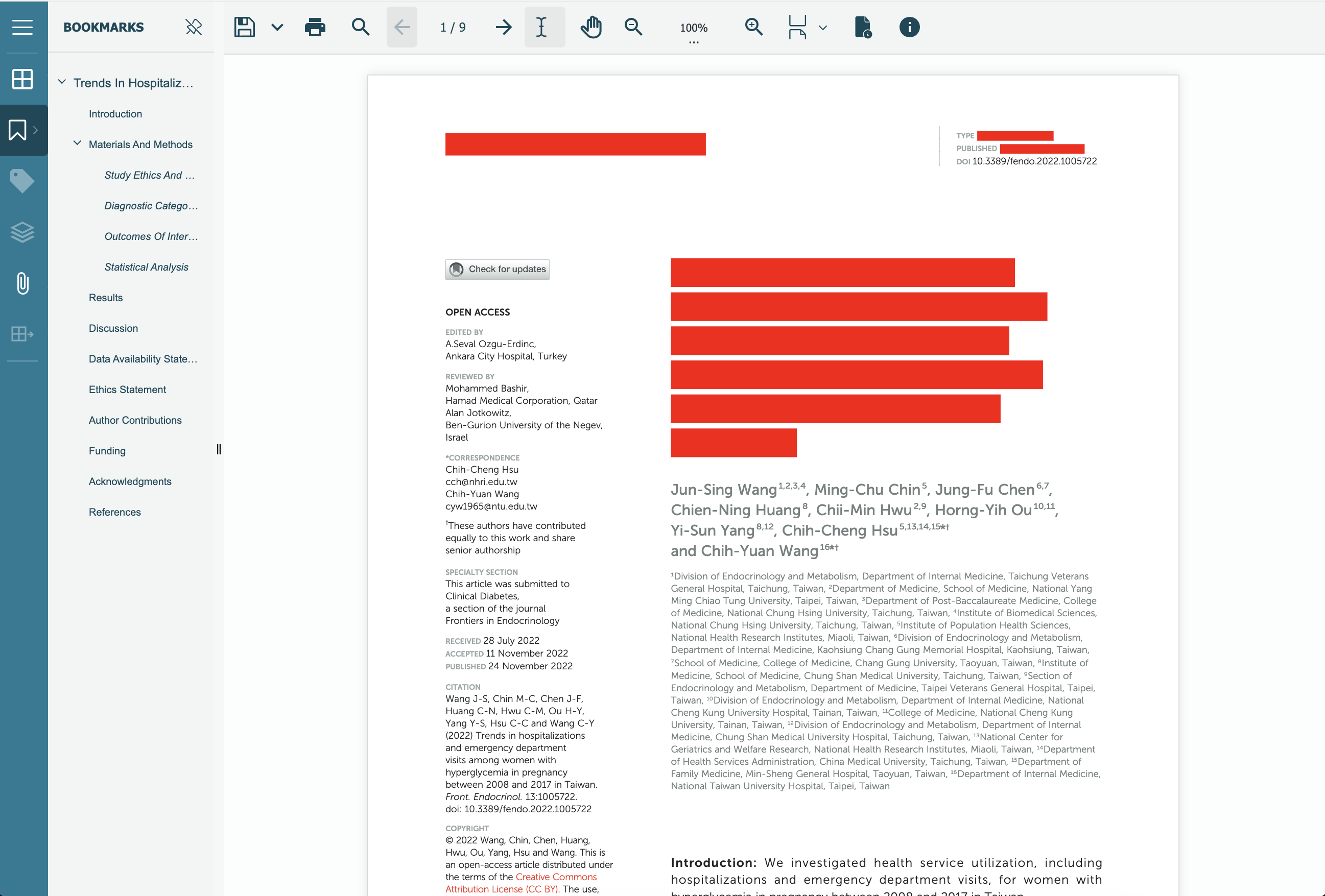
In DsPdfJS, you can scan all pages for LinkAnnotation objects whose ActionURI matches a target URL pattern. Once identified, a RedactAnnotation is placed over each matching link area, and the redactions are applied in a single call to doc.redact.
// Load the PDF with links that need to be removed:
const doc = ds.PdfDocument.load(await loadFileAsArray("pdfs/fendo-13-1005722.pdf"));
// Remove all links containing this string:
const targetUrl = "frontiersin.org";
// Collect matching link annotations (scan all pages):
const matches = []; // { page, annot }
for (let p = 0; p < doc.pages.count; p++) {
const page = doc.pages.getAt(p);
for (const a of page.annotations) {
    // LinkAnnotation with an ActionURI:
    if (a instanceof ds.LinkAnnotation && a.action instanceof ds.ActionURI) {
    const uri = a.action.uri;
    if (typeof uri === "string" && uri.includes(targetUrl)) {
        matches.push({ page, annot: a });
    }
    }
}
}
// Add redact annotations over each matching link rectangle:
for (const { page, annot } of matches) {
const redact = new ds.RedactAnnotation();
Object.assign(redact, {
    rect: annot.rect,
    overlayFillColor: "Red",
});
page.annotations.add(redact);
}
// Apply the redactions:
doc.redact();
return doc;