


Digital Signatures
Digital signatures allow a PDF document to be signed using a digital certificate. A digital signature verifies the identity of the signer and ensures that the document hasn't been modified after signing. PDF viewers and verification tools can validate signed documents to confirm content integrity.
DsPdfJS provides APIs for creating, applying, and inspecting digital signatures in PDF documents. Developers can sign documents using X.509 certificates, add trusted timestamps, inspect existing signatures, verify signature integrity, and integrate external signing providers.
The digital signature functionality in DsPdfJS supports several common workflows, including:
Signing a document using a certificate and private key
Adding visible signatures to a document
Applying trusted timestamps
Inspecting and verifying existing signatures
Generating PAdES-compliant signatures
Integrating external signing providers such as cloud key management services or server-side signing APIs
Add a Digital Signature
You can digitally sign a PDF document using an X.509 certificate and its corresponding private key. The signing process embeds a cryptographic signature into the document so that any modification to the signed content invalidates the signature.
To sign a document, create a Pkcs7Signer object, configure the certificate and private key, associate the signer with a SignatureField, and call the sign method on the PdfDocument.
The following example code demonstrates signing a PDF document:
/**
 * This sample demonstrates how to create and sign a PDF with a certificate .crt and private key .pem files,
 * using a SignatureField.
 * The sample then loads the signed file back into another PdfDocument instance
 * and verifies the signature.
 */
const doc = new PdfDocument();
const page = doc.newPage();
const tf = new Format({ font: Font.getPdfFont(StandardPdfFont.Times), fontSize: 14 });

page.context.drawText("Hello, World!\n" +
                "Signed by DsPdfWeb SignDoc sample.",
                tf, 72, 72);

// load certificate and private key
const certificatePem = await loadFileAsString("sign_cert.crt");
const privatePem = await loadFileAsString("sign_privatekey.pem");

const pkcs7Signer = new Pkcs7Signer();
pkcs7Signer.location = "DsPdfJS Demo Browser";
pkcs7Signer.signerName = "DsPdfJS";
pkcs7Signer.signingDateTime = new Date();
pkcs7Signer.certificateChainPem = [certificatePem];
pkcs7Signer.privateKeyPem = privatePem;

// Init a signature field to hold the signature:
var sf = new SignatureField();
sf.widget.rect = { x: 72, y: 72 * 2, width: 72 * 4, height: 36};
sf.widget.page = page;
sf.widget.backColor = "LightSeaGreen";
sf.widget.defaultAppearance.font = Font.getPdfFont(StandardPdfFont.Helvetica);
sf.widget.buttonAppearance.caption =
        `Signer: ${pkcs7Signer.signerName}\r\nLocation: ${pkcs7Signer.location}`;

// Add the signature field to the document:
doc.acroForm.fields.add(sf);

// Connect the signature field and signer:
pkcs7Signer.signatureField = sf;

// Sign and save the document:
const docData = await doc.sign(pkcs7Signer);

// Verify signature
const doc2 = PdfDocument.load(docData);
const sf2 = doc2.acroForm.fields.getAt(0) as SignatureField;
const parsedSignature = sf2.signature?.parseContent();

if (!parsedSignature?.valueValid)
        throw new Error("Failed to verify the signature");

saveFile("digitallySignPdf.pdf", docData as any);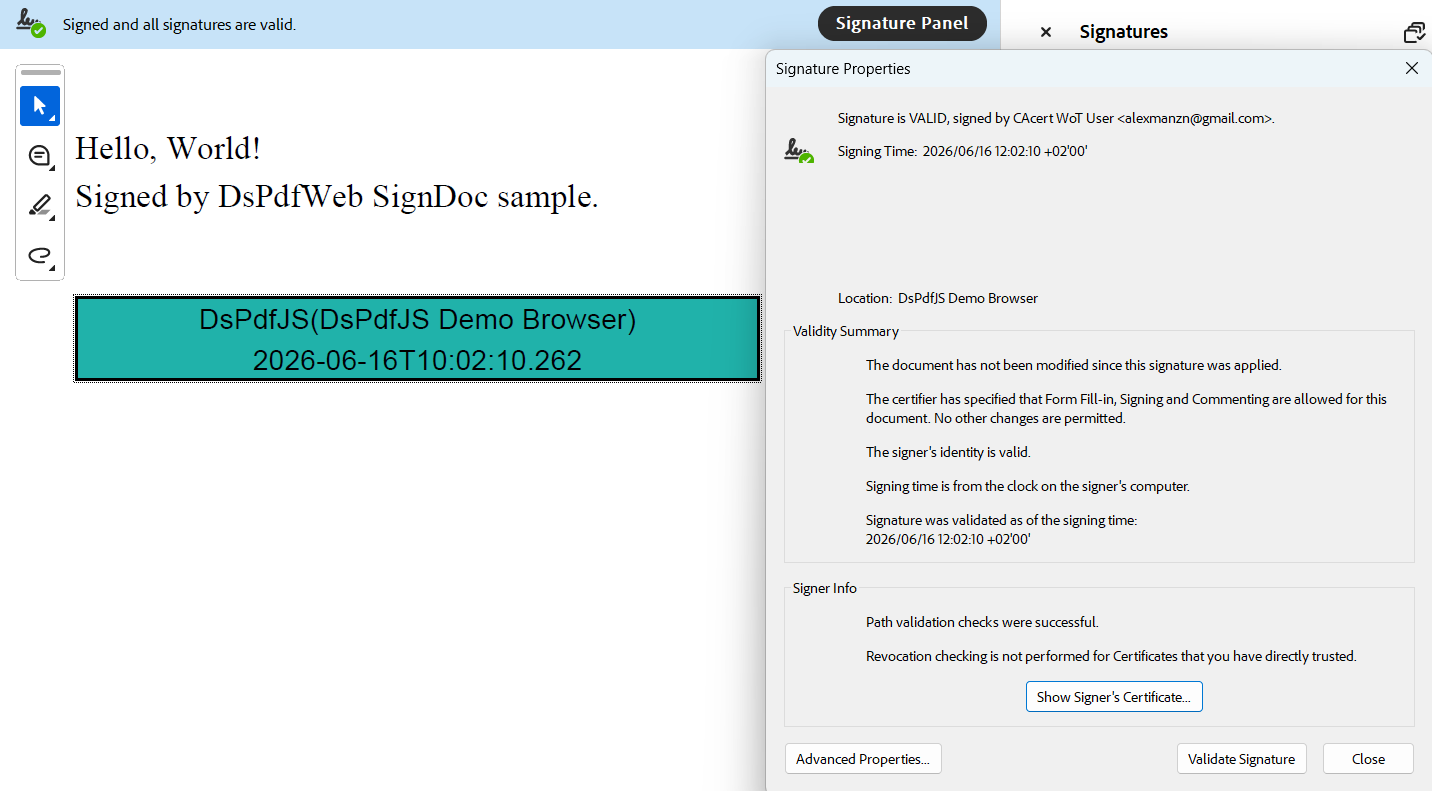
Signing and saving the document are performed as a single atomic operation through the sign method.
Visual Signature
A signature can also include a visual representation in the document. Visible signatures may contain text, images, or other visual elements to indicate where the document has been signed.
You can customize the signature appearance using the signatureAppearance property of the signer.
The following example code demonstrates adding an image to a visible signature:
const doc = new PdfDocument();
const page = doc.newPage();

const certificatePem = await loadFileAsString("sign_cert.crt");
const privatePem = await loadFileAsString("sign_privatekey.pem");

const signer = new Pkcs7Signer();
signer.certificateChainPem = [ certificatePem ];
signer.privateKeyPem = privatePem;
signer.location = "DsPdfJS Demo Browser";
signer.signerName = "DsPdfJS";

// Add signature image
signer.signatureAppearance.image =
        Image.load(new Uint8Array(await loadFile("signature.png")));
signer.signatureAppearance.captionImageRelation =
        CaptionImageRelation.ImageOnly;

var sf = new SignatureField();
sf.widget.rect = { x: 72, y: 72 * 2, width: 72 * 4, height: 36 };
sf.widget.page = page;

doc.acroForm.fields.add(sf);
signer.signatureField = sf;

const docData = await doc.sign(signer);

saveFile("visualSignature.pdf", docData);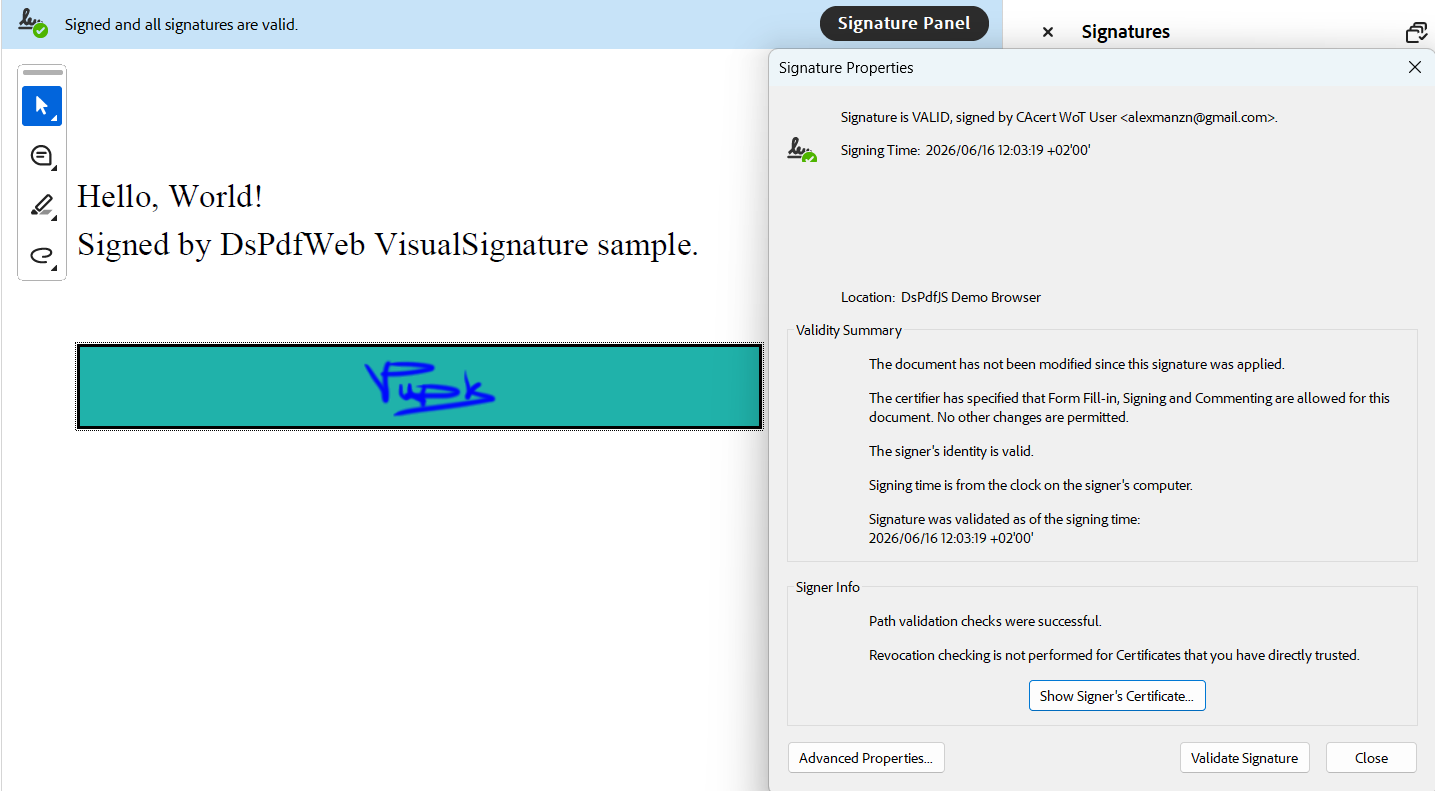
A signature field must be placed on a page to display the visible signature.
Signing with Incremental Updates
A PDF document may contain multiple signatures. DsPdfJS supports sequential signing through incremental updates.
When you sign a document, a new revision of the PDF is appended without modifying previous content. This preserves earlier signatures and allows additional signers to sign the document.
The following example code demonstrates signing a document using incremental updates:
/**
 * This sample generates and signs a PDF (using code that is similar to the first sample),
 * and then signs the generated PDF with a second signature without invalidating the original
 * signature, by using incremental update (default when using the sign() method).
 */
export class IncrementalUpdate
{
    @withObjectManager
    static async incrementalUpdate()
    {
        // Load a signed document (we use code similar to the SignDoc sample):
        const doc = PdfDocument.load(await IncrementalUpdate.createAndSignPdf());
        // Init a second certificate and private key
        const certificatePem = await loadFileAsString("user_pfx_certificate.crt");
        const privatekeyPem = await loadFileAsString("user_pfx_privatekey.pem");
        const signer = new Pkcs7Signer();
        signer.certificateChainPem = [ certificatePem ];
        signer.privateKeyPem = privatekeyPem;
        signer.location = "DsPdfJS Demo Browser";
        signer.signerName = "DsPdfJS";
        signer.signingDateTime = new Date();

        // Find the 2nd (not yet filled) signature field:
        var sfld2 = doc.acroForm.fields.findByName("SecondSignature") as SignatureField;
        if (sfld2 == null)
            throw new Error("Unexpected: could not find 'SecondSignature' field");
        // Connect the signature field and signature props:
        signer.signatureField = sfld2;
        // Sign and save the document:
        const docData = await doc.sign(signer, { saveMode: SaveMode.IncrementalUpdate });
        saveFile("incrementalUpdate.pdf", docData);
    }

    /**
     * This method is almost exactly the same as the first sample,
     * but adds a second signature field (does not sign it though):
     */
    private static async createAndSignPdf(): Promise<Uint8Array>
    {
        const doc = new PdfDocument();
        const page = doc.newPage();
        const tf = new Format({ font: Font.getPdfFont(StandardPdfFont.Times), fontSize: 14 });
        page.context.drawText("Hello, World!\n" +
            "Signed TWICE by DsPdfWeb SignIncremental sample.",
            tf, 72, 72);

        // load certificate and private key
        const certificatePem = await loadFileAsString("sign_cert.crt");
        const privatePem = await loadFileAsString("sign_privatekey.pem");
        const signer = new Pkcs7Signer();
        signer.certificateChainPem = [certificatePem];
        signer.privateKeyPem = privatePem;
        signer.location = "DsPdfJS Demo Browser";
        signer.signerName = "DsPdfJS";
        signer.signingDateTime = new Date();

        // Init a signature field to hold the signature:
        const sf = new SignatureField();
        sf.widget.rect = { x: 72, y:  72 * 2, width: 72 * 4, height: 36 };
        sf.widget.page = page;
        sf.widget.backColor = "LightSeaGreen";
        // Add the signature field to the document:
        doc.acroForm.fields.add(sf);
        // Connect the signature field and signature props:
        signer.signatureField = sf;

        // Add a second signature field:
        var sf2 = new SignatureField();
        sf2.name = "SecondSignature";
        sf2.widget.rect = { x: 72, y: 72 * 3, width: 72 * 4, height: 36 };
        sf2.widget.page = page;
        sf2.widget.backColor = "LightYellow";
        // Add the signature field to the document:
        doc.acroForm.fields.add(sf2);

        const docData = doc.sign(signer);
        return docData;
    }
}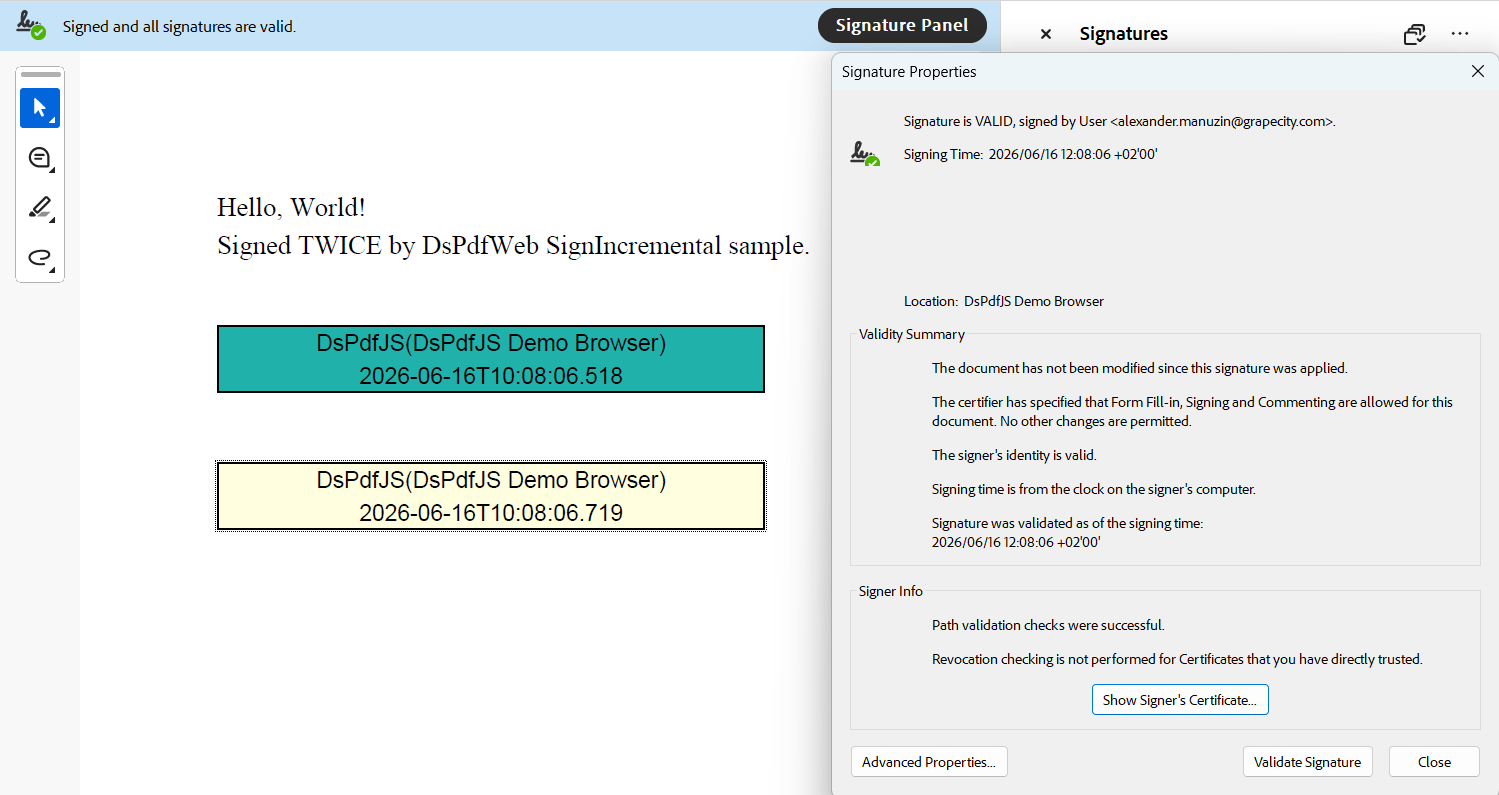
Each new signature is applied to the latest revision of the document while keeping earlier signatures valid.
Timestamp Signature
A timestamp signature proves that a document existed at a specific moment in time. Timestamp tokens are obtained from a Time Stamp Authority (TSA) and embedded in the document.
DsPdfJS provides the TimeStampProvider and TimeStamper classes to request and apply timestamps.
The following example code demonstrates applying a timestamp to a document:
/**
 * This sample shows how to sign an existing PDF file containing
 * an empty signature field with a signature that complies with
 * PAdES (PDF Advanced Electronic Signatures) B-T level standard.
 */
const doc = PdfDocument.load(new Uint8Array(await loadFile("SignPAdESBT.pdf")));

const certificatePem = await loadFileAsString("sign_cert.crt");
const privatekeyPem = await loadFileAsString("sign_privatekey.pem");
var signer = new Pkcs7Signer();
// it is required for PAdES B-B signature:
signer.format = Pkcs7SignatureFormat.ETSI_CAdES_detached;
// A PAdES B-T signature must include a timestamp token obtained from a TSA server.
// When running in a browser, direct requests to the TSA server are blocked by CORS.
// To work around this, a proxy is configured in Vite (see vite.config.ts).
// The `ts_ssl` proxy path is mapped to http://ts.ssl.com.
signer.timeStampProvider = new TimeStampProvider("ts_ssl");

signer.certificateChainPem = [ certificatePem ];
signer.privateKeyPem = privatekeyPem;
signer.signatureAppearance.caption = "PAdES B-T";
signer.signatureField = doc.acroForm.fields.getAt(0);
const docData = await doc.sign(signer);

// Done
saveFile("padesBTSignature.pdf", docData);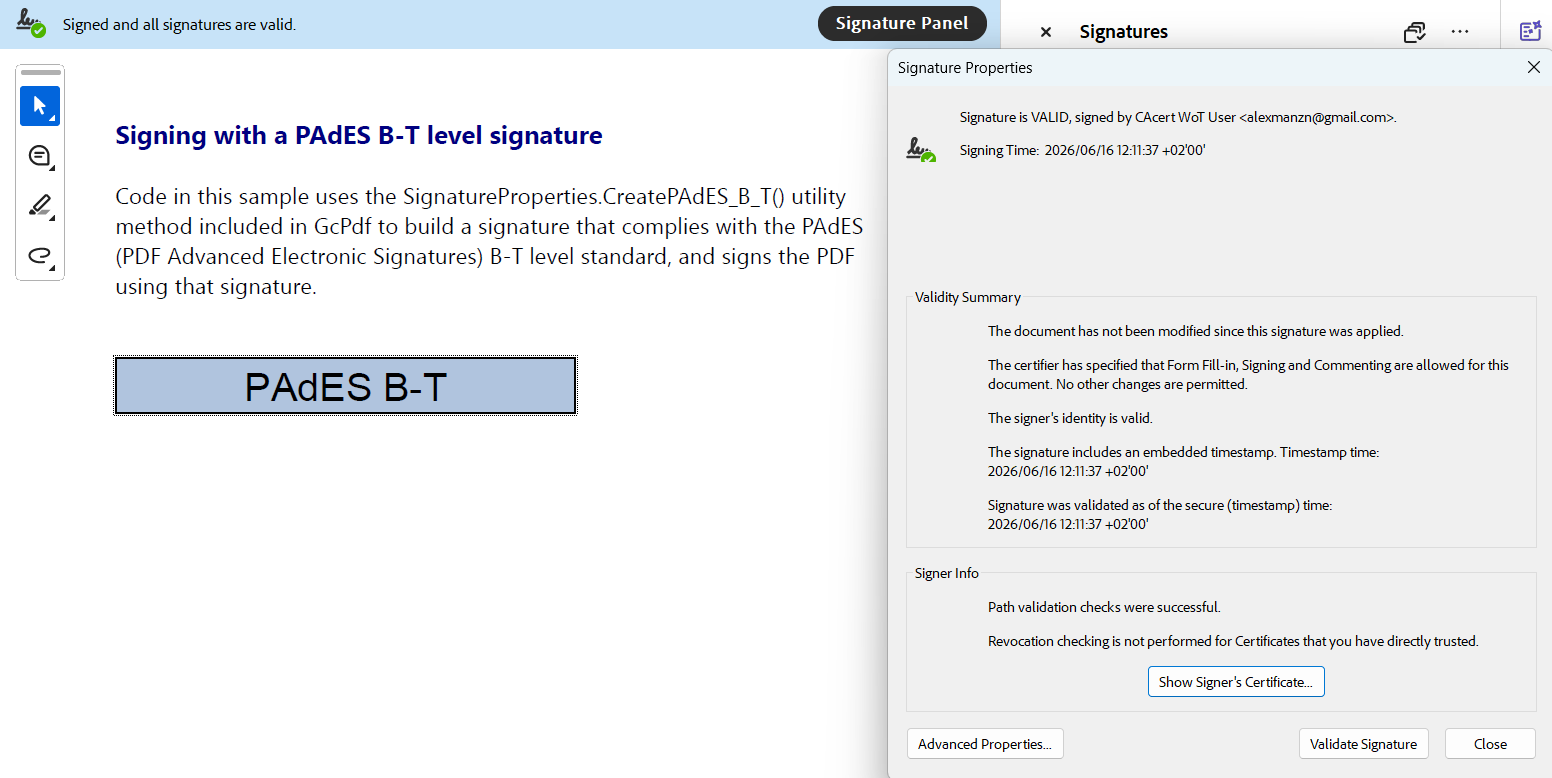
Note: In browser environments, direct calls to TSA services may be restricted by CORS policies. In such cases, you may need an external server-side request to obtain timestamp responses.
PAdES Signature Levels
DsPdfJS supports creating signatures compliant with PAdES (PDF Advanced Electronic Signatures), a set of standards for long-term validation of digitally signed documents.
The following PAdES levels are supported:
• B-B - Basic signature.
• B-T - Signature with trusted timestamp.
• B-LT - Signature with embedded validation data.
• B-LTA - Long-term archival signature.
You can create PAdES B-B signatures by configuring the signature format:
signer.format = Pkcs7SignatureFormat.ETSI_CAdES_detached;For PAdES B-T signatures, you must configure a timestamp provider:
signer.timeStampProvider = new TimeStampProvider("http://ts.ssl.com");The following example code demonstrates creating a PAdES B‑B signature:
/*
 * This sample shows how to sign an existing PDF file containing
 * an empty signature field with a signature that complies with
 * PAdES (PDF Advanced Electronic Signatures) B-B level standard.
*/
const doc = PdfDocument.load(new Uint8Array(await loadFile("SignPAdESBB.pdf")));

const certificatePem = await loadFileAsString("sign_cert.crt");
const privatekeyPem = await loadFileAsString("sign_privatekey.pem");
var signer = new Pkcs7Signer();
// it is required for PAdES B-B signature:
signer.format = Pkcs7SignatureFormat.ETSI_CAdES_detached;
signer.certificateChainPem = [ certificatePem ];
signer.privateKeyPem = privatekeyPem;
signer.signatureAppearance.caption = "PAdES B-B";
signer.signatureField = doc.acroForm.fields.getAt(0);
const docData = await doc.sign(signer);

// Done
saveFile("padesBBSignature.pdf", docData);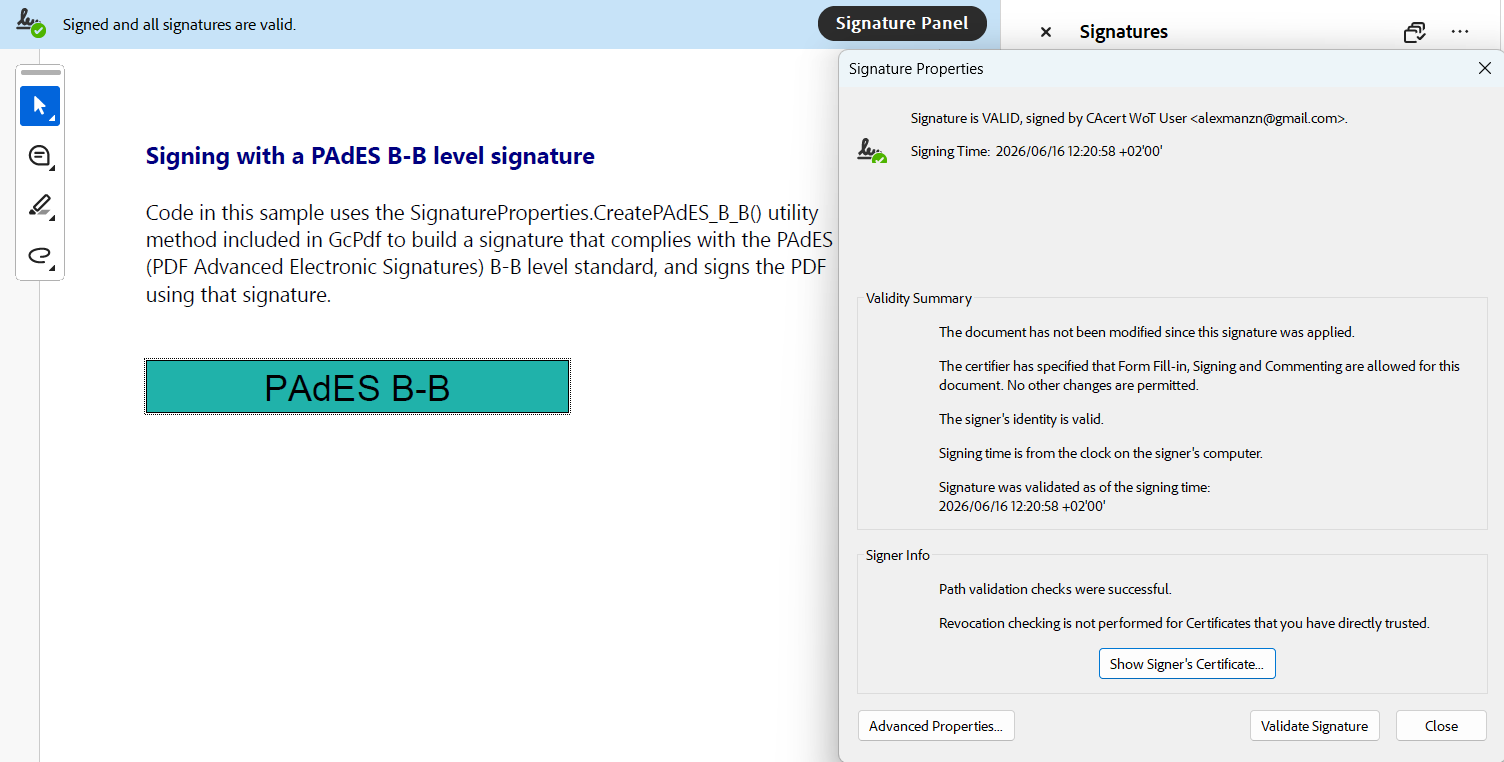
Higher-level PAdES signatures embed verification data such as certificate chains, OCSP responses, and CRLs in the document’s Document Security Store (DSS). This allows signatures to be validated long after the original certificate infrastructure is no longer available.
Extract Signature Properties
You can inspect existing signatures in a PDF document by accessing the corresponding signature field and parsing its contents.
Extracting signature information:
const signatureField = doc.acroForm.fields.getAt(0);
const parsedSignature = signatureField.signature?.parseContent();
The parsed content contains information about the signature container, including signer metadata and embedded certificates.
Verify Digital Signature
To verify a digital signature, check whether the signature value matches the document content.
Verifying a signature:
if (parsedSignature?.valueValid) {
    console.log("Signature is valid.");
} else {
    console.log("Signature verification failed.");
}
Signature verification in DsPdfJS confirms that the signature corresponds to the signed data. It doesn't perform certificate trust validation or revocation checks.
Remove Digital Signature
A digital signature can't be removed without invalidating it because the signature protects the document revision that contains it.
However, you can remove the signature value from a signature field or remove the signature field itself.
Removing the signature value:
if (field instanceof SignatureField) {
    field.signature = null;
}
Removing signature fields:
if (fields.getAt(i) instanceof SignatureField)
    fields.removeAt(i);
Removing a signature value clears the signature but leaves the field in the document. Removing the field deletes the signature placeholder entirely.
Custom Implementation of Digital Signature
DsPdfJS allows integration with external signing providers by implementing a custom signer derived from Pkcs7SignerBase.
A custom signer can delegate cryptographic operations to external services such as cloud key vaults, hardware security modules (HSM), or server-side signing APIs.
To implement a custom signer, extend Pkcs7SignerBase and implement the required methods.
The following example code demonstrates implementing a custom signer structure:
export class ServerSideSigner extends Pkcs7SignerBase {
    private _apiPath: string;

    constructor(apiPath: string)
    {
        super();
        this._apiPath = apiPath;
    }

    async getSignParams(): Promise<SignParams> {
        const resp = await fetch(this._apiPath + '/getsignparams');
        if (!resp.ok) {
            throw new Error(`HTTP error! status: ${resp.status}`);
        }
        const respData = await resp.json();
        const result: SignParams = {
            certificateChainPem: respData.certificateChainPem,
            digestEncryptionAlgorithmOID: respData.digestEncryptionAlgorithmOID,
            hashAlgorithmOID: respData.hashAlgorithmOID,
        };
        return result;
    }

    protected async generateSignatureValueHex(dataToSignHex: string, hashAlgorithmOID: string, signParams: SignParams): Promise<string> {
        const params = new URLSearchParams({
            dataToSignHex: dataToSignHex,
            hashAlgorithmOID: hashAlgorithmOID,
            digestEncryptionAlgorithmOID: signParams.digestEncryptionAlgorithmOID
        });
        const resp = await fetch(this._apiPath + `/generatesignaturevaluehex?${params.toString()}`);
        if (!resp.ok) {
            throw new Error(`HTTP error! status: ${resp.status}`);
        }

        const respData = await resp.json();
        return respData.signatureHex;
    }
}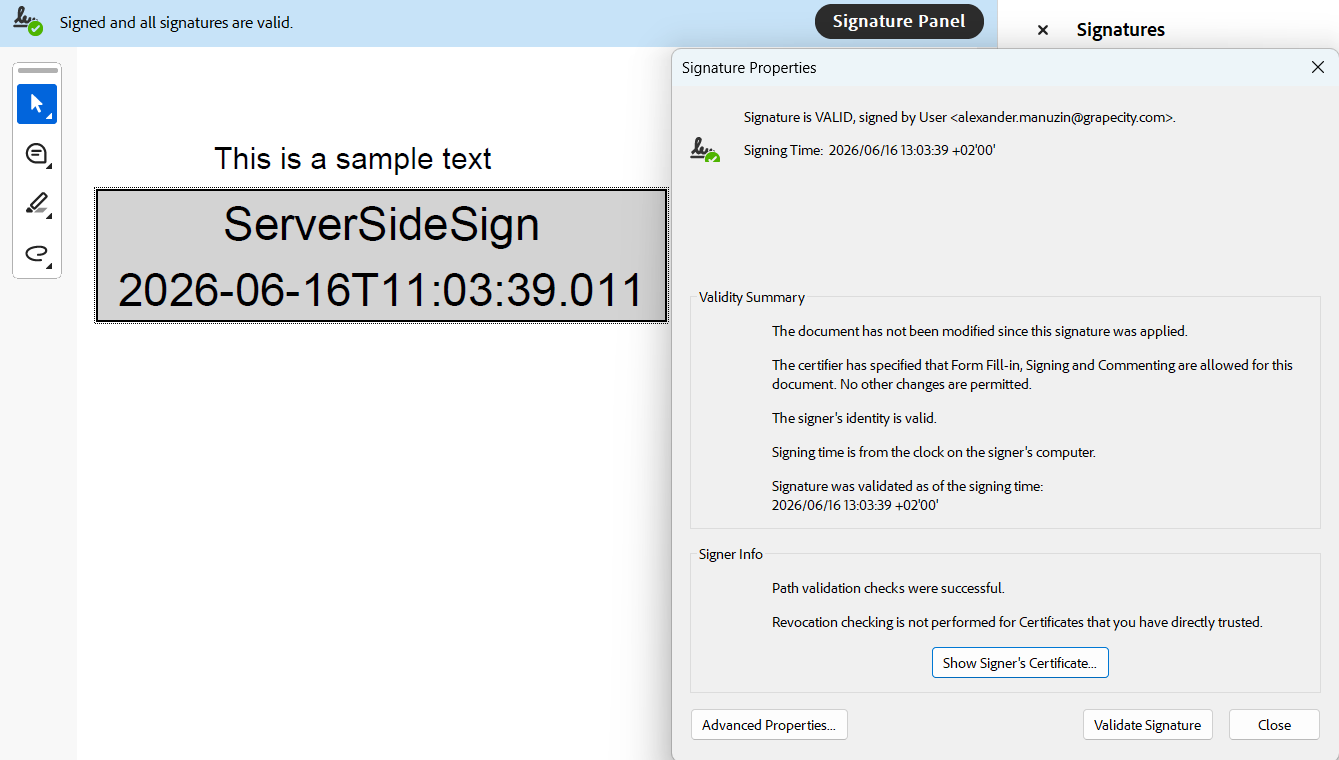
External signing workflows are asynchronous and may involve network requests to retrieve certificates or generate signatures. This allows sensitive private keys to remain protected in external systems instead of storing them directly in the application.