Tagged PDF
Tagged PDF is a PDF document that contains a logical structure describing the document content and reading order. Tagged PDFs can improve content extraction, document navigation, and accessibility support.
DsPdfJS allows you to create tagged PDF documents by adding structure elements to the document structure tree and rendering content inside marked content sequences using the beginMarkedContent and endMarkedContent methods.
Structure elements define the logical organization of the document content, such as headings, paragraphs, figures, and other content types. Marked content sequences associate rendered content with structure elements through MCID references.
Use TagArtifact to mark decorative content that shouldn't participate in the document’s logical structure, such as headers, footers, watermarks, or page decorations.
Note: Tagged PDF structure is also required for certain PDF standards such as PDF/UA. For more information about creating standards-compliant documents, see PDF Conformance.
Create Tagged PDF Documents
To create a tagged PDF document:
Create structure elements using the StructElement class.
Add the structure elements to the document structure tree using the structTreeRoot property.
Render content inside marked content sequences using the beginMarkedContent and endMarkedContent methods.
Associate marked content with structure elements using MCID content item links.
Mark the document as tagged using the markInfo.marked property.
Save the document.
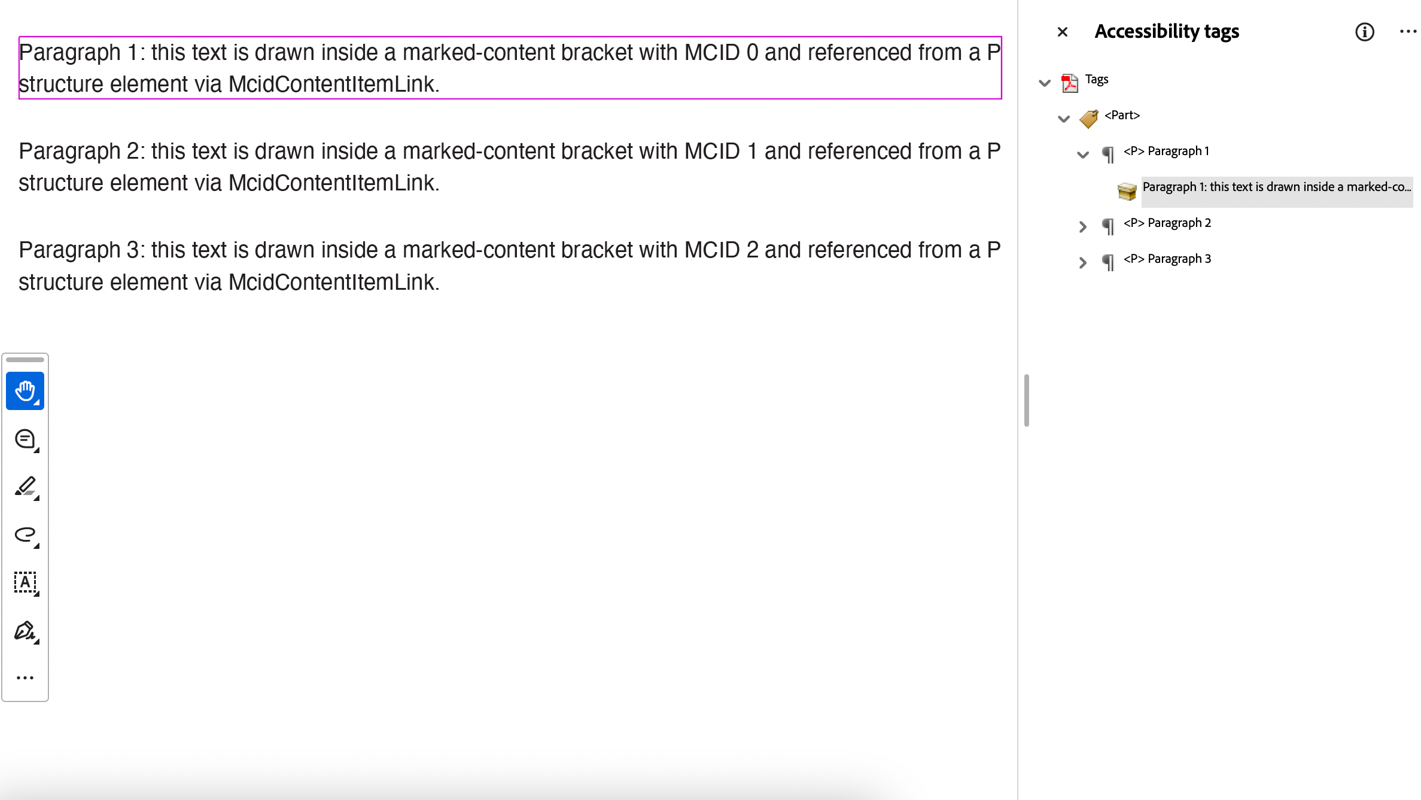
The following example demonstrates how to create a tagged PDF document using structure elements and marked content:
// PDF structure tree basics: StructTreeRoot, StructElement, McidContentItemLink.
// Content is drawn inside marked-content brackets, and for each marked-content
// sequence a structure element is created and linked to the content via its MCID.
const doc = new PdfDocument();
const font = Font.getPdfFont(StandardPdfFont.Helvetica);
// Create a Part element under the structure tree root;
// it will contain P (paragraph) elements:
const sePart = new StructElement('Part');
doc.structTreeRoot.children.add(sePart);
const page = doc.pages.addNew();
const g = page.context;
let y = 20;
for (let i = 0; i < 3; i++) {
    // create a paragraph element and add it to the Part element
    const seParagraph = new StructElement('P');
    seParagraph.title = `Paragraph ${i + 1}`;
    // defaultPage is the page MCID-based content items of this element refer to
    seParagraph.defaultPage = page;
    sePart.children.add(seParagraph);
    const tl = new Layout({
        defaultFormat: new Format({ font: font, fontSize: 12 }),
        maxWidth: page.width - 40
    });
    tl.append(`Paragraph ${i + 1}: this text is drawn inside a marked-content bracket with MCID ${i} ` +
        'and referenced from a P structure element via McidContentItemLink.');
    tl.performLayout();
    // draw the paragraph within tagged content (BDC ... EMC with MCID i)
    g.beginMarkedContent({ name: 'P', mcid: i });
    g.drawLayout(tl, 20, y);
    g.endMarkedContent();
    y += tl.contentHeight + 20;
    // link the marked-content sequence to the structure element
    seParagraph.contentItems.add(new McidContentItemLink(i));
}
// the mark information dictionary of a tagged document must have marked = true
doc.markInfo.marked = true;
const outputFile = path.join(__dirname, 'StructureTreeBasics.pdf');
await writeFile(outputFile, doc.savePdf());