- Document Solutions for PDF JS Overview
- Key Features
- Licensing and Redistribution
- Quick Start
- Memory Management
-
Features
- Create and Save
- Document Properties
- Pages
- Text
- Graphics
- Form XObjects
- Images
- Fonts
-
Annotations
- Text Annotation
- Free Text Annotation
- Line Annotation
- Polyline Annotation
- Square Annotation
- Circle Annotation
- Polygon Annotation
- 3D Annotation
- Stamp Annotation
- Ink Annotation
- File Attachment Annotation
- Link Annotation
- RichMedia Annotation
- Sound Annotation
- Widget Annotation
- Watermark Annotation
- Redact Annotation
- Text Markup Annotation
- Caret Annotation
- Appearance Streams
- Forms
- Output Intents
- Merge and Split PDFs
- Actions
- Outline
- Tagged PDF
- PDF Conformance
- Attachments
- Redact Annotation
- Security
- Digital Signatures
- Incremental Update
- Linearization
- Export
- Image Features
- Snippet Helpers
- Samples
- Tutorials
- API Reference
- Release Notes
Appearance Streams
Appearance streams define the visual representation of annotations in a PDF document. They allow annotations to render a consistent appearance across PDF viewers.
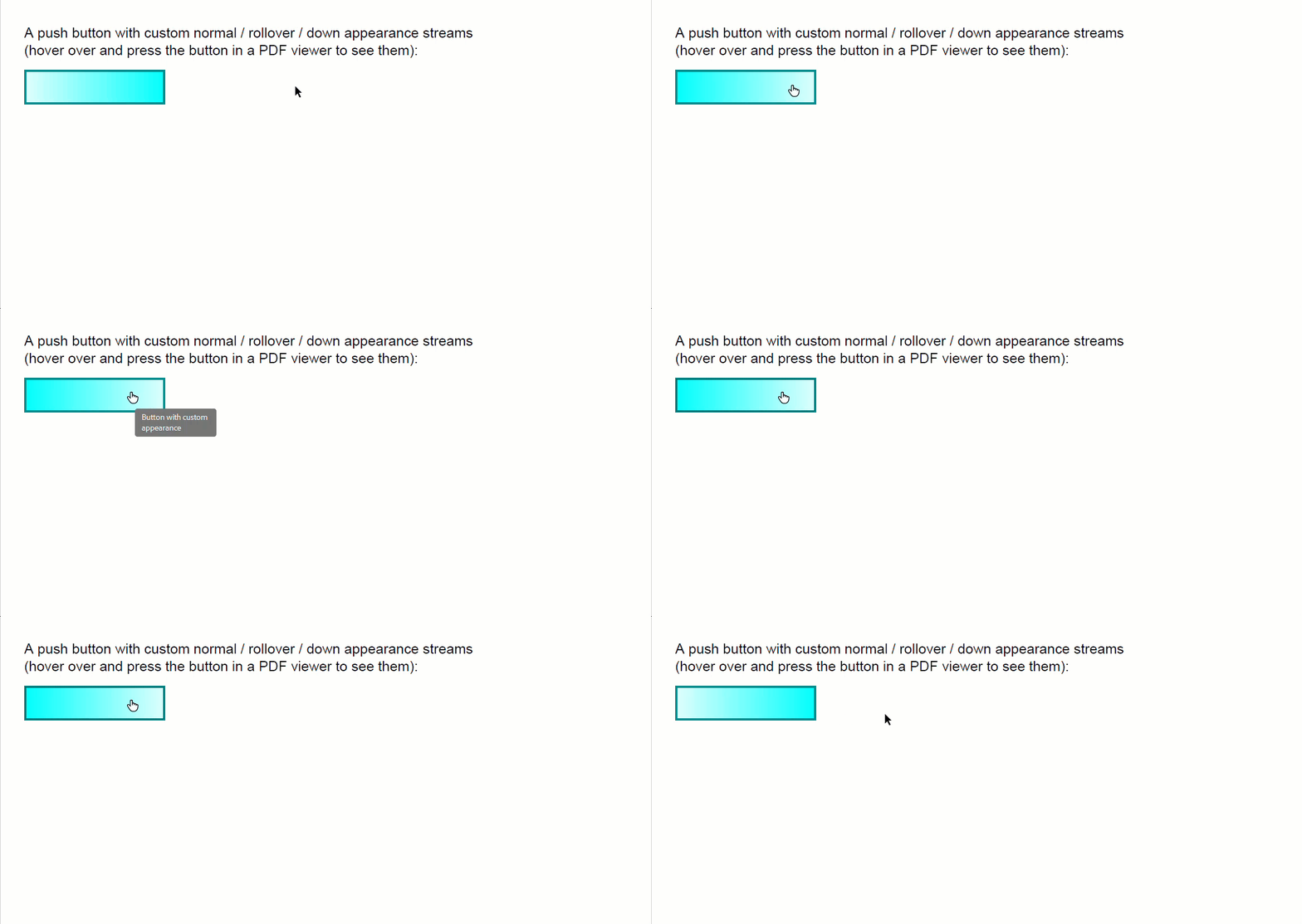
Annotations can define appearance streams for the following states:
Normal: displayed when the annotation isn't interacting with the user.
Rollover: displayed when the pointer moves over the annotation.
Down: displayed while the annotation is pressed.
Appearance streams are represented by FormXObject instances. Use the appearanceStreams property to assign appearance streams to annotation states.
For more information about FormXObject, see Form XObjects.
Create Annotation Appearance Streams
To create annotation appearance streams:
Create a FormXObject instance.
Generate appearance content using the FormXObject context.
Assign the FormXObject to an annotation appearance state using the appearanceStreams property.
The following example demonstrates how to create and assign custom appearance streams for different annotation states.
// Custom annotation appearance streams: full control over the normal ("N"),
// rollover ("R") and down ("D") appearance streams of an annotation.
// An appearance stream is a FormXObject, so the full drawing API is available.
const doc = new PdfDocument();
const page = doc.pages.addNew();
const font = Font.getPdfFont(StandardPdfFont.Helvetica);
page.context.drawText('A push button with custom normal / rollover / down appearance streams', new Format({ font: font, fontSize: 12 }), 20, 20);
page.context.drawText('(hover over and press the button in a PDF viewer to see them):', new Format({ font: font, fontSize: 12 }), 20, 35);
const btn = new PushButtonField();
btn.name = 'btn';
btn.alternateName = 'Button with custom appearance';
btn.widget.rect = { x: 20, y: 60, width: 120, height: 30 };
btn.widget.highlighting = HighlightingMode.Push;
btn.widget.border = { style: BorderStyle.Underline };
btn.widget.page = page;
// Builds one appearance stream: a FormXObject with a gradient fill and a border.
function createAppearance(startColor, endColor, borderColor) {
    const fxo = new FormXObject(doc, { x: 0, y: 0, width: btn.widget.rect.width, height: btn.widget.rect.height });
    const g = fxo.context;
    const r = { x: 0, y: 0, width: g.width, height: g.height };
    g.drawRect(r, { fillBrush: new LinearGradientBrush({ startColor: startColor, endColor: endColor }) });
    g.drawRect(r, { lineColor: borderColor, lineWidth: 3 });
    return fxo;
}
// Each AppearanceStream entry can hold a single default stream
// (setting null removes it); for stateful annotations such as check boxes
// use getStream(name) / setStream(name, formXObject) instead.
btn.widget.appearanceStreams.normal.default = createAppearance('LightCyan', 'Cyan', 'DarkCyan');
btn.widget.appearanceStreams.rollover.default = createAppearance('Cyan', 'LightCyan', 'DarkCyan');
btn.widget.appearanceStreams.down.default = createAppearance('Cyan', 'LightCyan', 'Red');
doc.acroForm.fields.add(btn);
const outputFile = path.join(__dirname, 'AppearanceStreams.pdf');
await writeFile(outputFile, doc.savePdf());
console.log(`Created ${outputFile}`);