


Quick Start: Display C1MaskedTextField Controls
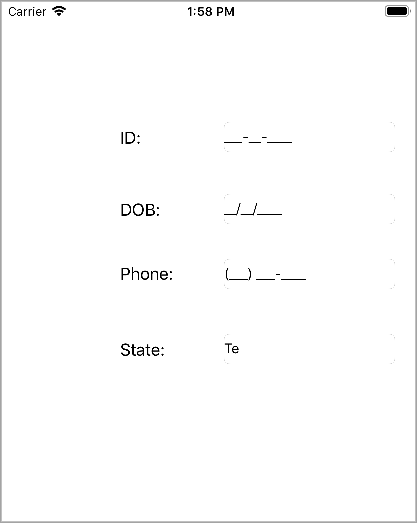
This section describes adding C1MaskedTextField controls to an iOS application for specifying four input fields, namely ID, Date of Birth, Phone, and State. The ID input field accepts a nine-digit number separated by hyphens, the Date of Birth field accepts a date in mm/dd/yyyy format, the Phone field accepts a 10-digit number with area code, and the State field accepts abbreviated postal code of a state.
The following image shows the input fields configured after completing the above steps.
Add the following code in ViewDidLoad method to display C1MaskedTextField controls.
public override void ViewDidLoad()
   {
        base.ViewDidLoad();
        MaskedID.Mask = "000-00-0000";
        MaskedDOB.Mask = "90/90/0000";
        MaskedPhone.Mask = "(999) 000-0000";
        MaskedState.Mask = "LL";
        this.View.Add(MaskedID);
        this.View.Add(MaskedDOB);
        this.View.Add(MaskedPhone);
        this.View.Add(MaskedState);
      }