ComponentOneLicenseAdder warning after update to .779

Posted by: wknauf on 11 June 2026, 10:40 am EST

    • Post Options:
    • Link

    Posted 11 June 2026, 10:40 am EST - Updated 11 June 2026, 10:45 am EST

    Hi C1,

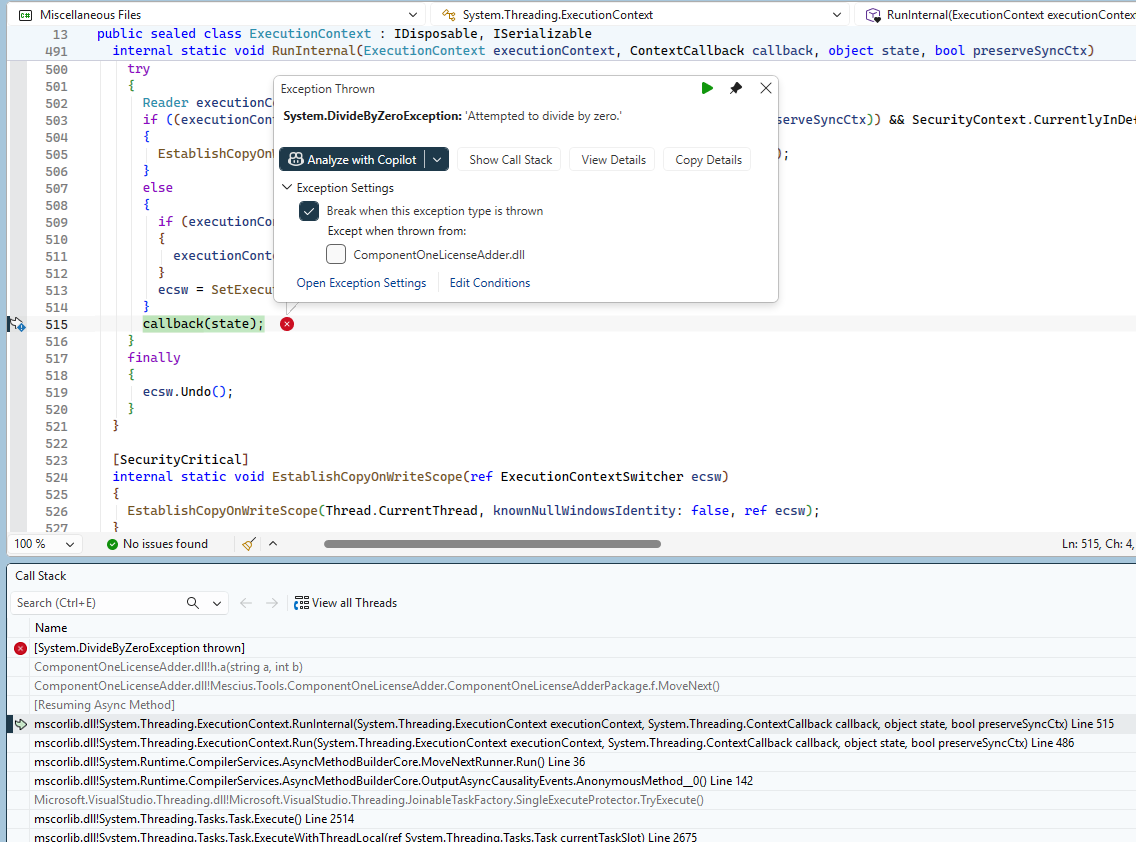
    after having installed the C1 update to .779, Visual Studio 2026 Professional shows a warning “The ComponentOneLicenseAdderPackage package did not load correctly” whenever I open a solution:
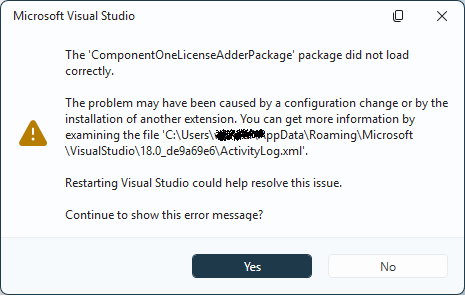
    “ActivityLog.xml” from the screenshot contains nothing helpful I think:

      <entry>
        <record>626</record>
        <time>2026/06/11 14:38:04.567</time>
        <type>Information</type>
        <source>VisualStudio</source>
        <description>Begin package load [ComponentOneLicenseAdderPackage]</description>
        <guid>{92631D4C-9144-4F0A-ABD2-39F70C8D94AF}</guid>
      </entry>
      <entry>
        <record>627</record>
        <time>2026/06/11 14:38:04.583</time>
        <type>Error</type>
        <source>VisualStudio</source>
        <description>SetSite failed for package [ComponentOneLicenseAdderPackage](null)</description>
        <guid>{92631D4C-9144-4F0A-ABD2-39F70C8D94AF}</guid>
        <hr>0x80131509</hr>
        <errorinfo></errorinfo>
      </entry>

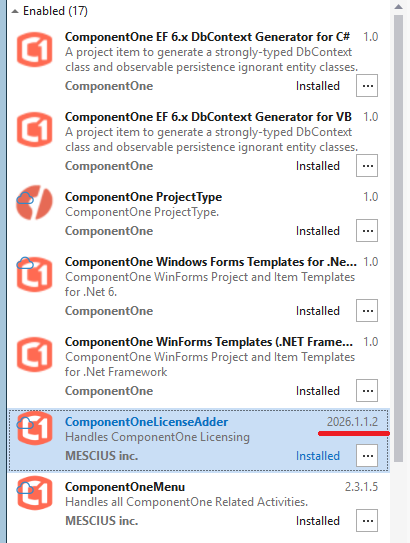
    The extensions seems to be installed:
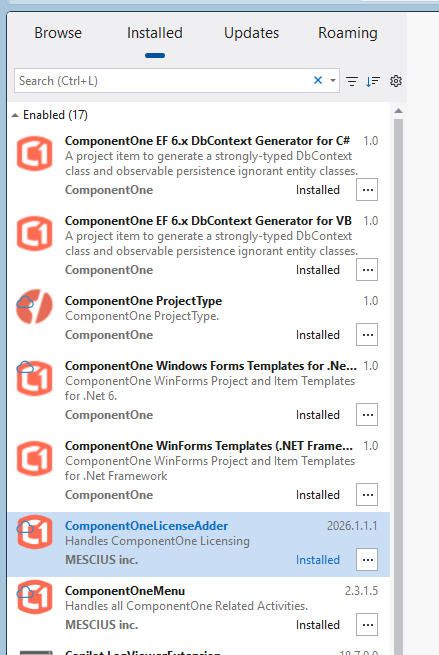
    Do you have an idea what this means?

    Best regards

    Wolfgang

  • Posted 12 June 2026, 12:24 am EST

    Hello Wolfgang,

    Thank you for providing the details.

    This behavior has already been reported to our development team, and as per the team the reported issue is a bug. Rest assured, we will update you as soon as we have more information from them.

    In the meantime, selecting the “No” option on the dialogue will prevent the message from reappearing during startup. Even though the extension stops working, it would allow you to continue using Visual Studio without this annoying error.

    [Bug Tracking ID: C1-10097]

    Regards,

    Uttkarsh.

  • Posted 15 June 2026, 7:58 am EST

    Hello Wolfgang,

    The issue has been fixed in the latest version of ComponentOneControlPanel.

    To resolve this issue at your end, please do a fresh installation of C1:

    1. Uninstall ComponentOneControlPanel using Windows Control Panel.
    2. Install the latest installer from https://developer.mescius.com/componentone/download.
    3. Download the C1WinForms Suite.

    Regards,

    Uttkarsh.

  • Posted 15 June 2026, 9:50 am EST

    The download brings “ComponentOneControlPanel_226.4.391.exe”, and my installed Control panel version is also 2.26.4.391 (see version in screenshot at https://developer.mescius.com/forums/winforms-edition/controlpanel-does-not-display-net-10-winforms-components). So I already have the current ControlPanel. Or should I perform this step anyway?

    What will happen with the license during installation/deinstallation? Will it be kept on my machine or will I have to re-register it?

    Best regards

    Wolfgang

  • Posted 16 June 2026, 2:23 am EST

    Hello Wolfgang,

    The ComponentOneControlPanel is our web installer that downloads files directly from our servers. The installer’s version remains v2.26.4.391, however, the development team has updated the latest configuration files on our servers, so the installer now downloads the fixed extension.

    Should you still reinstall? Yes, please perform the reinstallation step anyway. Even though the version number matches, a fresh install should resolve the issue.

    What happens to your license during uninstallation? Your license will remain completely activated on your machine throughout the reinstallation process. License activation data is maintained entirely separate from the installation.

    Will you need to re-register? No, you are not required to re-register your license after a standard reinstallation. A license only gets deactivated if you explicitly choose to deactivate it directly through the License Manager tool.

    Regards,

    Uttkarsh.

  • Posted 16 June 2026, 4:24 am EST - Updated 16 June 2026, 4:29 am EST

    Thanks, I can confirm that this works. Now, version 2026.1.1.2 of the extension is installed.

    Best regards

    Wolfgang

Need extra support?

Upgrade your support plan and get personal unlimited phone support with our customer engagement team

Learn More

Forum Channels