
Posted 25 August 2026, 3:58 am EST - Updated 25 August 2026, 4:08 am EST
Initial situation
We are currently testing MESCIUS ComponentOne Enterprise on Windows 11 with Visual Studio 2026 (Visual Studio 2026 Professional Version 18.9.0).
Our goal is to test both existing applications targeting .NET Framework 4.8 and new applications targeting .NET 10 with ComponentOne.
Initial installation attempt
*Windows 11 was installed.
*Visual Studio 2026 was installed afterwards.
*We then used a somewhat older ComponentOne/MESCIUS installer from the end of 2025.
*This installer did not recognize Visual Studio 2026.
*As a result, it appears that no Visual Studio integration for VS 2026 was installed.
*We then used the latest MESCIUS installer.
*The latest installer recognized Visual Studio 2026 and reported that an integration with Visual Studio would be installed.
*After the installation was completed, we started Visual Studio 2026.
Result after the latest installation
The general Visual Studio integration appears to work:
*ComponentOne/MESCIUS project templates are available in Visual Studio 2026.
*The MESCIUS license management is available under Tools.
*The WinForms Toolbox contains the ComponentOne controls.
However, we encountered several issues with both WPF and WinForms.
Problem 1 – ComponentOne DLLs are missing under “Add Reference”
In a classic .NET Framework project, under:
Project → Add Reference…
we would normally expect to be able to find the ComponentOne assemblies, for example by searching for:
C1.*
After the current installation, however, no ComponentOne/C1 DLLs are listed.
This affects both:
*WinForms .NET Framework 4.8
*WPF .NET Framework 4.8
The corresponding DLLs are installed on the machine.
Therefore, we suspect that certain paths or Visual Studio registrations may not have been configured by the installer.
Problem 2 – WinForms: Missing assembly after dragging and dropping a C1FlexViewer
For WinForms, the ComponentOne Toolbox is populated correctly.
We therefore created a new WinForms project targeting .NET Framework 4.8 and dragged a C1FlexViewer onto the form.
From previous versions, we are used to all required references/assemblies being added automatically when a ComponentOne control is added to a project.
This does not appear to work completely with the current installation.
When compiling the project, the following assembly is reported as missing:
C1.Win.Ribbon.4.8, Version=4.8.20261.779…
As a result, the sample project cannot be started.
The corresponding ComponentOne components are installed on the machine, but the required assembly reference does not appear to have been added to the project automatically.
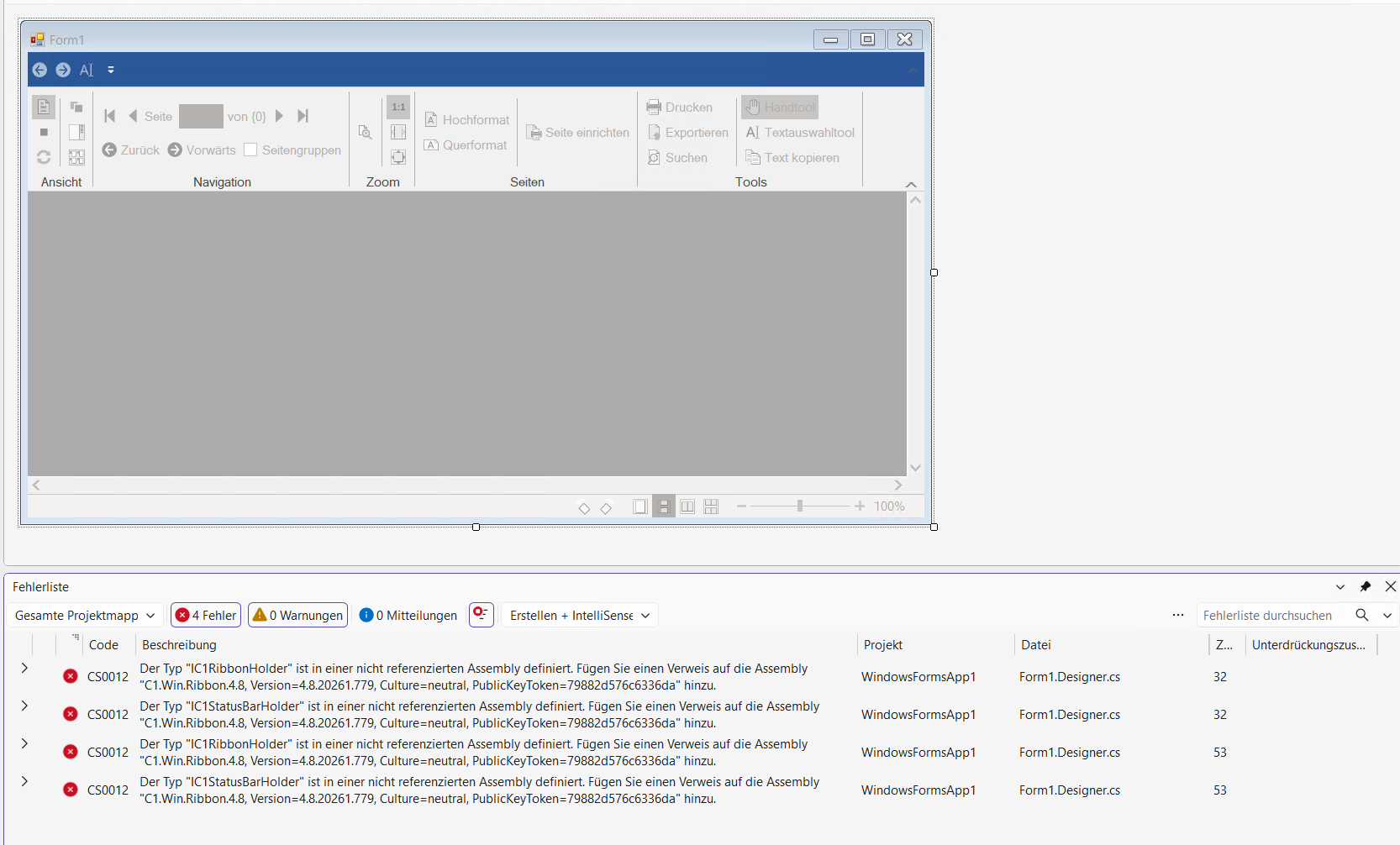
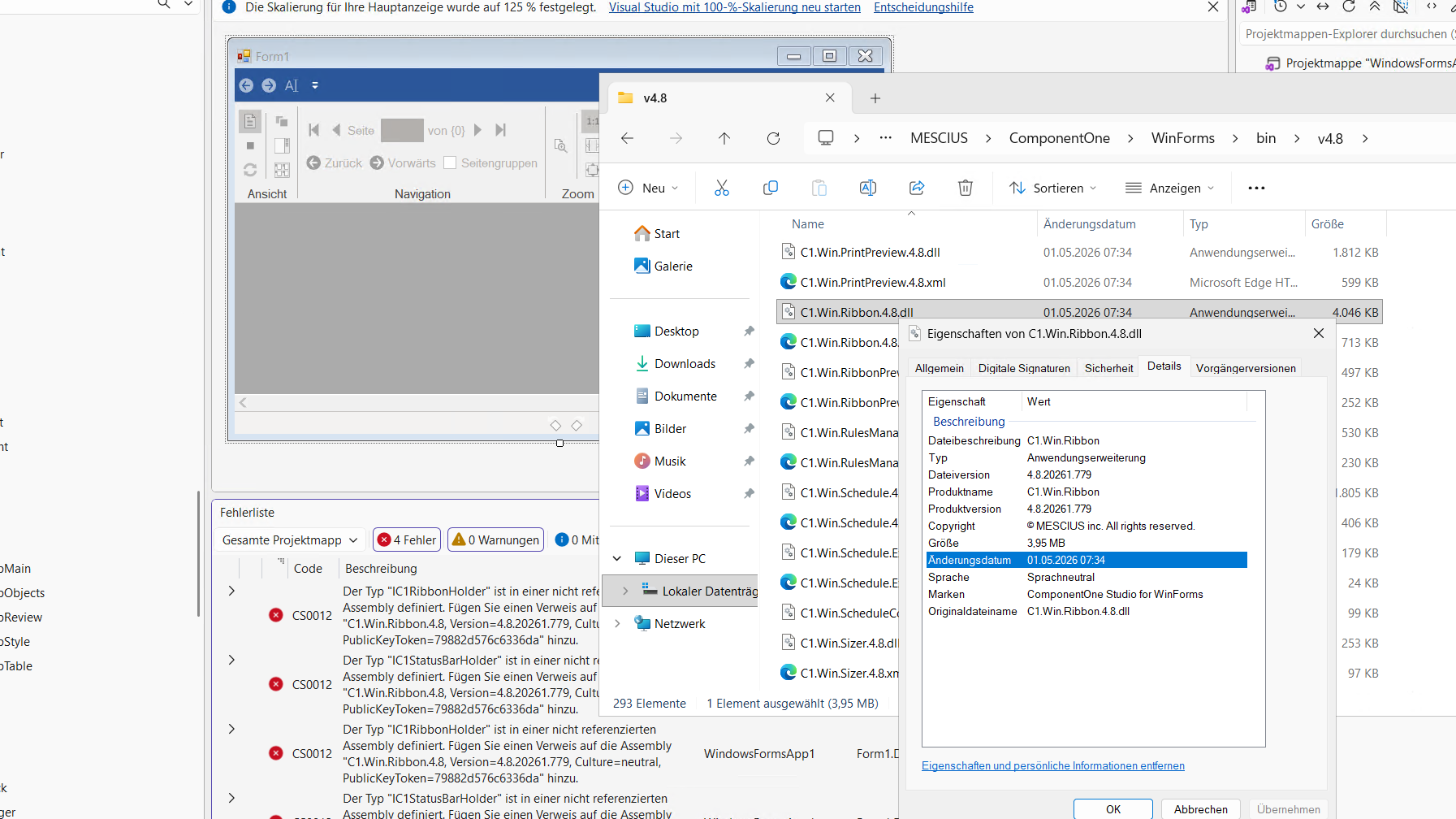
Problem 3 – WPF: Missing assembly after dragging and dropping a C1FlexViewer
For WPF, the ComponentOne Toolbox is initially empty.
We therefore manually added the required WPF DLLs from the installed .NET Framework 4.6.2 directory to the Toolbox.
We then created a new WPF project targeting .NET Framework 4.8 and dragged a C1FlexViewer onto the WPF Window.
Here as well, we would expect all required references/assemblies to be added automatically when adding the ComponentOne control.
This does not appear to work completely either.
When compiling the project, the following assembly is reported as missing:
C1.Chart, Version=10.0.20261.78
As a result, the sample project cannot be started.
The corresponding ComponentOne components are installed on the machine, but the required assembly reference does not appear to have been added to the project automatically.
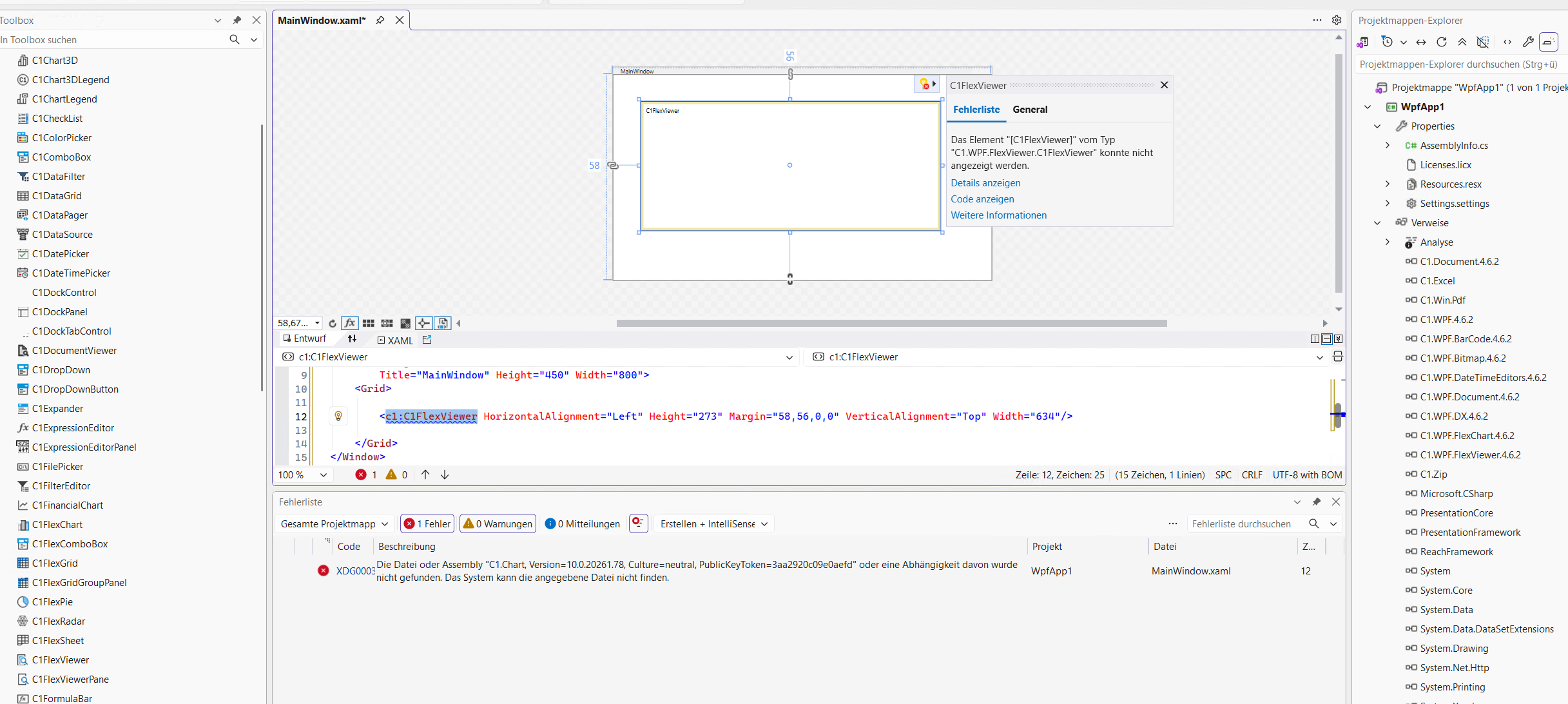
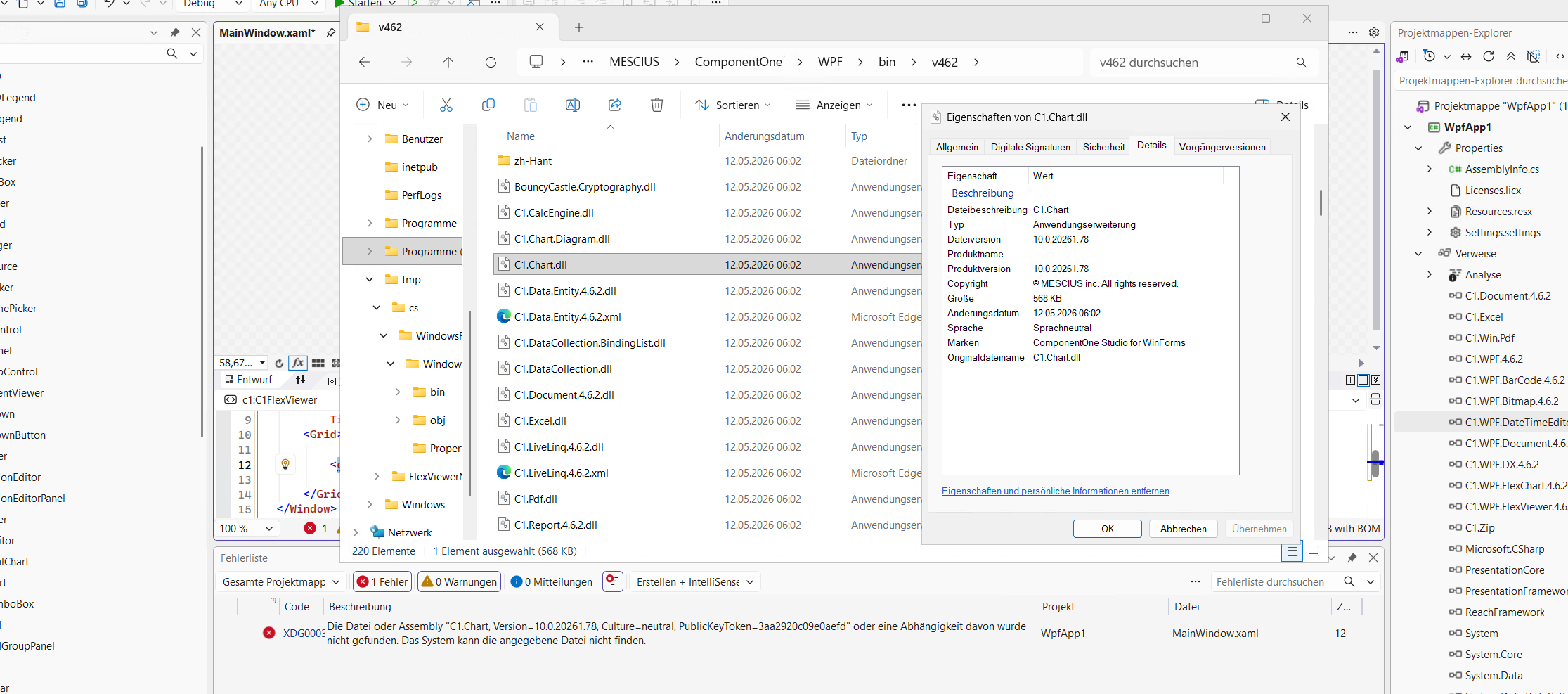
Question
Is the only recommended way to resolve these issues to perform a completely fresh installation using the latest ComponentOne/MESCIUS installer from 2026?
Or is there a way to repair the existing installation and correctly register the missing Visual Studio integration, Toolbox items, assemblies and references without completely reinstalling ComponentOne?
We are particularly interested in knowing whether the problems we are seeing could be caused by the fact that we initially installed an older ComponentOne installer from the end of 2025, which did not recognize Visual Studio 2026, and then installed the newer version afterwards.
If a fresh installation is recommended, would the following installation order be the correct procedure?
*Windows 11
*Latest Visual Studio 2026
*Latest ComponentOne/MESCIUS installer from 2026
After this installation, should we expect the following to work automatically?
*Visual Studio 2026 integration
*ComponentOne project templates
*ComponentOne Toolbox integration
*WPF controls in a .NET Framework 4.8 WPF project
*WinForms controls in a .NET Framework 4.8 WinForms project
*Automatic addition of all required assembly references when adding a ComponentOne control via drag & drop
*ComponentOne assemblies being available when adding references to a classic .NET Framework project
We would also like to test .NET 10 afterwards.
Before completely reinstalling the system, we would therefore like to know whether the current ComponentOne installation can be repaired, or whether a clean installation is the recommended approach for Visual Studio 2026.
greetings from germany