- Document Solutions for PDF JS Overview
- Key Features
- Licensing and Redistribution
- Quick Start
- Memory Management
- Features
- Snippet Helpers
- Samples
- Tutorials
- API Reference
- Release Notes
Create and Save
Create Image
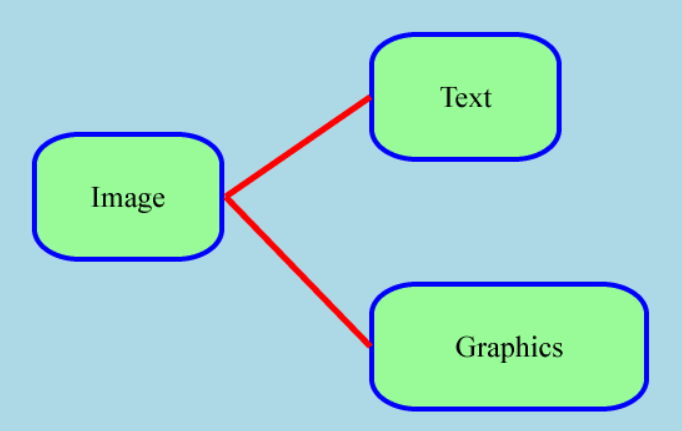
To create a new image, initialize a bitmap drawing surface using the BmpContext class. This context represents the image and provides methods for drawing graphics and rendering text. After initialization, you can use the context to draw shapes, lines, and other graphical elements, and apply fills or styles as needed. Text can be rendered by defining a Format object that specifies the font and size, and then drawing the text at the desired coordinates on the image.
DsPdfJS supports the following image formats:
JPEG
PNG
SVG
Note: To create a new SVG image, initialize the SvgContext class. For more, check out Work with SVG files.
Note: The examples on this page use helper functions from the Snippet Helpers module. These utilities are provided only to simplify the examples and are not part of the DsPdfJS API.
const ctx = new BmpContext(550, 350, 1, "LightBlue");

//Define text format used to render text in shapes
const tf = new Format({
    font: Font.load(await Util.loadFile("fonts/times.ttf")),
    fontSize: 24
});

//Draw rectangles with text
drawTextInRect(ctx, "Image", tf, { x: 30, y: 110, width: 150, height: 100 });
drawTextInRect(ctx, "Text", tf, { x: 300, y: 30, width: 150, height: 100 });
drawTextInRect(ctx, "Graphics", tf, { x: 300, y: 230, width: 220, height: 100 });

//Draw lines between the rectangles
ctx.drawLine(183, 160, 299, 80, { color: "Red", width: 5 });
ctx.drawLine(183, 160, 299, 280, { color: "Red", width: 5 });

Util.showBitmap(ctx.bitmap);


function drawTextInRect(ctx, text, format, rect) {
    // Rounded rectangle's radii:
    const rx = 36, ry = 24;

    // Using a dedicated method to draw and fill round rectangles:
    ctx.drawRect(rect, {
        radiusX: rx,
        radiusY: ry,
        fillColor: "PaleGreen",
        lineColor: "Blue",
        lineWidth: 4
    });

    //Draw string within the rectangle
    ctx.drawLayout({
        maxWidth: rect.width,
        maxHeight: rect.height,
        textAlignment: TextAlignment.Center,
        paragraphAlignment: ParagraphAlignment.Center,
        runs: [{ text, format }]
    }, rect.x, rect.y);
}
Create Thumbnail
You can create a thumbnail by loading an image and rendering a scaled version of it to a smaller bitmap. The image is first loaded using the Image class, and then drawn onto a BmpContext with the desired thumbnail dimensions. When drawing the image, you can control how it is scaled by specifying the interpolationMode property of DrawImageOptions type, which specifies the sampling or filtering mode to use when scaling an image. Additional options such as keepAspectRatio, alignX, and alignY can also be specified.
//Load image
const image = Image.load(await Util.loadFile(imagePath));

//Create thumbnail
const thumbWidth = 100, thumbHeight = 100;
const thumbCtx = new BmpContext(thumbWidth, thumbHeight, 1, "White");
thumbCtx.drawImage(image, 0, 0, thumbWidth, thumbHeight, {
    interpolationMode: InterpolationMode.Downscale,
    keepAspectRatio: true,
    alignX: ImageAlignHorz.Center,
    alignY: ImageAlignVert.Center
});

//Draw image and thumbnail side by side
const lineWidth = 1;
const margin = 10;
let maxHeight = image.height;
if (maxHeight < thumbHeight) {
    maxHeight = thumbHeight;
}
let x0 = lineWidth;
let x1 = x0 + image.width + margin * 2;
let x2 = x1 + lineWidth;
let x3 = x2 + thumbWidth + margin * 2;
const canvasWidth = x3 + lineWidth;
let y0 = lineWidth;
let y1 = y0 + maxHeight + margin * 2;
const canvasHeight = y1 + lineWidth;

const bmp = new Bitmap(canvasWidth, canvasHeight, 'LightSlateGray');
bmp.clear('AliceBlue', { left: x0, right: x1, top: y0, bottom: y1 });
bmp.clear('AliceBlue', { left: x2, right: x3, top: y0, bottom: y1 });
x0 += margin;
x2 += margin;
y0 += margin;

bmp.context.drawImage(image, x0, y0 + (maxHeight - image.height) * 0.5, image.width, image.height);
bmp.context.drawImage(thumbCtx.bitmap, x2, y0 + (maxHeight - thumbHeight) * 0.5, thumbWidth, thumbHeight);

Util.showBitmap(bmp);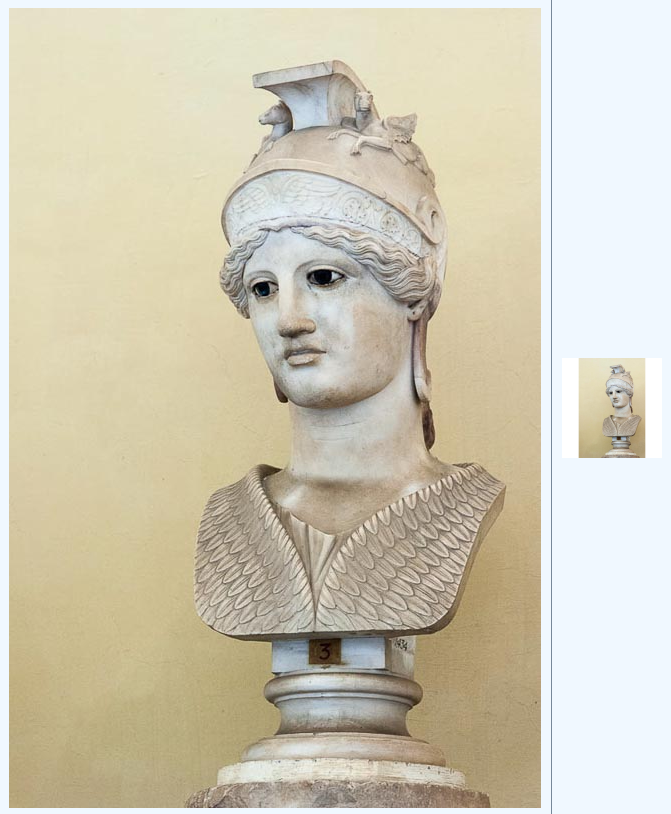
Load Image
In DsPdfJS, images can be loaded from a byte array. The image data is first read into memory as a byte array and then passed to the Image.load method to create an Image instance. After loading the image, it can be converted to a Bitmap and accessed through its drawing context to render additional graphics or text.
const bytes = await Util.loadFile("images/ferns.jpg");
const img = Image.load(bytes);

const bmp = img.toBitmap();
const ctx = bmp.context;

const tf = new Format({
    font: Font.getPdfFont(StandardPdfFont.Helvetica),
    fontSize: 100,
    foreColor: "White"
});

ctx.drawLayout({
    maxWidth: ctx.width,
    maxHeight: ctx.height,
    textAlignment: TextAlignment.Center,
    paragraphAlignment: ParagraphAlignment.Center,
    defaultFormat: tf,
    runs: [{ text: "Hello World!" }]
}, 0, 0);

Util.showBitmap(bmp);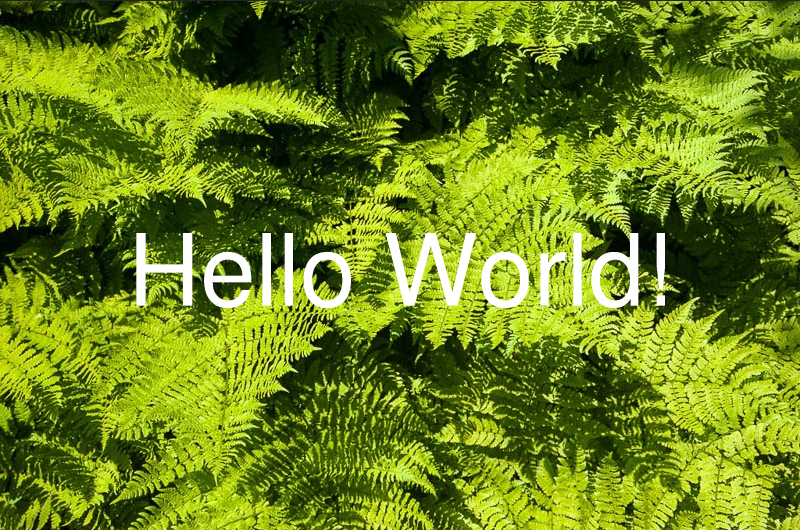
Save Image
DsPdfJS allows you to save images using methods of the Bitmap class. The bitmap can be encoded as JPEG or PNG and returned either as a byte array or as an Image object.
The saveAsJpeg and saveAsPng methods return encoded image data as a Uint8Array. Optional parameters allow you to control encoding behavior, such as JPEG quality or PNG compression speed. The saveAsJpegImage and saveAsPngImage methods return the encoded result as an Image object.
const ctx = new BmpContext(700, 700, 1, "#2e4884FF");

const b = new RadialGradientBrush({
    startColor: "White",
    endColor: "#2e4884FF",
    radiusOfEndCircle: 1
});
ctx.drawRect(0, 0, ctx.width, ctx.height, { fillBrush: b });

const tf = new Format({
    font: Font.load(await Util.loadFile("fonts/FreeSerifBold.ttf")),
    fontSize: 94,
    foreColor: "OrangeRed"
});
ctx.drawLayout({
    defaultFormat: tf,
    maxWidth: ctx.width,
    maxHeight: ctx.height,
    textAlignment: TextAlignment.Center,
    paragraphAlignment: ParagraphAlignment.Center,
    runs: [{ text: "Hello, World!" }]
}, 0, 0);

const imgBytes = ctx.bitmap.saveAsJpeg();
Util.saveFile("saveImage.jpeg", imgBytes, 'image/jpeg');