Reload Combobox in C1Flexgrid

Posted by: saidnai on 4 September 2026, 4:41 am EST

  • Posted 4 September 2026, 4:41 am EST - Updated 4 September 2026, 4:46 am EST

    Hi,

    Is it possible to reload a Combobox in the C1Flexgrid without reolading the C1Flexgrid self?

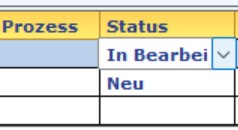
    I mean, I have C1Flexgrid with some Combobox. For example a state to be choosen (New, In processing, closed). If a new state is added like ‘on hold’. I need only the combobox of the state to be reloaded not all the data in the C1Flexgrid.

    Thanks

  • Posted 4 September 2026, 4:54 am EST

    Hi,

    I forgot to say in Visual Basic.

    Thanks a lot

  • Posted 4 September 2026, 8:05 am EST

    Hello Said,

    To determine the appropriate way to refresh the ComboBox without reloading the entire FlexGrid, we would need some additional details about how the ComboBox is configured in your application. In particular, the FlexGrid version, .NET Framework/.NET version, and your implementation for populating the ComboBox would be helpful.

    As a reference, we have created a sample using the latest version of FlexGrid with .NET Framework 4.8. The sample demonstrates three different ways of configuring a ComboBox in FlexGrid:

    • Using ComboList
    • Using DataMap
    • Using C1ComboBox as the column Editor

    We have also included a button-click scenario where a new item is added to the existing ComboBox data source, without reloading the FlexGrid itself.

    Please refer to the attached sample and let us know whether your implementation is similar. (see FlexGrid_Combobox_Sample.zip)

    If you are using a different setup, version, or platform, please either modify the attached sample to reproduce the behavior with your implementation or provide us with a small, stripped-down sample that demonstrates the issue. This will allow us to investigate the behavior more accurately and suggest the appropriate solution for your specific implementation.

    Regards,

    Uttkarsh.

  • Posted 4 September 2026, 8:59 am EST

    Dear Uttkarsh,

    With the fololwing code i am filling the ComboBoxes, The data are coming from a table in (SQL-Server):

    Public Sub DGCbHMSStatusProbeList()

    Try

    'Dim CBStock As New System.Windows.Forms.ComboBox

    Dim Odbcda As New Odbc.OdbcDataAdapter(“Select HMSStatusProbe_ID, HMSStatusProbe From HMSStatusProbe Order By HMSStatusProbe_ID”, connectionString)

    odbcDataSet1 = New DataSet

    Odbcda.Fill(odbcDataSet1, “StatusProbeList”)

    Dim dt1 As DataTable = odbcDataSet1.Tables(“StatusProbeList”)

    Dim datamap1 As New ListDictionary

    'Create DataMap for Column 1

    For i As Integer = 0 To dt1.Rows.Count - 1

    datamap1.Add(dt1.Rows(i)(0), dt1.Rows(i)(1))

    Next

    Dim style1 As CellStyle = DGP.Styles.Add(“combo4”)

    style1.DataMap = datamap1

    'Set style of Column 7

    DGP.Cols(7).Style = style1

    Catch ex As Exception
        MsgBox("Error 'DGCbHMSStatusProbeList' :" & vbCrLf & ex.ToString, MsgBoxStyle.Critical)
    End Try
    

    End Sub

    Best Regards

    Said

  • Posted 7 September 2026, 1:41 am EST

    Hello Said,

    We could observe the behavior when DataMap is set via Styles. It seems ListDictionary itself is not notifying the FlexGrid that its contents have changed.

    Instead of modifying the existing dictionary, create a new dictionary containing the updated values and assign that new dictionary to DataMap as follows:

    Private Sub ToolStripButton1_Click(sender As Object, e As EventArgs) Handles ToolStripButton1.Click
        Dim newDataMap As New ListDictionary()
    
        For Each item As DictionaryEntry In _dataMap
            newDataMap.Add(item.Key, item.Value)
        Next
    
        newDataMap.Add(4, "item4_new")
    
        _dataMap = newDataMap
    
        Dim dataMapStyle = C1FlexGrid1.Styles("combo4")
        dataMapStyle.DataMap = _dataMap
    
        C1FlexGrid1.FinishEditing()
    
        ToolStripButton1.Enabled = False
    End Sub

    Please refer to the attached sample for implementation. (see FlexGrid_DataMap_Sample.zip)

    Regards,

    Uttkarsh.

Need extra support?

Upgrade your support plan and get personal unlimited phone support with our customer engagement team

Learn More

Forum Channels