Flexviewer C1PdfDocumentSource PDf file

Posted by: saidnai on 11 March 2021, 8:57 am EST

    • Post Options:
    • Link

    Posted 11 March 2021, 8:57 am EST

    Hello,

    I have a small Topic as follow:

    I use the Flexviewer with C1PdfDocumentSource to Show PDF files. This is working fine.

    Over a click button i need to save the same shown file in another Folder for other use.

    I used the following Code :

    C1Flexviewer1.DocumentSource = C1PdfDocumentSource2

    C1Flexviewer1.Export()

    but it doesn’t Show me when savinf the PDF extention.

    Is there a solution to do that?

    Best regards

    Said

  • Posted 12 March 2021, 4:36 am EST

    Hello Said,

    You can use the below-given code to Export the document to PDF:

    Dim pdfExport = ExportProvider.PdfExportProvider.NewExporter()
    pdfExport.FileName = "demo.pdf"
    C1PdfDocumentSource1.Export(pdfExport)
    

    Regards,

    Prabhat Sharma.

  • Posted 12 March 2021, 7:32 am EST

    Dear Prabhat,

    I had first an error shone in the Code under “ExportProvider”. For this i added the following declaration:

    Imports C1.Win.C1Document.Export

    Than it is gone but when i run the function i got another error that says that this method is not implemented.

    Any Idee?

    Did your sample asks where to save the PDF file?

    Best regards

    Said

  • Posted 15 March 2021, 6:03 am EST

    Hi Said,

    We do not face any issues at our end.

    We have attached a demo sample implementing the same, please go through it and let us know if you are doing anything different.

    Regards,

    Prabhat Sharma.

    FlexViewerExport.zip

  • Posted 29 March 2021, 5:03 am EST

    Dear Prabhat,

    Sorry for the late Reply. Just came back to office.

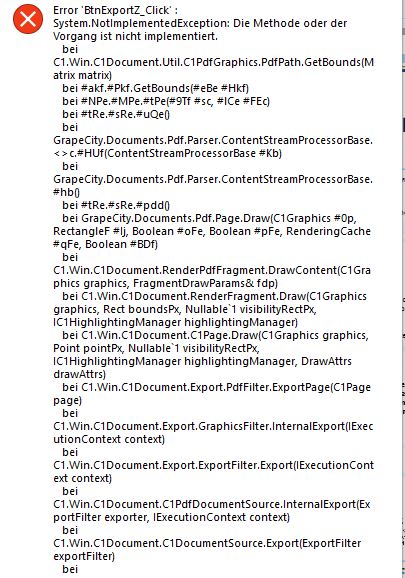
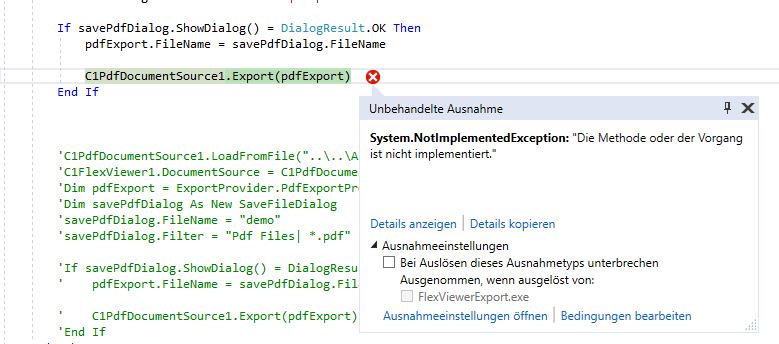
    At the beginning I have tried you sample as it is no Problem. I have change only the the PDF file Name and i go the attached error and the same in my application.

    Best regards

    Said

  • Posted 29 March 2021, 5:05 am EST - Updated 3 October 2022, 11:17 pm EST

  • Posted 30 March 2021, 1:45 am EST - Updated 3 October 2022, 11:17 pm EST

    Hi Said,

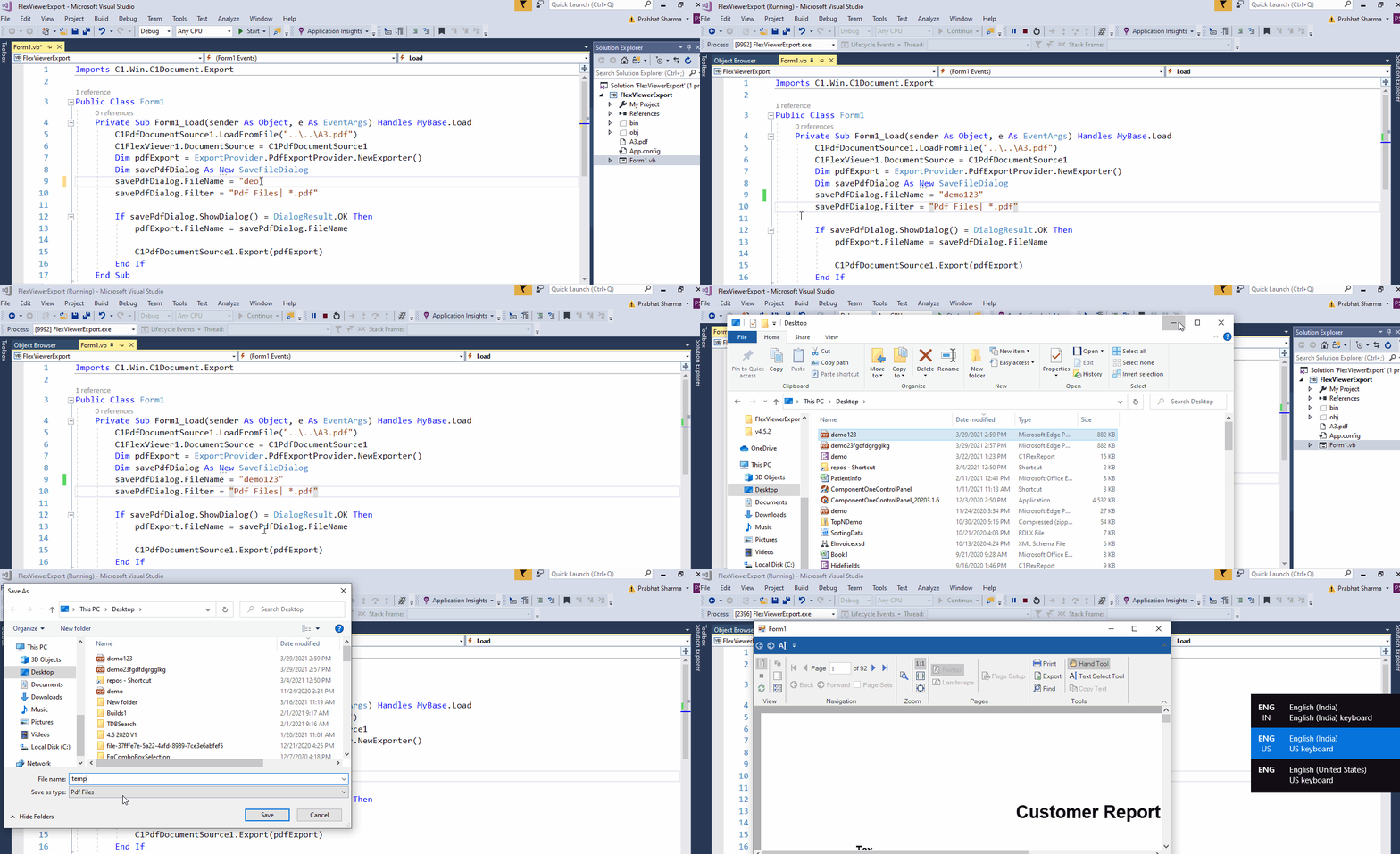
    This is really strange as we do not face this issue at our end. Please see the attached GIF for the same and let me know if you are doing anything different.

    Also, let us know the version of controls that you are using at your end.

    Regards,

    Prabhat Sharma.

  • Posted 30 March 2021, 7:08 am EST - Updated 3 October 2022, 11:17 pm EST

    Dear Prabhat,

    I am doing the same, the PDF document is already loaded in the Flexviewer(FVZ):

    C1PdfDocumentSource2.LoadFromFile(GetString(ZExportName))

    FVZ.DocumentSource = C1PdfDocumentSource2

    Dim pdfExport = ExportProvider.PdfExportProvider.NewExporter()

    Dim savePdfDialog As New SaveFileDialog

    savePdfDialog.FileName = "C:\test" & ZExportFile '“demo”

    savePdfDialog.Filter = “Pdf Files| *.pdf”

    If savePdfDialog.ShowDialog() = DialogResult.OK Then

    pdfExport.FileName = savePdfDialog.FileName

    C1PdfDocumentSource2.Export(pdfExport)

    End If

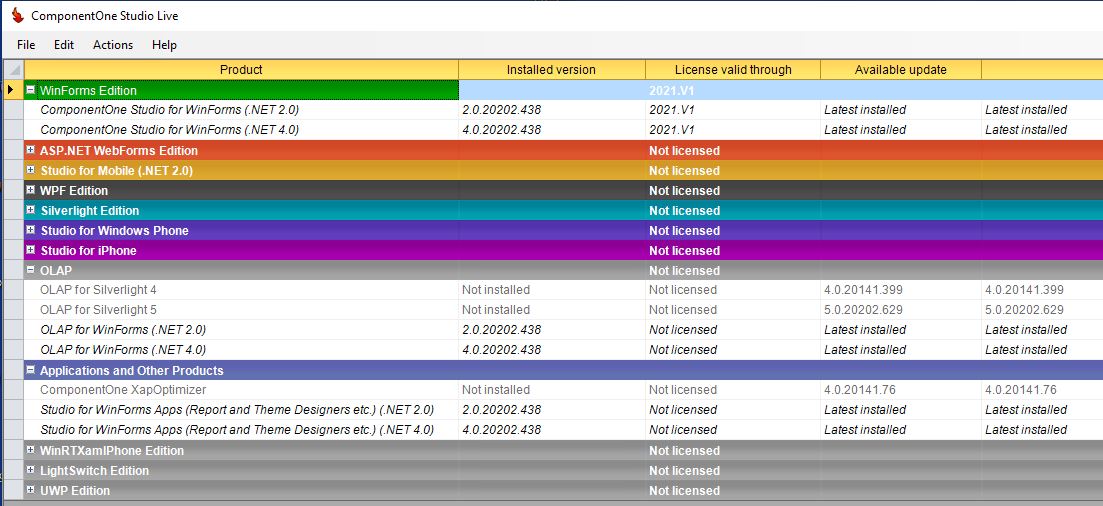
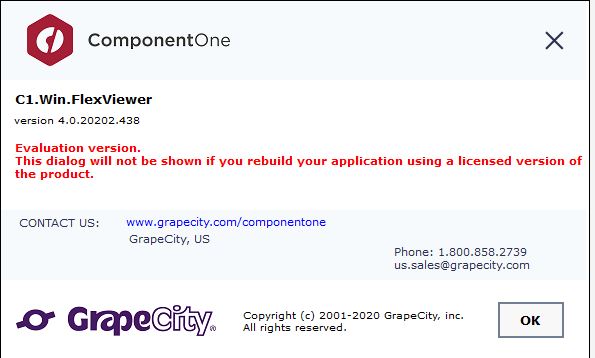
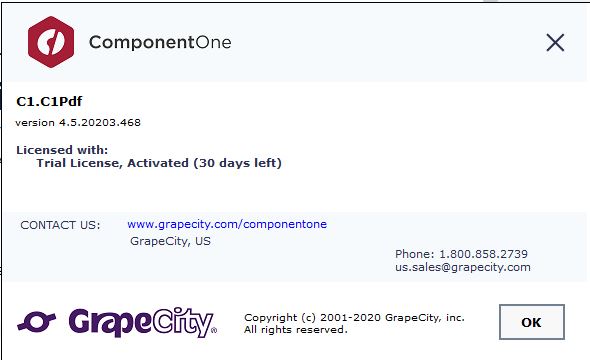
    Attached the C1-version that i am using.

    Best regards

    Said

  • Posted 31 March 2021, 6:27 am EST

    Hi Said,

    We have checked with the same build and also with the latest build but did not face the issue.

    Can you please upgrade to the latest version and try again?

    If you still face the issue then please share your environment details[ OS and VS version ] and a GIF showing the issue at your end, so that we can investigate it further.

    Regards,

    Prabhat Sharma.

  • Posted 31 March 2021, 11:43 am EST

    Dear Prabhat,

    I have started C1LiveUI again but it says latest installed. There is no new version available to upgrade.

    I use W10 and VS2017. Please see attached file.

    Best regards

    Said

  • Posted 1 April 2021, 1:04 am EST

    Hello Said,

    The latest version of ComponentOnen WinForms is 20203.468 and the licensing has been changed from the 2020V2 release so you need to use ComponentOneControlPanel to install a new version or update your installed version.

    You can download the utility from the link: https://www.grapecity.com/componentone/download

    You can follow the below-given steps to do the clean installation of C1 in your machine:

    1: Uninstall the existing products (if any) using System’s ControlPanel/ ComponentOneControlPanel. Make sure that after the uninstallation, there is no folder named “ComponentOne” exists at the location: C:\Program Files (x86)

    2: Download the latest version of ComponentOneControlPanel utility from the given link:

    https://www.grapecity.com/componentone/download

    3: Select the edition, version, and framework of the controls that you want to install and hit the “Proceed” button.

    Note: If you want to install the product samples, you need to select the Product Samples checkbox before hitting the “Proceed” button.

    Regards,

    Prabhat Sharma.

  • Posted 1 April 2021, 3:03 am EST - Updated 3 October 2022, 11:17 pm EST

    Dear Prabhat,

    I have a huge problem now. I have done what you said. now i cannot work with any application due to licence problem (2020V2) see attached but i have a licence.

    I thought all in when i log on for the instatllation.

    Although the update and licx problem the PDF Export still not working. I get the same error.

    Best regards

    Said

  • Posted 1 April 2021, 3:34 am EST

    Hi,

    The evaluation message pop up appears in the following two cases:

    1. Your system does not have a valid license key for the controls.
    2. The entries of the licenses.licx file do not match with the controls used in the application.

    In your case, it seems that the licenses file either doesn’t exist, contains wrong information, or is not configured correctly.

    First, try a full rebuild (Rebuild All from the Visual Studio Build menu). This will usually rebuild the correct licensing resources.

    The entry for every C1 control used in the application at design time or run time should be present in the licenses.licx file of the project. If you have added controls at runtime, drag and drop the controls on the form to generate their corresponding entries in the licenses.licx file and then you may delete the controls. You can also use the LicxGenerator to generate a licenses.licx file for your application. You can learn more about the same using the below blog post:

    https://www.grapecity.com/blogs/licensing-and-licenses-licx-file-licxgenerator-tool

    If you still face the issue at your end then please share the screenshot of the licenses.licx file and activated key so that we can assist you in a better way.

    Regards,

    Prabhat Sharma.

  • Posted 1 April 2021, 6:15 am EST - Updated 3 October 2022, 11:17 pm EST

    Dear Prabhat,

    Thanks for the quick support.

    I have done the 2 steps. Now i am facing the following: See attached.

    My licence is registered 2020V1 and still be valid. The Problem it is not running for 2020V2.

    By the way the Export is now running but the exported document is not like the original loaded under FV. Maybe because of the Licence.

    Till now the changes i have done only for a small test VB application.

    How can i solve the Licence Registration?

    Best regards

    Na

  • Posted 5 April 2021, 1:32 am EST

    Hello Said,

    It is really strange as you said that your serial key is valid to use the 2020V2 controls.

    As asked in the previous post please share the screenshot of the licenses.licx file and activated key so that we can investigate this issue.

    Also, let us know that are you facing the same license issue when creating a new application using C1 controls?

    I would request you to repair the installed version and deactivate the serial key using C1LicenseDeActivation/GCLM utility and then activate it again using C1LicenseActivation/GCLM utility, The utilities are located at:

    C:\Program Files (x86)\ComponentOne\C1StartMenu


    If the issue still persists then please share the asked details so that we can assist you further.

    Regards,

    Prabhat Sharma.

  • Posted 6 April 2021, 8:36 am EST

    Dear Prabhat,

    I have deinstalled all the C1 Component now. I also placed a new order for a new key by our supplier. As soon as i get it. I will do a fresh Installation and Fresh Registration. I will inform you then.

    I understand now that C1 has changed the way to update the component. Before when i open a report i get the info that updates are avalaible. I do it than i use the project updater to update all my applications over the “.sln”.

    Best regards

    Said

  • Posted 7 April 2021, 7:44 am EST

    Hello Said,

    After the installation, if you face any issue in updating your old application then please let us know.

    Regards,

    Prabhat Sharma.

  • Posted 9 April 2021, 9:55 am EST - Updated 3 October 2022, 11:17 pm EST

    Dear Prabhat,

    1. I have deinstalled the old version.
    2. The component one folder under “C:\Program Files (x86)” was also completly

      delete.
    3. I get the new Licence and i register it.
    4. I installed the new compnent 4.5.2

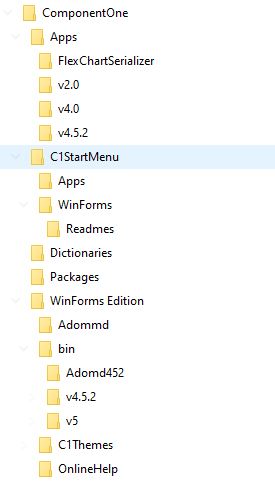
      see attached picture of the folder. It is ambiguous. I do not understand what i

      am using and what the Installation has done and which component from which

      folder i am using.
    5. I copy one of my important project and open it. Unlikily only trouble. I am

      already upset waiting almost one week for licence from the supplier and cannot

      do anything for my company.
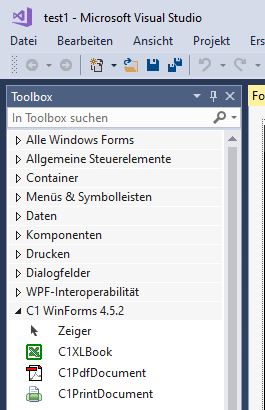
    6. Under VS2017 when i open the project i cannot seen the component one

      anymore and i cannot work now.
    7. Generally it should be easy for customer to Register the Licence online and also

      and update their projects but now it is not the case.
    8. If i create a new project the component one will be shown automatically but

      not for existing project. Why?

    I need urgently support. How to solve all this porblems?

    Before the project updater was ok.

    Best regards

    Said

  • Posted 12 April 2021, 3:52 am EST

    Dear Prabhat,

    I have looked at the problem again and found the following:

    If the target project is not set to 4.5.2 under project properties, the component one 4.5.2 will not be taken in shown.

    This is means all the projects will run under dot.net framwork 4.5.2 and higher.

    As you can see in the windows explorer the installation of 2.0 and 4.0 are also done.

    So i have to open all my projects note which component are used, remove v4.0, change the dot.Net Framework to v4.5.2 save it than reopen and then i have to assign the used component for the project again.

    The good thing is the PDF Export is definitly working with v4.5.2 but not v4.0.

    The question is now,

    1) Is there a simple way to update the projects with the new C1 V4.5.2?

    2) In 2 or 3 month there will be maybe an update.

    How can i know?

    Best regards

    Said

  • Posted 12 April 2021, 6:47 am EST

    Hello Said,

    The .NET 4.0 and 2.0 controls are in maintenance mode for very long and it is recommended to use 4.5.2 version controls for future support.

    https://www.grapecity.com/forums/winforms-edition/net-40-and-20-support-noti_1

    As I can see in your attached screenshot only the Apps for 4.0 and 2.0 are installed not the controls under the bin folder.

    You can use the ComponentOneControlPanel utility to install the 4.0 and 2.0 controls by making a selection from the right side of the opened dialog.

    >>Is there a simple way to update the projects with the new C1 V4.5.2?

    If you want to migrate your project from 4.0 to 4.5.2 version controls then please remove the 4.0 builds and add the 4.5.2 builds manually. Then create the Licenses.licx file as per your project using the “Add missing entries to licx file” tool from the Tools menu of VS.

    Tools->Grapecity->Update projects->Add missing entries to licx file


    >>In 2 or 3 month there will be maybe an update.

    The new version ComponentOne controls releases every quarter.

    Regards,

    Prabhat Sharma.

  • Posted 12 April 2021, 7:19 am EST

    Dear Prabhat,

    The following is good tip:

    Tools->Grapecity->Update projects->Add missing entries to licx file

    I am updating my Projects one by one for V.4.5.2.

    Thanks and Best regartds

    Said

  • Posted 13 April 2021, 1:02 am EST

    Hello Said,

    If you face any issue in updating the projects then please feel free to ask.

    Regards,

    Prabhat Sharma.

  • Posted 2 March 2026, 9:41 am EST

    Hello I have C1FlexViewer1 in form with all info loaded but I want to export to pdf file automatically without any dialog only export to pdf file directly, this option C1FlexViewer1.Export() appear the dialog control. I’m using 4.5.2 control in VB.NET, please any feed back?

  • Posted 3 March 2026, 5:32 am EST

    Hello Nicolas,

    We created a sample with Export() method of C1PdfDocumentSource to export document to PDF but did not observe any dialog by default. Please refer to the attached sample let us know if we’re missing anything:

    Sample: FlexViewer_PdfExport.zip

    FYI, setting the ShowOptions property to True displays an option form before export. Please try setting it to False at your end.

    If you still face issue, please share the version of C1FlexViewer you are using at your end.

    You can also update the attached sample with your implementation or share a stripped-down version of your project for further investigation.

    Regards,

    Uttkarsh.

  • Posted 3 March 2026, 7:02 am EST

    I’m not use C1PdfDocumentSource1, i’m loading data from database directly to C1FlexViewer1 and I want to export to pdf file from C1FlexViewer1.export

  • Posted 5 March 2026, 5:41 am EST

    Hello,

    The C1FlexViewer is a document viewer control designed to display and interact with various document types, such as C1FlexReport, C1Report, or PDFs. Since you are fetching data from a database, the viewer must be hosting a specific report or document source to render that data.

    To help us find a solution for a silent PDF export, could you please confirm which specific document type you are using to load your database data into the viewer? Once we know the source, we can provide the exact code to save the file directly to a path without any dialogs appearing.

    If your use case allows, you can try a mid-term adjustment by setting the ShowExportOptions property to False. This will skip the settings window and only display the “Save As” dialog to select a file name and location as C1FlexViewer.Export() method is a UI-based command that usually requires user input.

    Regards,

    Uttkarsh.

  • Posted 6 March 2026, 11:30 am EST

    I’m reading the data from a xml file see my code

    Private Sub RefreshData()

    Dim registros As Integer

     ' Limpiar el DataSet y refrescar el viewer
     Me.MibesoftDataSet1.PresentesVisitas.Clear()
     Me.C1FlexViewer1.Refresh()
    
     ' Eliminar el archivo XML si existe
     If File.Exists("C:\TEMP\ListadoPresentesVisitas.xml") Then
         File.Delete("C:\TEMP\ListadoPresentesVisitas.xml")
     End If
    
     ' Leer el archivo XML
     MibesoftDataSet1.PresentesVisitas.ReadXml("C:\TEMP\ListadoPresentesVisitas.xml")
     registros = Me.MibesoftDataSet1.PresentesVisitas.Rows.Count
    
     If registros = 0 Then
         MsgBox("ERROR")
         Exit Sub
     Else
         ' Ordenar los datos y actualizar el reporte
         MibesoftDataSet1.PresentesVisitas.DefaultView.Sort = "Nombre"
         C1FlexReport1.DataSource.Recordset = MibesoftDataSet1.PresentesVisitas
         C1FlexViewer1.DocumentSource = C1FlexReport1
     End If
    

    End Sub

    This code in loading a xml in a C1FlexViewer1 and I want to export to a pdf file in a TEMP folder directly with no action user.

    Thx!!

  • Posted 9 March 2026, 5:19 am EST

    Hello,

    Thank you for sharing your code. It clarifies that while you are reading data from an XML file, that data is being used as a DataSource for a C1FlexReport, which is then displayed in the viewer.

    To export this report to a PDF silently (without any user interaction or dialogs), you can perform the export directly from the C1FlexReport object. This allows you to specify the file path and format programmatically.

    Here is the sample code to achieve this:

    Private Sub ExportReportToPdf()
        ' Define the path where the PDF will be saved
        Dim exportPath As String = "C:\TEMP\export.pdf"
    
        ' Export the report directly using PdfFilter
        Me.C1FlexReport1.Export(New C1.Win.C1Document.Export.PdfFilter() With {
            .FileName = exportPath
        })
    End Sub

    We have also attached a sample project FlexViewerExport.zip for your reference, please have a look at it. If you have any other concerns or need further assistance with the export settings, feel free to ask.

    Regards,

    Uttkarsh.

  • Posted 10 March 2026, 12:35 pm EST

    perfect now is working thx so much

Need extra support?

Upgrade your support plan and get personal unlimited phone support with our customer engagement team

Learn More

Forum Channels