Posted 14 December 2017, 3:45 am EST
Hi,
Using C1.Win.Flexgrid version 4.0.20173.282 when setting the grid to RightToLeft=Yes there is a bug with ValueFilter list.
mouse clicking the CheckBoxes does not respond when the list has Horizontal Scroll.
Forums Home / ComponentOne / WinForms Edition
Posted by: Guy on 14 December 2017, 3:45 am EST

Guy
Posted 14 December 2017, 3:45 am EST
Hi,
Using C1.Win.Flexgrid version 4.0.20173.282 when setting the grid to RightToLeft=Yes there is a bug with ValueFilter list.
mouse clicking the CheckBoxes does not respond when the list has Horizontal Scroll.

Ruchir.Agarwal

Posted 17 December 2017, 2:01 am EST
Hi Guy,
Trying to replicate the behavior you described, at our end the check-boxes were able to detect/respond to the clicks.
However, we observed that clicks between SelectAll checkbox and records checkbox(s) scrolled the containing form to left, which seems to be a Bug. And hence has been escalated for fix {Tracking ID: 301129}.
Is this the same issue that you are reporting. If not, could you please share a video showing the issue.
Thanks,
Ruchir Agarwal
Guy
Posted 18 December 2017, 7:05 am EST
Hi Ruchir,
Attached is a small sample project demonstrating the issue.
When ```
C1FlexGrid1.RightToLeft = Windows.Forms.RightToLeft.Yes
if the "long text" loop is dropped = there is no Horizontal Scroll in the filter = No Problem.
if "RightToLeft = No" = No Problem.

We need a fix....

Thank you,
Guy

[zip filename="FlexGridFilterCheckBoxIssue.zip"]public\uploads\12ff587c1dffb67d1577af6e5debae861513595137711.zip[/zip]
Ruchir.Agarwal
Posted 19 December 2017, 4:36 am EST
Hi,
Thank you for sharing the application.
We too could observe the issue with it and it is a Bug in control. Hence it has been forwarded to the concerned team for fix {Tracking ID: 301503}.
We will update you once it is fixed.
Thanks,
Ruchir Agarwal
Guy
Posted 25 December 2017, 1:36 pm EST
Hi Ruchir
Thank you for forwarding the issue.
As the product is already installed at our clients a fix is needed ASAP.
Is there a time estimate?
Thank you,
Guy.
Ruchir.Agarwal
Posted 26 December 2017, 4:16 am EST
Hi Guy,
I have requested the concerned person to take this case on priority and have also asked him to share an ETA for the fix to this issue.
I will update you once I receive some information from him.
Thanks,.
Ruchir Agarwal
Ruchir.Agarwal
Posted 26 December 2017, 5:27 am EST
Hi Guy,
The concerned team has confirmed this issue as a bug in control and its fix ETA is 2018v1 WinForms release.
Regards,
Ruchir Agarwal
Guy
Posted 27 March 2018, 2:07 pm EST
Hi Ruchir,
i saw version 20181.296 is available on C1Live but, unfortunately, after updating the issue is not resolved…
When can we expect a fix? This is affecting our users in production environments…
Guy.
Ruchir.Agarwal
Posted 28 March 2018, 7:31 am EST - Updated 4 October 2022, 2:56 am EST
Hello Guy,
The issue is fixed in an internal build. Please verify the new behavior using the attached video file. Regarding the fix integration, I am inquiring the concerned person about the same and will share the same with you very soon.
We regret the inconvenience caused to you due to this issue.
Regards,
Ruchir Agarwal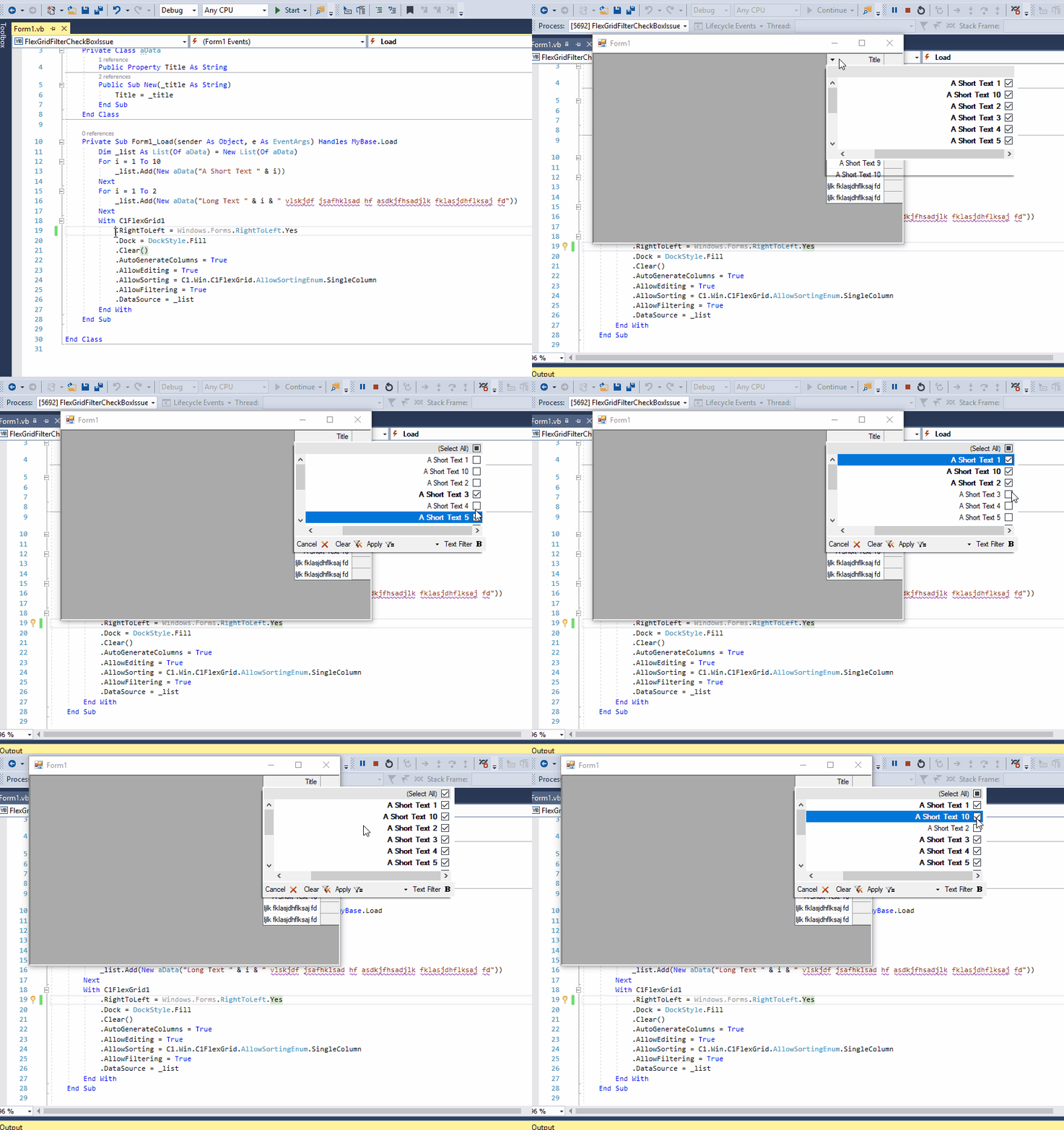
Guy
Posted 28 March 2018, 1:31 pm EST
Hi Ruchir,
Yes!! The video shows the issue is indeed resolved!!
THANKS 
I would be happy to know when will it be released.
Guy.
Ruchir.Agarwal
Posted 29 March 2018, 9:32 am EST
Hello Guy,
Thank you for confirming the bug-fix.
Re. the release date: The version including fix to the issue is currently under testing by the QA team and they plan to complete it by end of April’2018.
So, we cannot share the same until they share it once. However, if you have any concerns with it, please let me know.
Regards,
Ruchir Agarwal

© 2023 MESCIUS USA, Inc. All Rights Reserved. · 1.800.858.2739
All product and company names herein may be trademarks of their respective owners.


