Posted 21 February 2022, 7:04 am EST
Hi,
I’m using the flexcharttoolbar. Any updates made directly in the toolbar are never taken into account.
See sample attached.
Forums Home / ComponentOne / WinForms Edition
Posted by: fsegui on 21 February 2022, 7:04 am EST

fsegui
Posted 21 February 2022, 7:04 am EST
Hi,
I’m using the flexcharttoolbar. Any updates made directly in the toolbar are never taken into account.
See sample attached.
fsegui
Posted 21 February 2022, 11:35 am EST
Sample
ChartDesigner (2).zip

kartik.sagar

Posted 22 February 2022, 1:33 am EST
Hi Florent,
Thank you for sharing the sample.
As I can observe, your chart size is small so that the remaining items should get displayed in an overflow menu (opens when clicking the button at right side of toolbar) when FlexChartToolBar’s LayoutMode is set to HorizontalStackWithOverflow . But the overflowed items are not getting displayed which seems like a bug. So, I have escalated it to the devs and will get back to you when there is any update. [Internal Tracking Id - C1CHART-1997]
Meanwhile, you can set FlexChartToolBar’s LayoutMode to Flow so that the overflowed items gets displayed in the next row or if possible you can also try increasing the FlexChart size.
I hope it helps 
Best Regards,
Kartik
fsegui
Posted 22 February 2022, 4:52 am EST - Updated 3 October 2022, 10:34 pm EST
Hi Kartik,
THanks for your feedback.
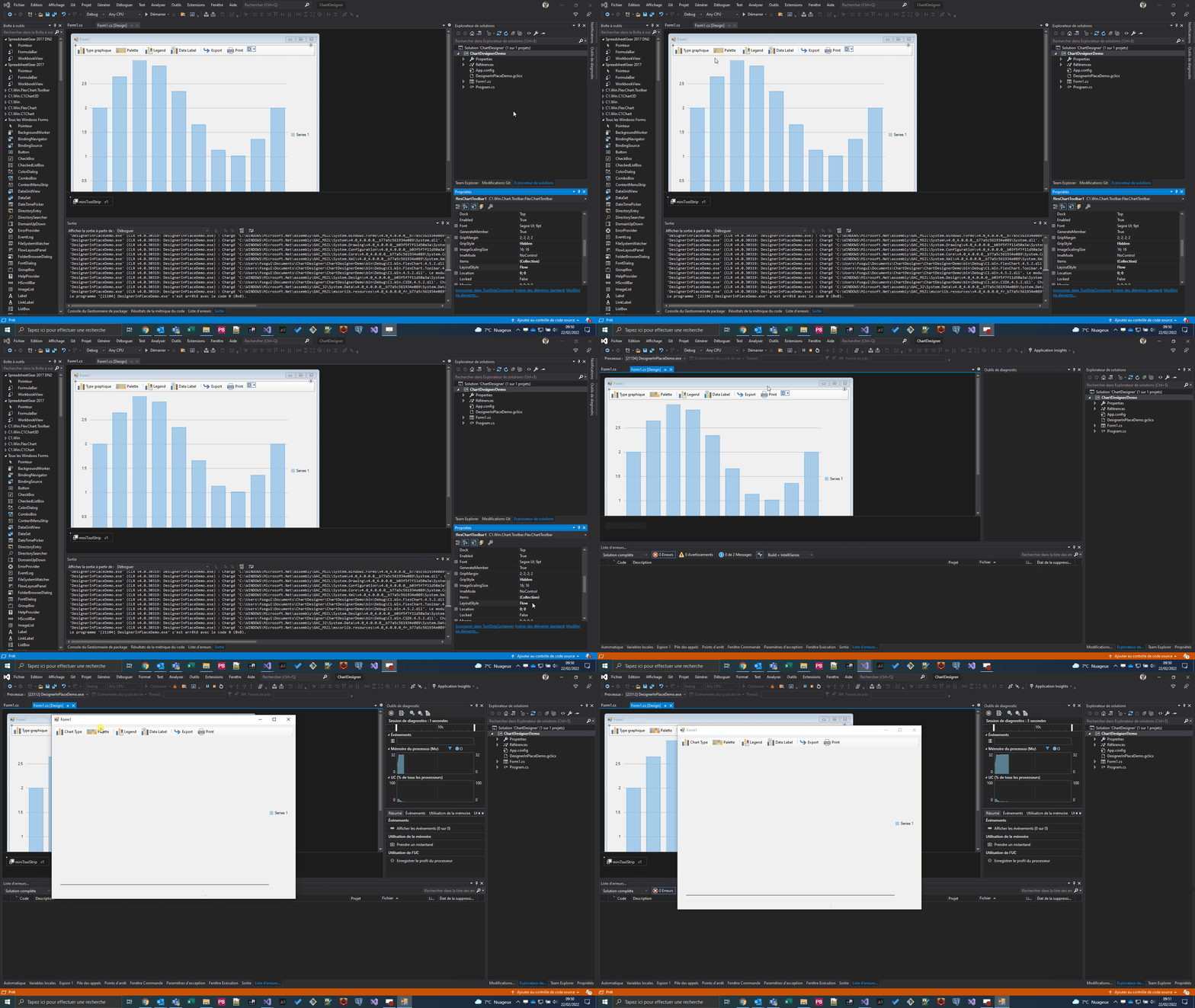
Even if I set LayoutMode to Flow (and increased the FlexChart), it’s not taken into account.
See GIF:
kartik.sagar
Posted 25 February 2022, 1:33 am EST
Hi Florent,
Thank you for sharing the gif.
I apologize as we understood your requirement incorrectly. We are able to replicate this behavior at our end and we have reported it to the devs. [Internal Tracking Id - C1CHART-1999]
Meanwhile, as a workaround you can customize toolbar items using code behind as follows:
var chartTypeItem = flexChartToolbar1.Items[0];
chartTypeItem.Text = "My Text";
Best Regards,
Kartik
fsegui
Posted 4 April 2022, 10:58 am EST
Hi,
Are the two issues solved with 2022 v1 version?
Thanks
Best regards
kartik.sagar
Posted 5 April 2022, 2:30 am EST
Hi Florent,
I am happy to inform you that the overflow issue (C1CHART-1997) has been fixed in the latest build i.e. 2022v1. So you can upgrade to the latest build using ComponentOneControlPanel.
However, the Toolbar designer issue (C1CHART-1999) will be fixed in the upcoming 2022 v1 hotfix build. We will let you know once the hotfix build rolls out.
Best Regards,
Kartik