"Create Runtime license" hangs if glicx file is write protected

Posted by: wknauf on 18 October 2023, 9:37 am EST

  • Posted 18 October 2023, 9:37 am EST - Updated 13 August 2025, 11:14 am EST

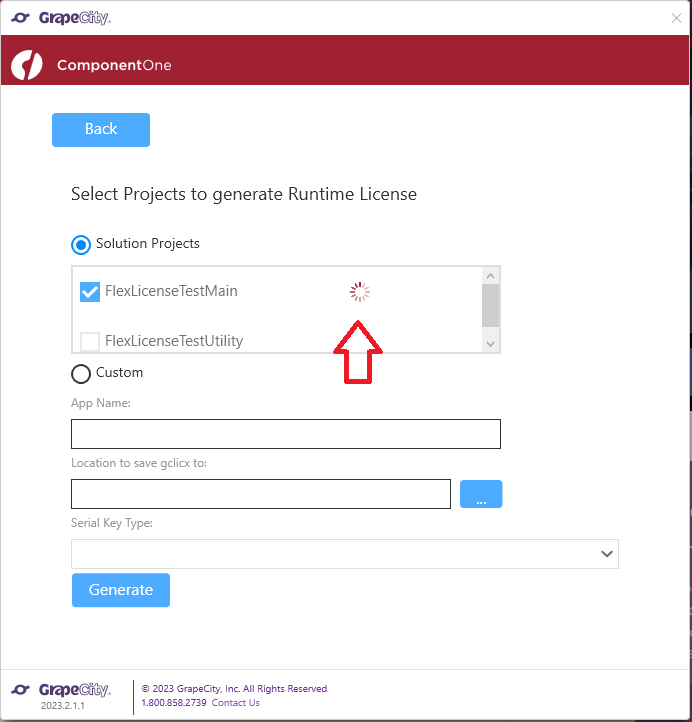
    If the project already contains a “.gclicx” file and it is write protected (this happens for us as our source control is “Team Foundation Manager”, where are files are write protected if not checked out), then the license manager hangs when calling “Generate”.

    Here is a screenshot of this feature, the red arrow marks the “wait” animation that hangs forever:
    Best regards

    Wolfgang

  • Posted 19 October 2023, 8:10 am EST

    Hi Wolfgang,

    Thanks for bringing this issue to our attention.

    We are in discussions with the developers regarding this issue. [Internal Tracking ID: C1-6156]

    We will update you on this as soon as we hear back from them on this.

    Thanks & Regards,

    Aastha

  • Posted 25 October 2023, 1:42 am EST

    Hi Wolfgang,

    The developers have fixed this issue in 2023v3 release. We request you wait for the 2023v3 installer to be publicly available in order to achieve the desired behavior.

    The ETA for the release is the end of December 2023.

    Thanks & Regards,

    Aastha

  • Posted 16 January 2024, 11:48 am EST

    I can confirm that you made changes: if the GCLICX file is write protected, now an error icon with detailed message is shown for the failing project.

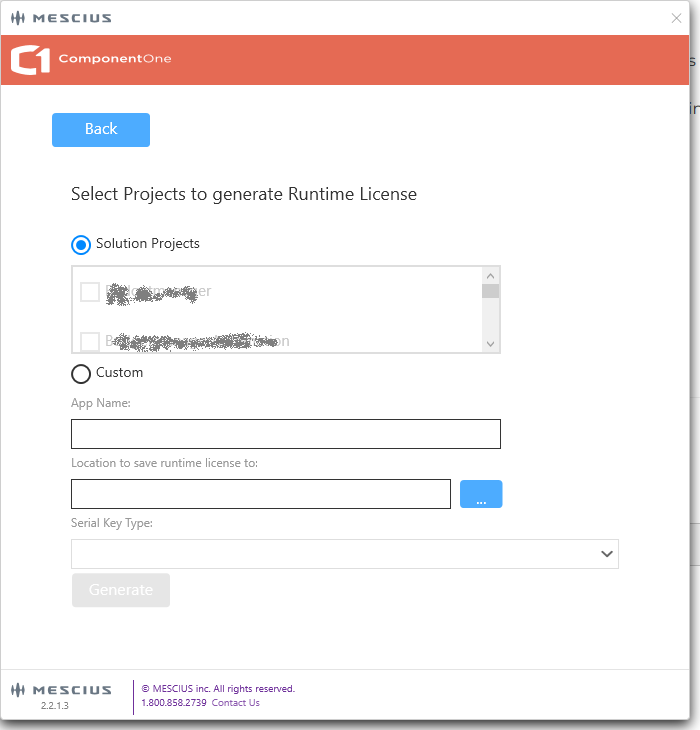
    But there is something else that I want to complain about: if the “csproj” file is write protected (this happens if it is checked in to Team Foundation Server), you cannot even select/check the project in license manager, the checkbox seems to be disabled. The reason why it is not selectable is not obvious. It would be better if I could select the project, and an error is reported when generating the license.

    Could you improve this?

    Best regards

    Wolfgang

  • Posted 17 January 2024, 4:59 am EST

    Hi Wolfgang,

    Thanks for raising out this concern.

    We have forwarded this request to our developers to look into this. We will update you once we hear back from them.

    Thanks & Regards,

    Aastha

  • Posted 27 February 2026, 10:55 am EST

    I think we can close this issue, as the new “sa3licx” licensing removed the Visual Studio ui to create a runtime license.

  • Posted 14 July 2026, 2:18 am EST

    Hello Wolfgang,

    This issue has been fixed. Please install the latest version of ComponentOnecontrolPanel and fresh install C1WinForms suite to get the fix:

    1. Go to the Windows Control Panel and uninstall ComponentOneControlPanel
    2. Download the latest version of the installer - Download ComponentOne
    3. Run the installer as administrator and let it download the latest configuration files (loader at the bottom-right corner).
    4. You will be prompted at the bottom to “restart the application”. Simply close the installer and relaunch the .exe as administrator
    5. Install the latest version of the WinForms Edition controls

    Could you please check and confirm the same?

    Regards,

    Uttkarsh.

  • Posted 15 July 2026, 8:53 am EST - Updated 15 July 2026, 9:56 am EST

    Hi,

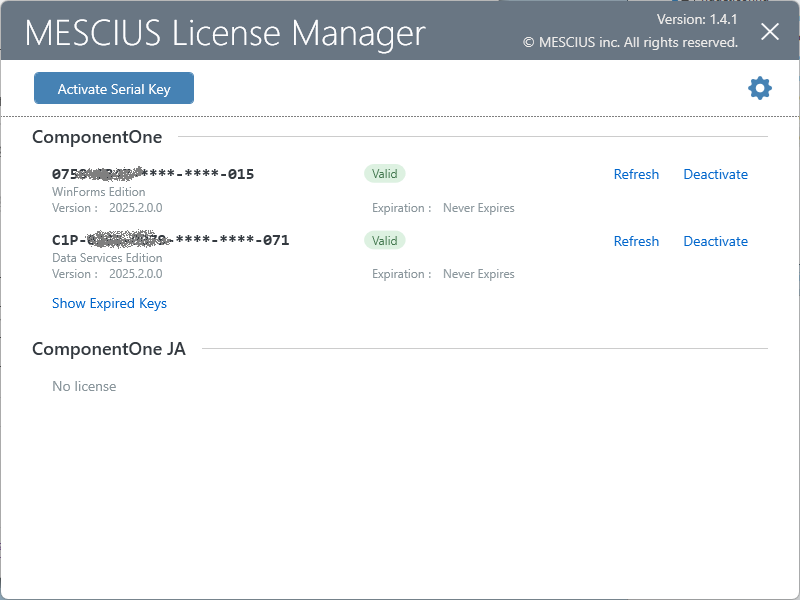
    I found the “Create runtime license” feature (“Tools” => “MESCIUS” => “License manager”, then click “Create runtime license”).

    But can I can still reproduce the issue after having reinstalled C1: if project files are write protected, I cannot check them, and there is no information about the reason.

    The version of the license generator is displayed in the lower left edge of the screen.

    And a new question: after checking out a project and clicking “Generate”, the license manager opens, but I cannot select a license. I would expect it to generate a license. Or did I miss a button ;-)?

    [UPDATE] We can continue the second question in my existing support ticket https://www.mescius.eu/en/my-account/my-support/case/1ac6e86a-4512-f111-8342-7ced8da9f696 don’t know whether it s related to my license. This thread is only about a better message for read only project files.

    Best regards

    Wolfgang

  • Posted 16 July 2026, 5:57 am EST

    Hello Wolfgang,

    → But can I can still reproduce the issue after having reinstalled C1: if project files are write protected, I cannot check them, and there is no information about the reason.

    We have escalated it to the development team. [Internal Tracking ID: C1-10500]

    We’ll get back once we have more information on it.

    → [UPDATE] We can continue the second question in my existing support ticket [EAS-55450-B5J057]

    Sure, we’ll update on the mentioned ticket.

    Regards,

    Uttkarsh.

  • Posted 20 July 2026, 6:37 am EST

    Hello Wolfgang,

    The team has created a ticket to investigate and fix the behavior. [Bug Tracking ID: C1-10505]

    We do not have an ETA for the fix, but we’ll update you when we have further updates or when the issue is fixed.

    Regards,

    Uttkarsh.

Need extra support?

Upgrade your support plan and get personal unlimited phone support with our customer engagement team

Learn More

Forum Channels