Wijmo export file format broken in Excel 2011

Posted by: ykumar23 on 30 January 2018, 2:27 am EST

    • Post Options:
    • Link

    Posted 30 January 2018, 2:27 am EST

    When trying to open an exported document from the wijmo demo site using Excel 2011, I am getting the following error:

    Link:

    http://demos.wijmo.com/5/Angular/ExcelImportExport/ExcelImportExport/FlexGridImportExport.htm

    Error:

    <?xml version="1.0" encoding="UTF-8" standalone="yes"?>

    Repair Result to FlexGrid 06044.xml

    Errors were detected in file ‘Untitled:Users:vk:Downloads:FlexGrid.xlsx’Removed Records: Document Theme from /xl/workbook.xml (Workbook)

    ENV:

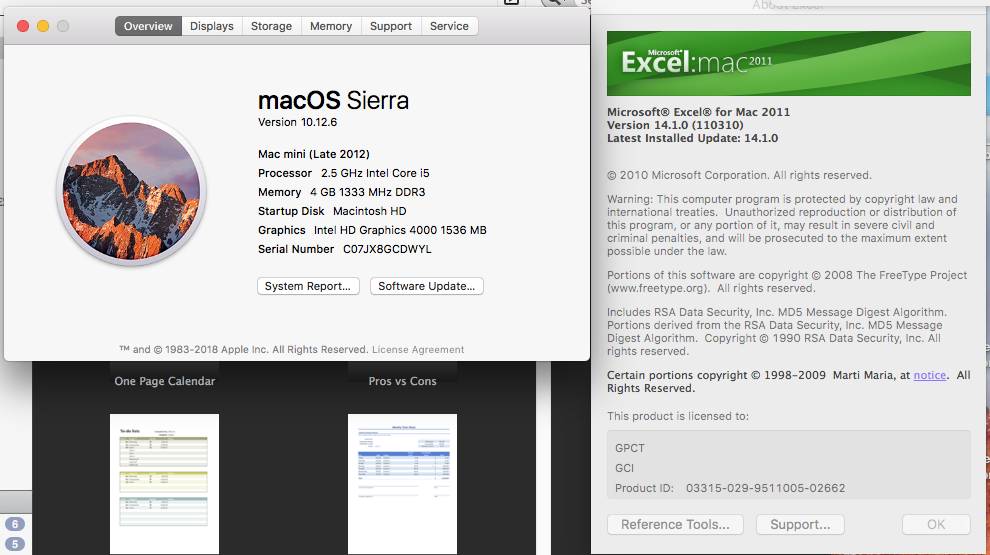
    MAC

    Excel 2011 for Mac

    We are facing a similar error in our application, Please let know us for a possible fix to this issue.

    Attached the screen shots as well.

    Thanks,

    Kumar

  • Posted 1 February 2018, 9:16 am EST

    Hi Team;

    Any Update on the above issue?

    Thanks,

    Kumar

  • Posted 1 February 2018, 12:32 pm EST

    I will try to get this checked out. Untill then could you please let me know are you able to open other .xlsx files as well ?

  • Posted 2 February 2018, 12:27 am EST

    Yes am able to open other .xlsx files.

  • Posted 2 February 2018, 12:27 am EST

    Yes am able to open other .xlsx files.

  • Posted 2 February 2018, 9:50 am EST

    Hi,

    We are sorry for delay and thank you for reporting this issue.

    We are able to replicate this issue and it seems a bug. Hence, this issue has been forwarded to the concerned team for further investigation with tracking id 307028.

    We will let you know as we get any update on this.

    ~Manish

  • Posted 12 February 2018, 5:27 am EST

    Hi Manish;

    Any update on this one.

    is it fixed.

    Thanks,

    Kumar

  • Posted 12 February 2018, 6:09 am EST

    Hi Kumar,

    We have created a Support Case with ID 308584 on our Support Portal -https://supportone.componentone.com. I would request you to share your license details on this case so that we can prioritize case 307028.

    Thanks,

    Abhishek

  • Posted 9 April 2018, 5:12 am EST - Updated 3 October 2022, 8:32 pm EST

    Hi Kumar,

    Could you please give a test with the latest release build[5.20181.436]. This issue has been found fixed with the following ENV:

    ~Manish

Need extra support?

Upgrade your support plan and get personal unlimited phone support with our customer engagement team

Learn More

Forum Channels