Posted 14 September 2018, 4:23 am EST - Updated 3 October 2022, 8:22 pm EST
Customizing wijmo RangeBar
Posted by: normansiboro.ibn on 14 September 2018, 4:23 am EST
-

normansiboro.ibn
-
normansiboro.ibn
Posted 14 September 2018, 6:02 am EST
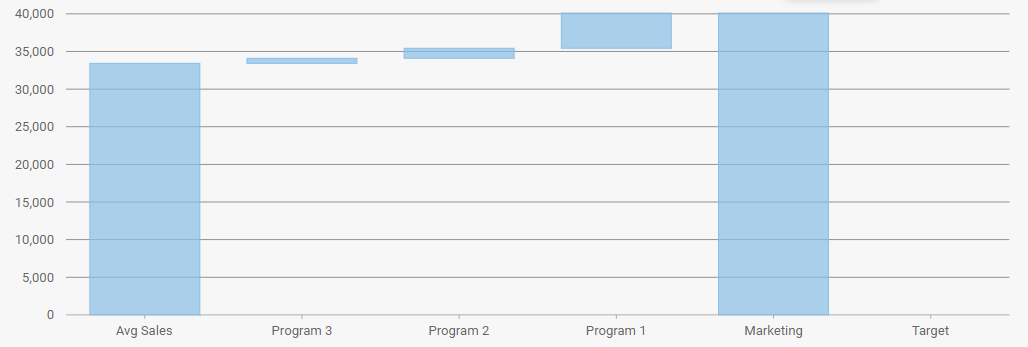
my plan is to make the colour dinamic for ‘program’ bar because the amount of program my vary and the others are static colour.
is there any way to set the colour from datasource :
0:{country: “Avg Sales”, num1: 0, num2: 33427, colour: getColour()}
1:{country: “Program 3”, num1: 33427, num2: 34095.54, colour: getColour()}
2:{country: “Program 2”, num1: 34095.54, num2: 35432.62, colour: getColour()}
3:{country: “Program 1”, num1: 35432.62, num2: 40112.4, colour: getColour()}
4:{country: “Marketing”, num1: 0, num2: 40112.5, colour: getColour()}
5:{country: “Target”, num1: 0, num2: 0, colour: getColour()} -

sharad.tomer

Posted 17 September 2018, 12:43 am EST
Hi,
You can easily set the colour of the bar shown using the itemFormatter function. Please refer to the following sample:
https://stackblitz.com/edit/angular-kx6qq6?file=app%2Fapp.component.tsPlease refer to this doc for more info on itemFormatter: https://demos.wijmo.com/5/Angular/WijmoHelp/WijmoHelp/topic/wijmo-wijmo.angular2.chart.WjFlexChart.Class.html#itemFormatter
~Sharad
-
normansiboro.ibn
Posted 17 September 2018, 3:45 am EST
Thanks in advance sharad, it works …