Using javascript for C1TreeView 2025v2 399

Posted by: enrique.pv-ext on 14 May 2026, 7:27 am EST

  • Posted 14 May 2026, 7:27 am EST

    Hi,

    Migrate from 2010v1 to 2025v2 399 in ASP.NET WebForms NET Framework 4.8.1.

    Using C1TreeView from C1.Web.Wijmo.Controls.48.dll

    get_value()

    get_text()

    get_selectedNodes methods ?

        function C1TreeViewRows_NodeClicked(sender) {
                var a = $find("<%=C1TreeViewRows.ClientID%>");
                var b = a.get_selectedNodes();
    
                var textbox = document.getElementById("<%= txtTreeRows.ClientID %>");
                var textbox2 = document.getElementById("<%= txtTreeRowsText.ClientID %>");
    
                if (b.length != 0) {
                    var c = b[0].get_value();
                    var t = b[0].get_text();
    
                    textbox.value = c;
                    textbox2.value = t;
                }

    methods: _treeViewNodes ? get_propertiesState ?

        function C1TreeView3_NodeClicked(sender) {
            var b = sender._treeViewNodes.list[0]._treeViewNodes;
            var x = sender.get_propertiesState();
            var c = b.list[1]._treeViewNodes.list[0];
            var textbox = document.getElementById("<%= txtTreeView3.ClientID %>");
            textbox.value = x;
        }

    get_selectedNodes, get_value

        function C1TreeViewColumns_OnClientNodeClicked(sender) {
            try {
                    var nodeSelected = sender.get_selectedNodes();
    
                    if (nodeSelected.length != 0) {
                        var value = nodeSelected[0].get_value();
       

    Any alternatives?

  • Posted 15 May 2026, 5:56 am EST

    Hello Enrique,

    You can find the alternatives in the documentations:

    The exact alternatives:

    • get_value(): node.options.value [see attached sample]
    • get_text(): node.options.text [see attached sample]
    • get_selectedNodes: getSelectedNodes
    • _treeViewNodes: getNodes
    • get_propertiesState: We could not find any alternatives for this property. Could you please tell us the usage of this property so that we can suggest best solution possible?

    Sample implementing the above properties: TreeView_Sample.zip

    Regards,

    Uttkarsh.

  • Posted 19 May 2026, 4:03 am EST

    client events in new version:

      OnClientNodeClick="onNodeClick"
       OnClientNodeCheckChanged="onNodeCheck"
       OnClientNodeExpanded="onNodeExpand"
       OnClientNodeCollapsed="onNodeCollapse" 

    Legacy

    OnClientNodeClicked="C1TreeViewColumns_OnClientNodeClicked"

    which is the alternative in new version for OnClientNodeClicked ?

  • Posted 19 May 2026, 11:03 am EST

    _treeViewNodes: getNodes

    get_propertiesState

    var state = sender.get_propertiesState();
    textbox.value = state !== null && state !== undefined ? String(state) : "";
            function C1TreeView3_NodeClicked(sender) {
    
                console.log("C1TreeView3_NodeClicked");
                var b = sender._treeViewNodes.list[0]._treeViewNodes;
                //var x = sender.get_checkedNodes();
                var c = b.list[1]._treeViewNodes.list[0];
                var textbox = document.getElementById("<%= txtTreeView3.ClientID %>");
    
                var state = sender.get_propertiesState();
                textbox.value = state !== null && state !== undefined ? String(state) : "";
            }
  • Posted 20 May 2026, 1:48 am EST

    Hello Enrique,

    Apologies, but the newer version does not include the ‘OnClientNodeClicked’ event.

    Thank you for sharing the implementation details for ‘get_propertiesState’. However, we are still unable to clearly understand its usage.

    Does this method return the checked state of a node? If so, could you please clarify what the “undefined” value represents and what the possible return values are?

    If our understanding is incorrect, kindly share additional details regarding the usage and behavior of ‘get_propertiesState’.

    Regards,

    Uttkarsh.

  • Posted 20 May 2026, 2:08 am EST

    Thanks,

    I think, it’s relations with property AllowTriState. Whats mean about it ?

    Legacy code for older version.

    var state = sender.get_propertiesState();

    Actual code using a C1TreeView

    <cc1:C1TreeView ID="C1TreeView3" runat="server" AutoPostBack="false"
                                            AllowTriState="true"
                                            ShowCheckBoxes="true" AutoCheckNodes="true"
                                            OnClientNodeCheckChanged="C1TreeView3_NodeClicked">

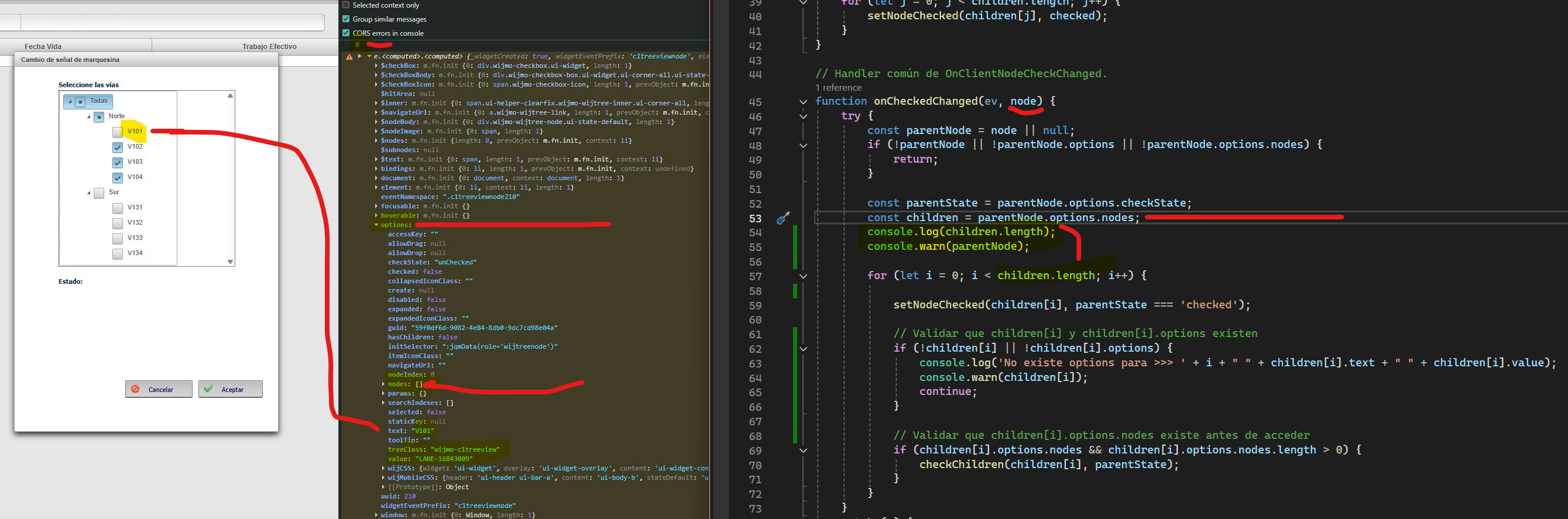
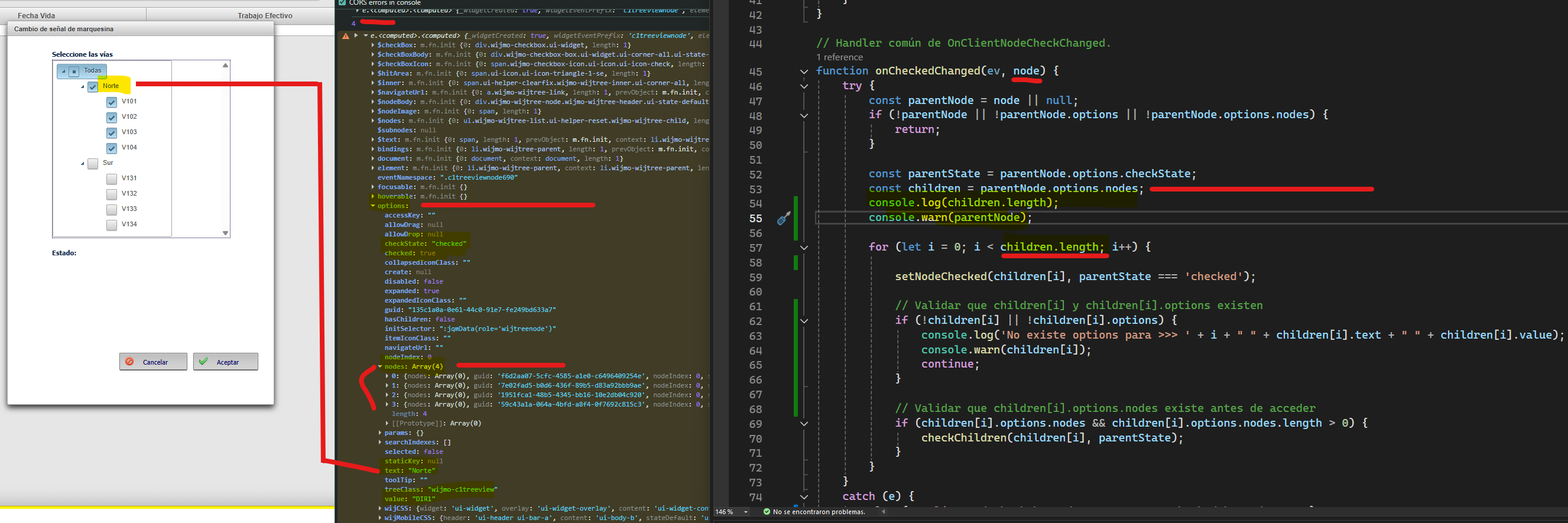
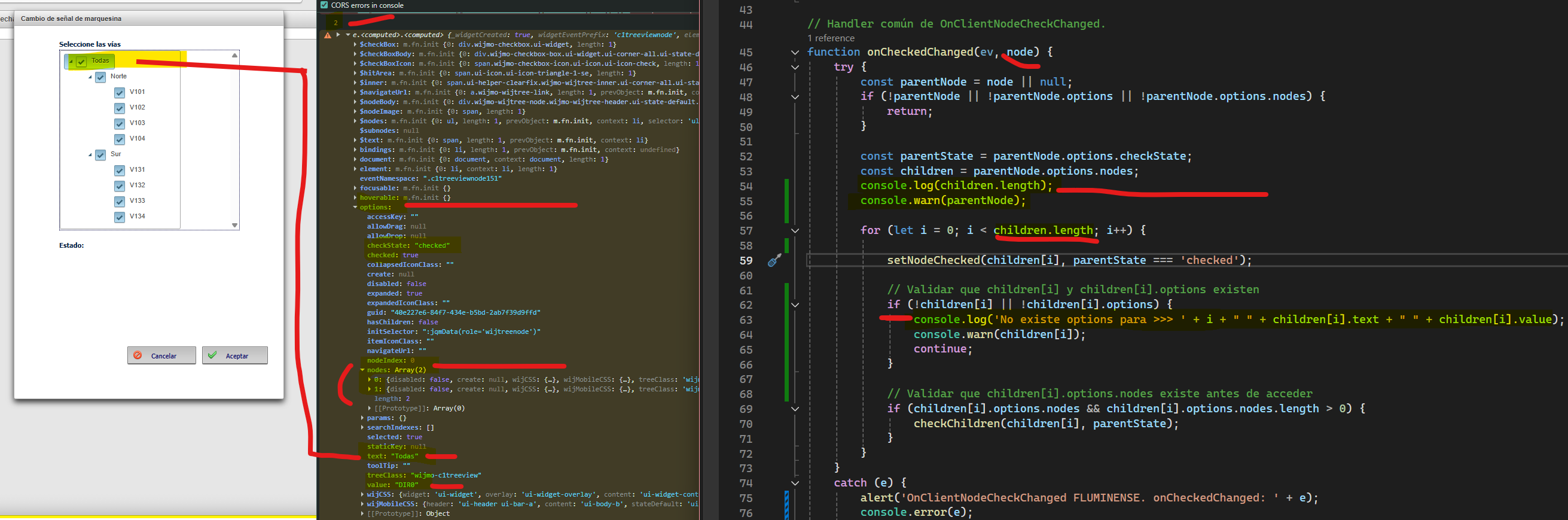
    any suggestion for manage TriState (AllowTriState property) using javascript in new version ?

  • Posted 20 May 2026, 6:51 am EST

    Hello Enrique,

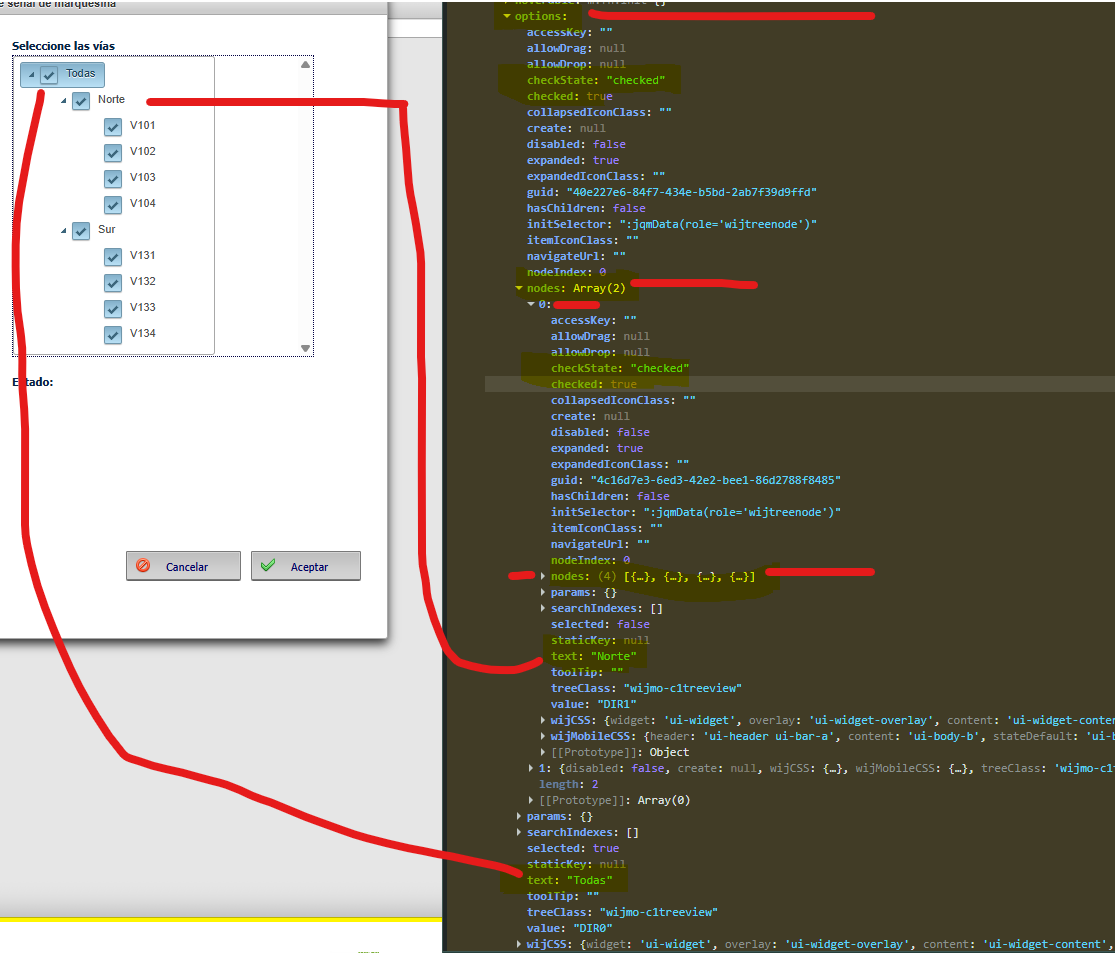
    Setting AllowTriState allows triple state of CheckBox—checked, indeterminate and unchecked.

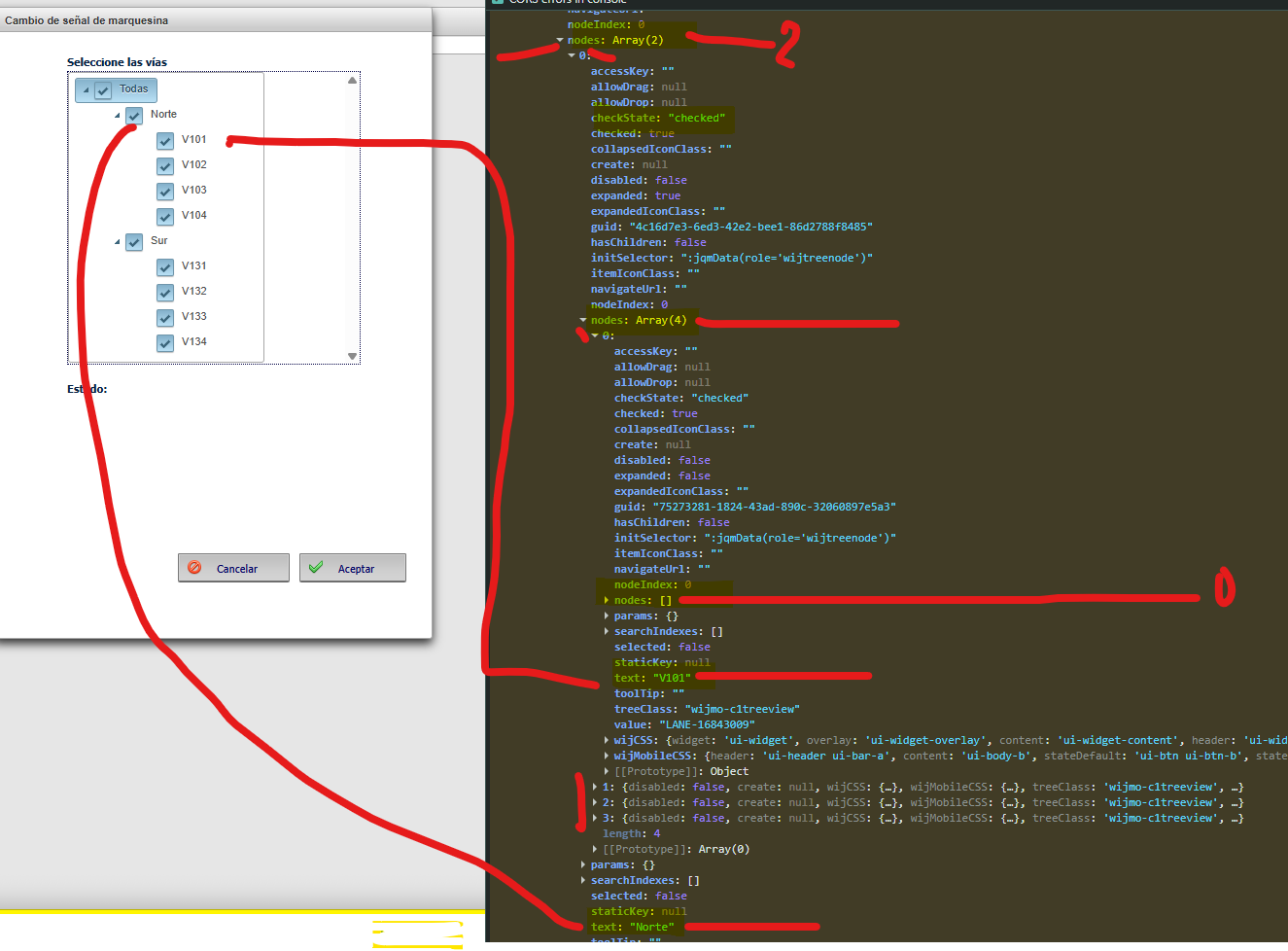
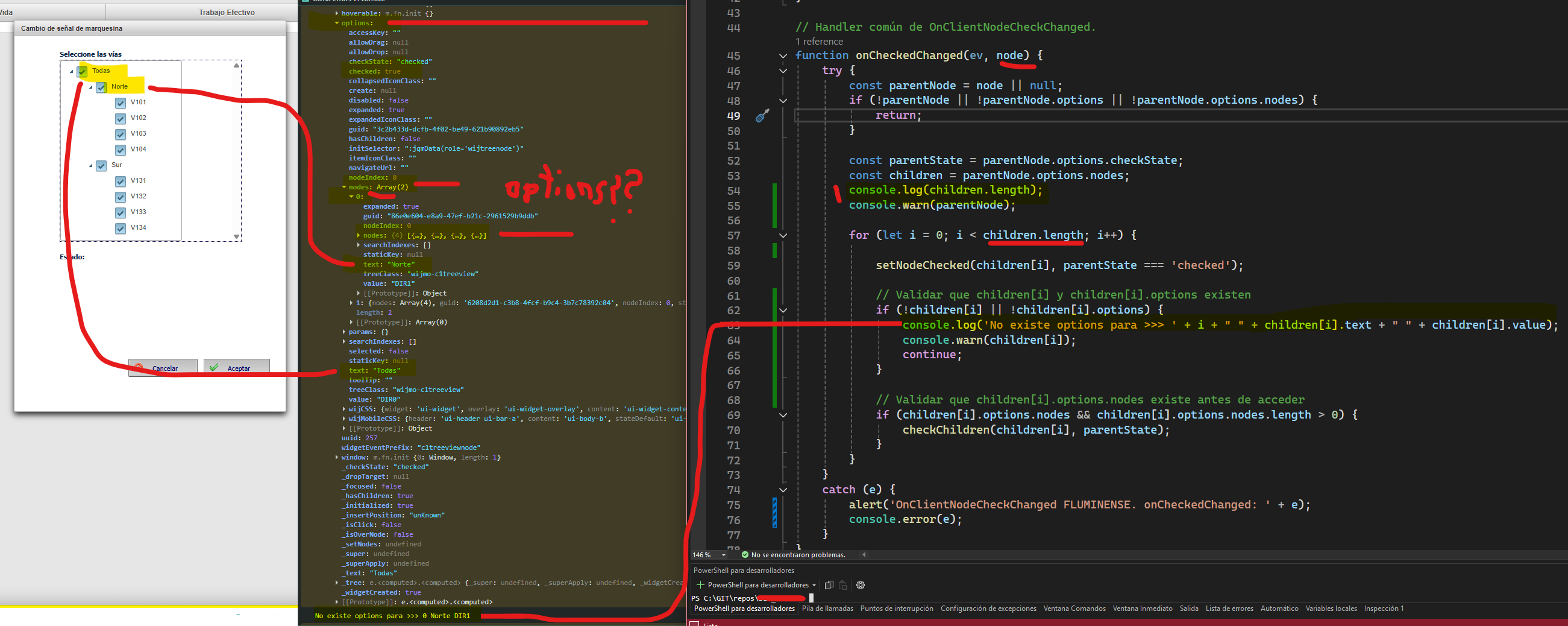
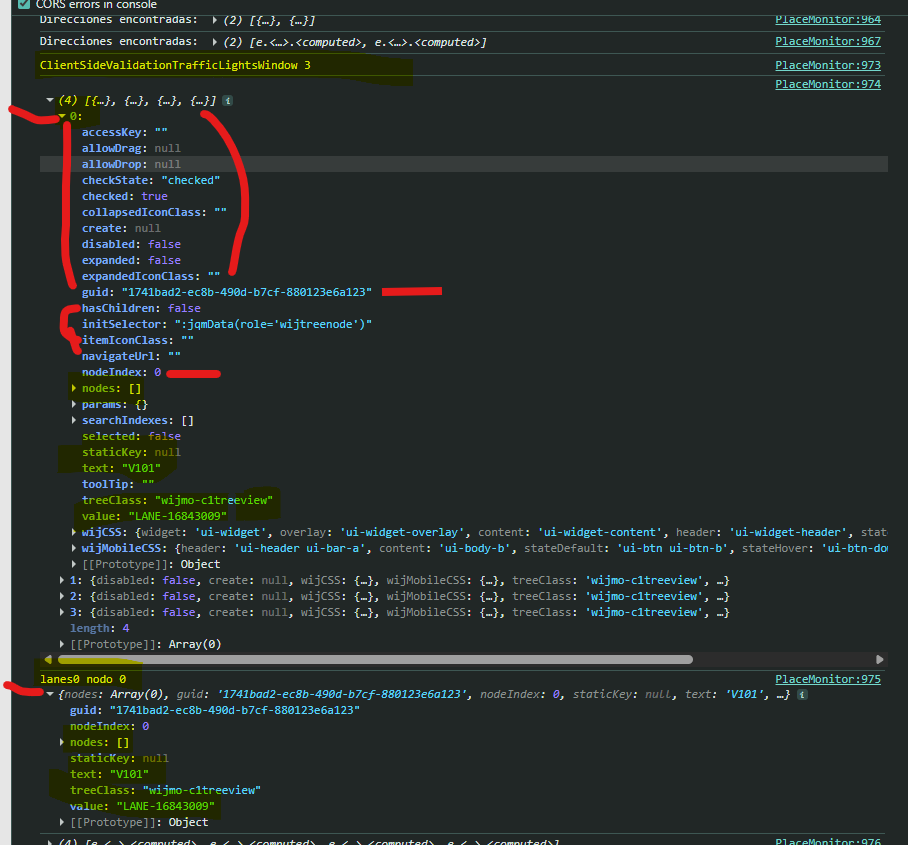
    If “get_propertiesState” is used to retrieve the checked state of a node’s checkbox when the node is clicked, then in the newer version you can obtain the same information using “node.options.checkState”, as shown below:

            function onNodeClick(ev, node) {
                alert(`node: ${node.options.text} ("${node.options.value}")
    checkState: "${node.options.checkState}"
    checked: ${node.options.checked}
    selected: ${node.options.selected}`);
    
                updateInfo("Node Clicked", $(`#${ev.target.id}`), { node: node });
            }

    Sample: TreeView_Sample_Mod.zip

    Please let us know if it works for you.

    Regards,

    Uttkarsh.

Need extra support?

Upgrade your support plan and get personal unlimited phone support with our customer engagement team

Learn More

Forum Channels