Migrate from 2010v1 to 2025v1. Submit ENTER key in C1GridView. Filtering

Posted by: enrique.pv-ext on 16 December 2025, 5:53 am EST

    • Post Options:
    • Link

    Posted 16 December 2025, 5:53 am EST - Updated 16 December 2025, 5:58 am EST

    Hi,

    Migrate from 2010v1 to 2025v1 in ASP.NET WebForms NET Framework 4.8.1.

    Using C1GridView from C1.Web.Wijmo.Controls.48.dll

    using C1.Web.Wijmo.Controls.C1GridView;

    In aspx:

                    <cc1:C1GridView ID="BlackOutsGrid" runat="server" 
                        AllowPaging="true"
                        AllowSorting="True" 
                        ShowFilter="True" 
                        AutoGenerateColumns="False"                     
                        VisualStylePath="~/VisualStyles"  VisualStyle="Vista" UseEmbeddedVisualStyles="False"
                        width="100%"                     
                        PageSize="15"
                        EmptyDataText= "No hay ninguna laguna de datos a partir de la fecha seleccionada."
                        OnRowCommand="BlackOutsGrid_RowCommand"
                        OnGroupAggregate="BlackOutsGrid_GroupAggregate" 
                        OnFiltering="BlackOutsGrid_Filtering"                     
                        OnPageIndexChanging="BlackOutsGrid_PageIndexChanging"
                        OnRowDataBound="BlackOutsGrid_RowDataBound"
                        OnSorting="BlackOutsGrid_Sorting" 
                        OnSorted="BlackOutsGrid_Sorted"
    		
    					SelectedIndex="0" ClientSelectionMode="None"
    					OnDataBound="C1GridView1_DataBound" 
    					CallbackSettings-Action="All"
                        >                        
                        <Columns>         
    						
                            <cc1:C1TemplateField Visible="false">
                                <ItemTemplate>
                                 <asp:ImageButton ID="ImageButtonShowVideo" runat="server" CommandName="VerTransito" ImageUrl="~/App_Themes/Content/Imagenes/ico_TV.png" AlternateText="Video" ToolTip="Video">
                                    </asp:ImageButton>
                                </ItemTemplate>   
                                <ItemStyle Width="30px" />
                            </cc1:C1TemplateField>   
                            <%--HtmlEncodeFormatString = "true"--%>
                            <cc1:C1BoundField HeaderText="Fecha / Hora" DataField="BeginDateTime"  FilterOperator="GreaterOrEqual"
                                     HtmlEncode = "true"
                                    SortExpression="BeginDateTime">
                                <ItemStyle CssClass="GridDate" Width="150px" />
                            </cc1:C1BoundField>
                            <cc1:C1BoundField HeaderText="Turno" DataField="LaneNumber"    SortDirection="Ascending" FilterOperator="Equals"  SortExpression="LaneNumber" >
                                <ItemStyle CssClass="GridNumericValue"   Width="80px" />
                            </cc1:C1BoundField> 
                            <cc1:C1BoundField HeaderText="Lugar" DataField="LaneDesc" SortExpression="LaneDesc">
                                <ItemStyle CssClass="GridText" Width="80px" />
                            </cc1:C1BoundField>            
                            <cc1:C1BoundField HeaderText="Operador" DataField="OperatorName" SortExpression="OperatorName">
                                <ItemStyle CssClass="GridText" Width="150px" />
                            </cc1:C1BoundField>
                            <cc1:C1BoundField HeaderText="Modo de trabajo" DataField="WorkModeDesc" SortExpression="WorkModeDesc">
                                <ItemStyle CssClass="GridText" Width="80px" />
                            </cc1:C1BoundField>
                            <cc1:C1BoundField HeaderText="Evento" DataField="EventDesc" SortExpression="EventDesc" Visible="false">
                                <ItemStyle CssClass="GridText" Width="60px" />
                            </cc1:C1BoundField>                                                                             
    						
    						
    						<cc1:C1CommandField ShowFilterButton="True" />
    						
                        </Columns>
    					
                    </cc1:C1GridView>

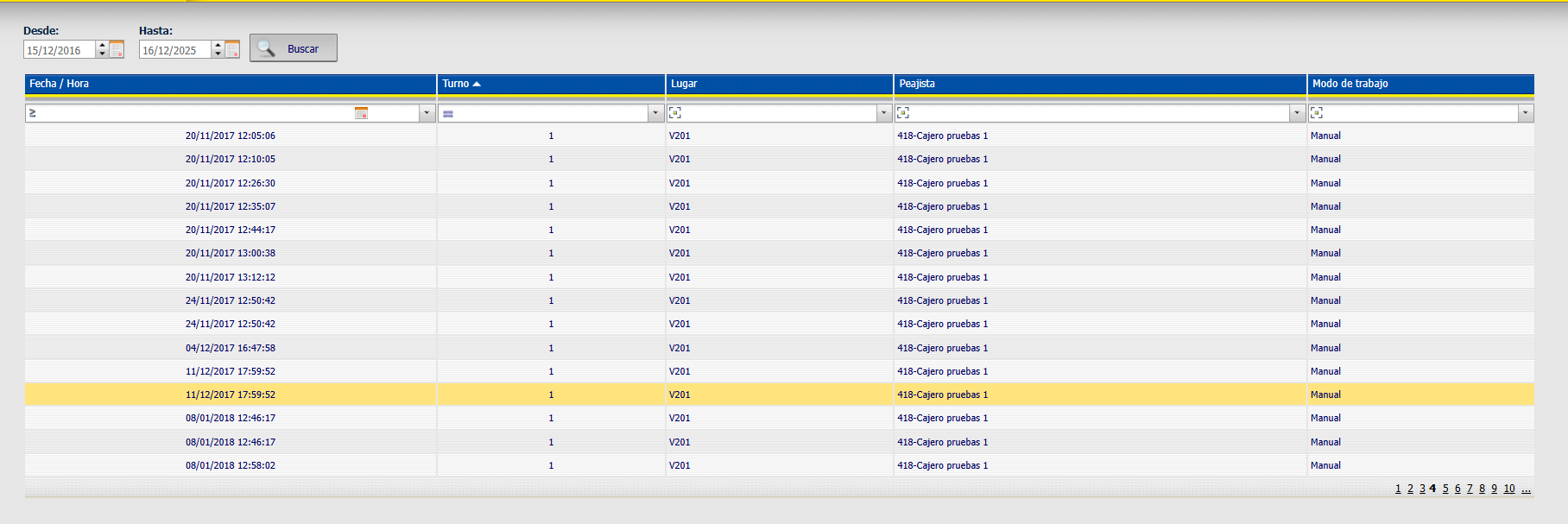
    When I put value in Filter input, by example, 34 value in Turno column, and I press ENTER (#13 key), the page do not Postback (IsPostback = false), calls the same page (redirect) because in MasterPage there are a ImageButton for reload.
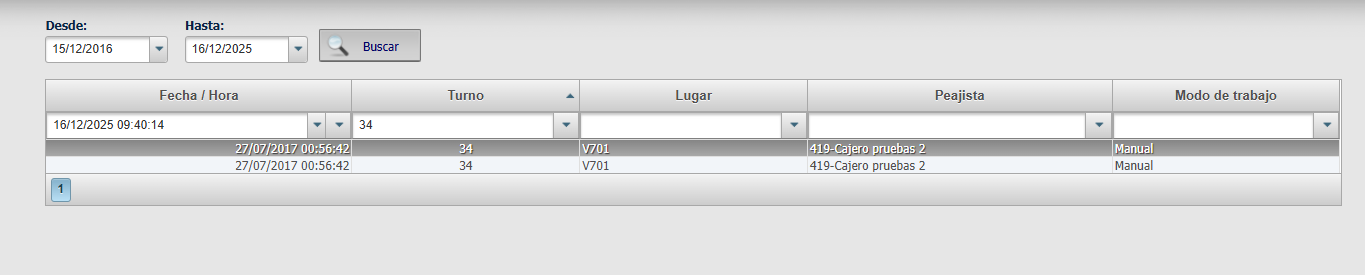
    Using 2012v2 controls GridView all is OK, do Postback.

    any suggestion ?

  • Posted 17 December 2025, 10:00 pm EST

    Hi,

    Thank you for sharing the details and for explaining the behavior you are seeing after upgrading to 2025v1.

    To help us better understand the scenario and investigate this accurately on our side, could you please help us with a few additional details?

    1. The exact ComponentOne WebForms version and build number you are currently using.

    2. The target .NET Framework version of your WebForms application.

    3. We noticed that you have implemented the BlackOutsGrid_Filtering event. Could you please share how this event is being used, and whether any custom logic is applied inside this handler?

    4. Does the issue occur for all column types, such as BoundField and TemplateField, or only for specific columns?

    5. Is there any control on the page or in the MasterPage that acts as a default submit button, such as a Button or ImageButton? If possible, could you share the complete code snippet of the MasterPage, or a minimal sample that reproduces the issue? This would help us validate the behavior in an isolated setup.

    These details will help us determine whether the behavior is related to grid configuration, custom filtering logic, or page-level submit handling in the newer version.

    Thank you for your time and cooperation.

    Kind Regards,

    Aastha

  • Posted 18 December 2025, 3:05 am EST - Updated 18 December 2025, 3:11 am EST

    Hi,

    We apologize that we missed attaching the sample application in our previous response.

    You can download the sample application from the link below: https://www.dropbox.com/scl/fi/g18o4awqi91nql3ivszar/GridViewDemo.zip?rlkey=mbdutnoc2jimx342h5me634dh&st=tw0iyx8t&dl=0

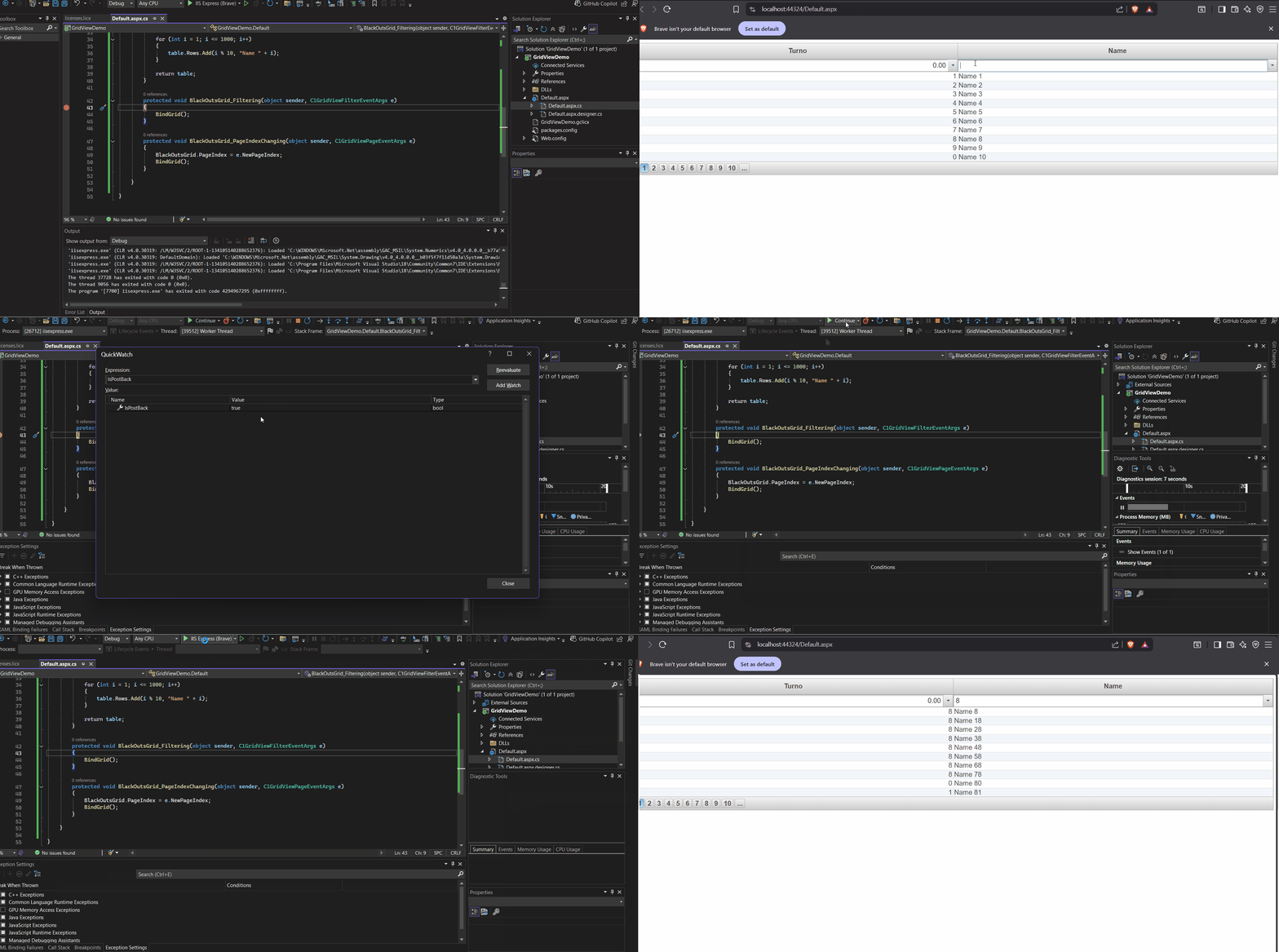
    We have also attached a GIF that shows the behavior we are seeing:

    Please review the sample application and let us know if your implementation is different from what we understand. If needed, you may update the sample application and share it with us so we can reproduce the issue on our side.

    Thanks & regards,

    Aastha

  • Posted 19 December 2025, 8:11 am EST

    The exact ComponentOne WebForms version: 2025v2 399

    The target .NET Framework version: 4.8.1

    the issue occur for all column types

    in the MasterPage , has btnReload button, I added UseSubmitBehavior=“false” CausesValidation=“false”

        <asp:ImageButton ID="btnReload" runat="server" AlternateText="Recargar" OnClientClick="console.log('RELOAD click'); showclock(); return true;"
            ImageUrl="~/App_Themes/Content/Imagenes/refresh2.png"
            OnClick="btnReload_Click" CssClass="ReloadPageButton" 
            UseSubmitBehavior="false" CausesValidation="false"  />

    Finally I add default button dummy, donot anything. Now, all is OK for Filtering ENTER key.

    <asp:Panel ID="DivContentPlaceHolder1" runat="server" class="contenido"
    
            DefaultButton="btnGridFilterProxy">
       
       <asp:Button ID="btnGridFilterProxy" runat="server" Style="display:none"
       OnClientClick="return false;" UseSubmitBehavior="false" />
    
                <asp:ContentPlaceHolder ID="ContentPlaceHolder1" runat="server">
                </asp:ContentPlaceHolder>
            </asp:Panel>

    BlackOutsGrid_Filtering event has custom logic

    protected void BlackOutsGrid_Filtering(object sender, C1GridViewFilterEventArgs e)
      {
          // TODO : NEW version
          BlackOutsGrid.DataSource =  HelperUtil.GetGridFilterByFieldType(BlackOutsGrid.Columns, shiftsblackouts, GetConfigurationParameter(ConfigurationParamType.DefaultDatetimeFormatString), null);
       HelperUtil.reStartGridFieldsAndBind(BlackOutsGrid);
    

    Thanks, I’ll try test your sample.

    In latest version, C1GridView1_RowDataBound, the commandName changes:

    Delete, now is delete

    Update, now is update

    Edit, now is edit

    Cancel, now is cancel

    Change my code to

    if (btn.CommandName.Equals("Delete", StringComparison.OrdinalIgnoreCase))

    Full C1GridView1_RowDataBound event

    protected void C1GridView1_RowDataBound(object sender, C1GridViewRowEventArgs e)
    {
    	try
    	{
    		if (e.Row.RowType != C1GridViewRowType.DataRow) return;
    
    		string ID = (((DataRowView)e.Row.DataItem)["ID"]).ToString();
    
    		ControlCollection controls = e.Row.Cells[(int)ColumnsGrid.DELETE].Controls;
    		foreach (Control ctrl in controls)
    		{
    			IButtonControl btn = ctrl as IButtonControl;
    			if (btn == null) continue;
    
    			//if (btn.CommandName == "Delete")
    			if (btn.CommandName.Equals("Delete", StringComparison.OrdinalIgnoreCase))
    			{
    				//Set javascript
    				((WebControl)ctrl).Attributes.Add("onClick", "javascript:ShowConfirmDelete(" + ID + ");javascript:return false;");
    				((WebControl)ctrl).Attributes.Add("alt", (string)_textsShown[35]);
    				((WebControl)ctrl).ToolTip = (string)_textsShown[35];
    			}
    
    		}
    		controls = e.Row.Cells[(int)ColumnsGrid.EDIT].Controls;
    		foreach (Control ctrl in controls)
    		{
    			IButtonControl btn = ctrl as IButtonControl;
    			if (btn == null) continue;
    
    			//if (btn.CommandName == "Update")
    			if (btn.CommandName.Equals("Update", StringComparison.OrdinalIgnoreCase))
    			{
    				((WebControl)ctrl).Attributes.Add("alt", (string)_textsShown[37]);
    				((WebControl)ctrl).ToolTip = (string)_textsShown[37];
    				((WebControl)ctrl).Attributes.Add("onclick", "showConfirm('" + ConfirmWindow.JavascriptClientID + "','EDITING');return false;");
    			}
    			else if (btn.CommandName.Equals("Cancel", StringComparison.OrdinalIgnoreCase)) //if (btn.CommandName == "Cancel")
    			{
    				((WebControl)ctrl).Attributes.Add("alt", (string)_textsShown[38]);
    				((WebControl)ctrl).ToolTip = (string)_textsShown[38];
    			}
    			else if (btn.CommandName.Equals("Edit", StringComparison.OrdinalIgnoreCase)) //if (btn.CommandName == "Edit")
    			{
    				((WebControl)ctrl).Attributes.Add("alt", (string)_textsShown[36]);
    				((WebControl)ctrl).ToolTip = (string)_textsShown[36];
    				((WebControl)ctrl).Attributes.Add("onclick", "if(checkIfIsNothingDoing()==false) {return false;}");
    			}
    
    		}
    		if (C1GridView1.EditIndex == e.Row.RowIndex)
    		{
    			// TODO: NEW
    			//((C1NumericInput)e.Row.Controls[(int)ColumnsGrid.VALUE].Controls[1]).Culture = CultureInfo.CurrentCulture;
    			((C1InputNumeric)e.Row.Controls[(int)ColumnsGrid.VALUE].Controls[1]).Culture = CultureInfo.CurrentCulture;
    		}
    		// }
    
  • Posted 22 December 2025, 1:46 pm EST

    Hi,

    We are currently looking into this issue. We will update you soon on this.

    Thanks & regards,

    Aastha

  • Posted 23 December 2025, 5:10 am EST - Updated 23 December 2025, 5:16 am EST

    Hi,

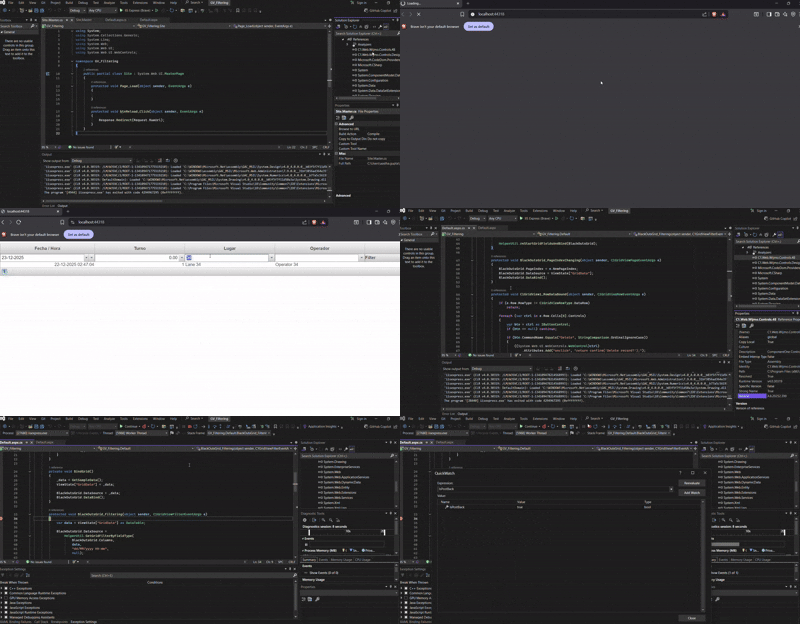
    We updated our sample application using the code snippet you shared. Please see the attached GV_Filtering.zip

    When we tested it, we noticed that the page reloads during filtering, but the IsPostBack value remains true. You can see this behavior in the attached GIF.

    We are currently discussing this behavior with our development team (Internal Tracking ID: C1WEB-30274) and will update you as soon as we have more information.

    Thanks & regards,

    Aastha

Need extra support?

Upgrade your support plan and get personal unlimited phone support with our customer engagement team

Learn More

Forum Channels