
Disable FullScreen for C1ReportViewer 2025v2 399

Posted by: enrique.pv-ext on 24 March 2026, 10:53 am EST

    • Post Options:
    • Link

    Posted 24 March 2026, 10:53 am EST - Updated 24 March 2026, 10:58 am EST

    Hi,

    Migrate from 2010v1 to 2025v2 399 in ASP.NET WebForms NET Framework 4.8.1.

    Using C1ReportViewer from C1.Web.Wijmo.Controls.48.dll

    Changes C1WebReport to C1ReportViewer control.

    I use C1ReportViewer control (viewer mode) in a C1Dialog, in aspx with UpdatePanels, GridView (RowCommand), open C1Dialog within Report viewer

    C1Dialog - C1ReportViewer
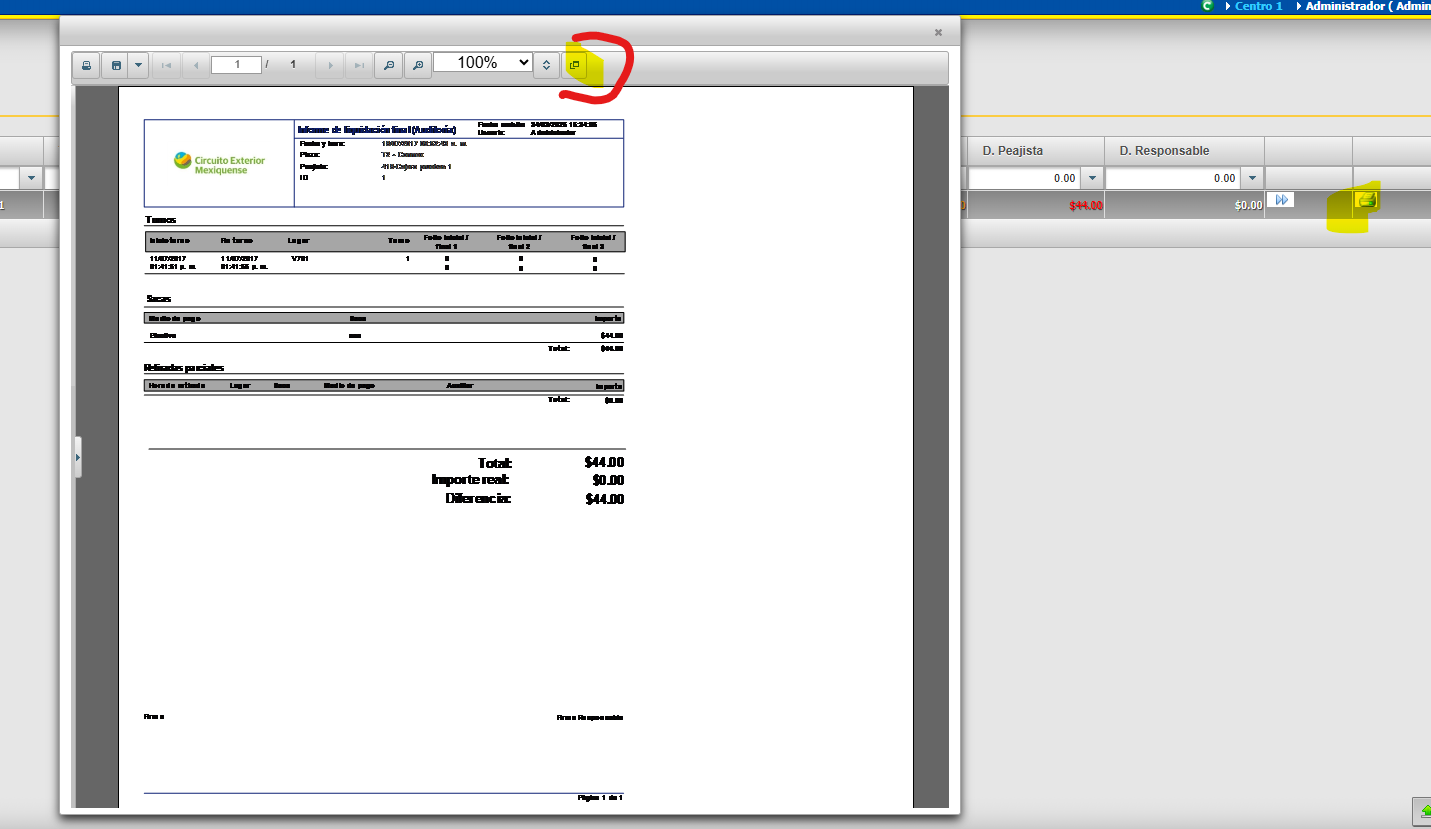
    Fullscreen, not shows right.
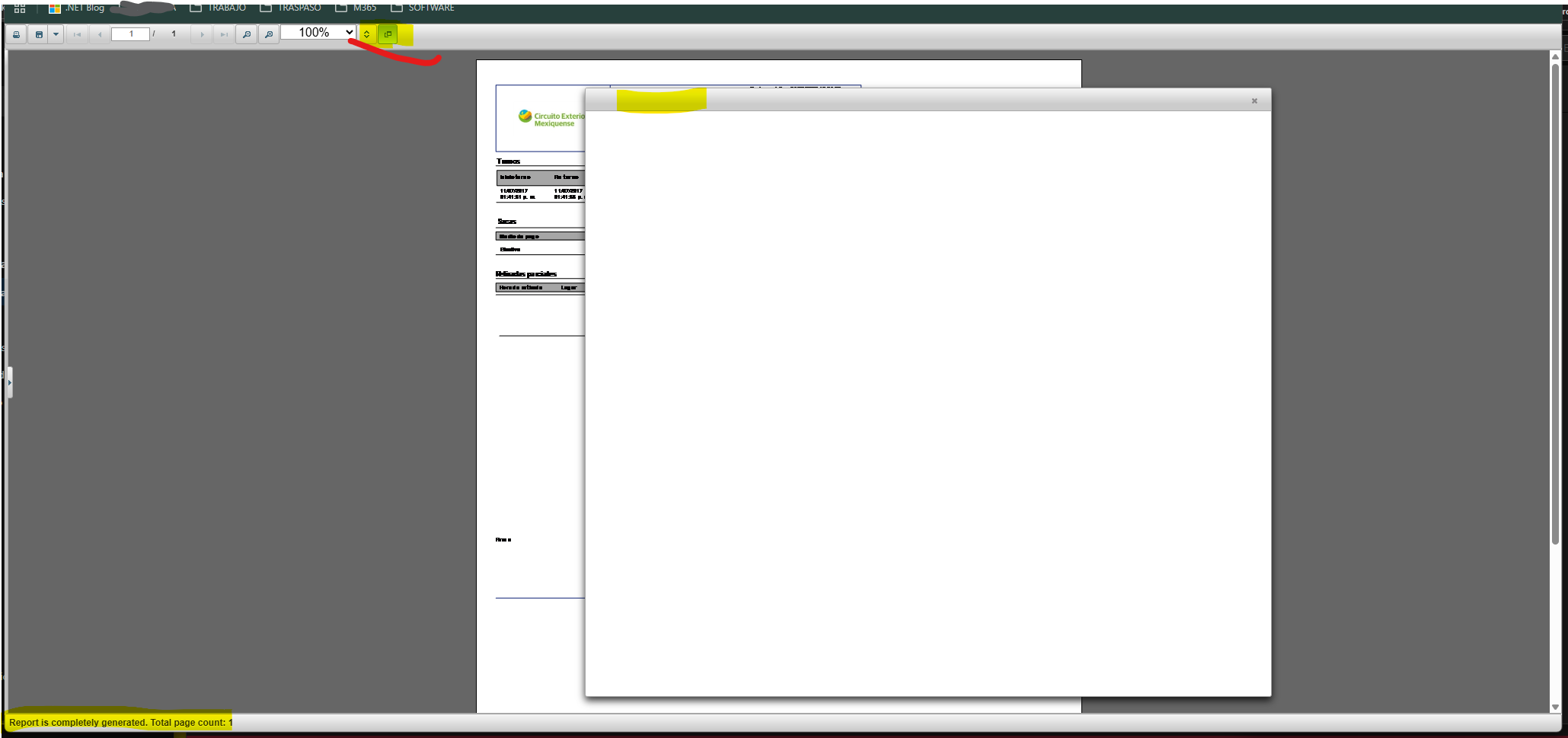
    how-to disable Fullscreen in C1ReportViewer ?

    thanks al ot

  • Posted 26 March 2026, 1:59 am EST

    Hi,

    As per our understanding, you want to disable the Fullscreen button in the toolbar so that users cannot toggle fullscreen mode, since you are using the C1ReportViewer inside a C1Dialog.

    For this, you can use the C1ReportViewer.ToolBar property as follows:

    protected void Page_Load(object sender, EventArgs e)
    {
        C1ReportViewer1.ToolBar.Controls[11].Visible = false;
    }

    Please see the attached sample project for reference - ReportViewerFullscreen.zip

    Best Regards,

    Kartik

  • Posted 26 March 2026, 5:01 am EST - Updated 26 March 2026, 5:04 am EST

    Great! working, thanks!

    any reference about all Toolbar ?

    C1ReportViewer1.ToolBar.Controls[0] → ???

    C1ReportViewer1.ToolBar.Controls[1] → save(export)

    C1ReportViewerToolbar toolBar = C1ReportViewer1.ToolBar;
    		((HtmlGenericControl)toolBar.Controls[1]).Style["display"] = "none"; // hide original save(export) button


    C1ReportViewer1.ToolBar.Controls[11] → FullScreen

  • Posted 26 March 2026, 7:36 am EST

    Hi,

    There isn’t a reference available for the entire toolbar. You can simply inspect the list of controls in the C1ReportViewer.ToolBar.Controls collection using the Visual Studio debugger and hide them as needed.

    Best Regards,

    Kartik

  • Posted 26 March 2026, 8:19 am EST

    Ok, thanks, maybe using ?

    Print report button in the toolbar:
    Save button or the Save button's drop-down arrow in the toolbar
    Continuous view button on the toolbar:
     Zoom In, Zoom Out, and Current Zoom options on the toolbar
     Navigation options include an Outline pane and page navigation buttons on the toolbar.
    
    public partial class ToolBarCustomization : System.Web.UI.Page
    	{
    		protected void Page_Load(object sender, EventArgs e)
    		{
    			HtmlGenericControl toolbar = this.C1ReportViewer1.ToolBar;
    			for (int i = toolbar.Controls.Count - 1; i >= 0; i--)
    			{
    				string className = ((HtmlGenericControl)toolbar.Controls[i]).Attributes["class"];
    				if (!string.IsNullOrEmpty(className) && className.Contains("print"))
    				{
    					// remove "print" button
    					toolbar.Controls.RemoveAt(i);
    				}
    				if (i > 6)
    				{
    					toolbar.Controls.RemoveAt(i);
    				}
    			}
    		}
    	}	
  • Posted 26 March 2026, 9:27 am EST

    C1ReportViewer1.ToolBar.Controls[0] → Print

    C1ReportViewer1.ToolBar.Controls[1] → Export button

    C1ReportViewer1.ToolBar.Controls[2] → first page

    C1ReportViewer1.ToolBar.Controls[3] → Previous page

    C1ReportViewer1.ToolBar.Controls[4] → PageIndex input

    C1ReportViewer1.ToolBar.Controls[5] → Next page

    C1ReportViewer1.ToolBar.Controls[6] → Last page

    C1ReportViewer1.ToolBar.Controls[7] → Zoom out

    C1ReportViewer1.ToolBar.Controls[8] → Zoom in

    C1ReportViewer1.ToolBar.Controls[9] → Dropdown % Zoom: 10%, 25%, …

    C1ReportViewer1.ToolBar.Controls[10] → Continuous View checkbox

    C1ReportViewer1.ToolBar.Controls[11] → FullScreen Mode checkbox

  • Posted 27 March 2026, 1:33 am EST

    Hi,

    Sure, you can customize the toolbars in any way that suits your application’s requirements. Also, thank you for sharing the toolbar reference as it may be helpful for other customers as well!

    Best Regards,

    Kartik

Need extra support?

Upgrade your support plan and get personal unlimited phone support with our customer engagement team

Learn More

Forum Channels