Posted 26 June 2026, 3:13 am EST
Hello Enrique,
There are only two viable options to achieve your requirement:
- Use Template Field:
<wijmo:C1TemplateField HeaderText="Amount (template)">
    <ItemStyle HorizontalAlign="Right" />
    <ItemTemplate><%# Eval("TOTAL_AMOUNT") %> %</ItemTemplate>
</wijmo:C1TemplateField>
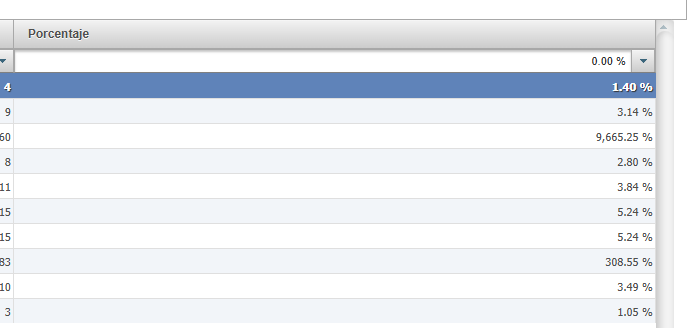
- Use “p2” format with calculated column values:
<wijmo:C1BoundField DataField="TOTAL_AMOUNT_calculated"
    HeaderText="Amount (p2 with calculated field)"
    SortExpression="TOTAL_AMOUNT_calculated"
    DataFormatString="p2">
    <ItemStyle CssClass="GridNumber" Width="120px" />
</wijmo:C1BoundField>

---

protected void Page_Load(object sender, EventArgs e)
{
    if (!IsPostBack)
    {
        var data = GetData();
        data = AddCalculatedPercentField(data, "TOTAL_AMOUNT");
        C1GridView1.DataSource = data;
        C1GridView1.DataBind();
    }
}

private DataTable AddCalculatedPercentField(DataTable data, string colName)
{
    var newColName = $"{colName}_calculated";
    data.Columns.Add(newColName, typeof(decimal));
    foreach (DataRow row in data.Rows)
    {
        if(decimal.TryParse(row[colName].ToString(), out decimal val))
        row[newColName] = val/100;
        else
            row[newColName] = 0;
    }
    return data;
}

private DataTable GetData()
{
    DataTable dt = new DataTable();
    dt.Columns.Add("Item", typeof(string));
    dt.Columns.Add("TOTAL_AMOUNT", typeof(decimal));

    dt.Rows.Add("Laptop", 0.01m);
    dt.Rows.Add("Monitor", 0.03m);
    dt.Rows.Add("Keyboard", 96.65m);

    return dt;
}
Please refer to the attached sample for the same: GridView_PercentFormat.zip
Regards,
Uttkarsh.