Posted 9 April 2019, 3:49 am EST
Hi,
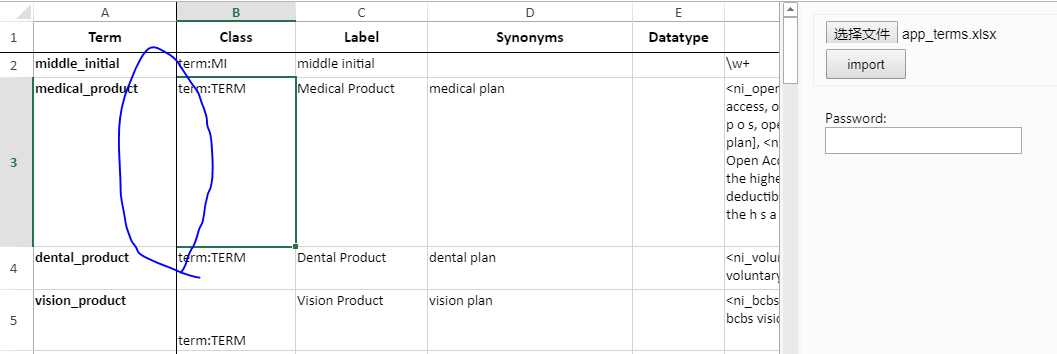
I freeze the first row and first column, and set the frozenline color same with gridline color, then try to select some cell.
I found that some border of selected cell are not highlighted.
In attached spreadsheet.
- select B2 , the top and left border are not highlighted
- select B3 , the left border is not highlighted
- select C3 , all the border are highlighted as expected.
Any one can tell me how to make all border highlighted, no matter the cell next to the frozen header/column.
(BTW, I tried it with the demo InspectorSample, but it seems works well.)
Thanks a lot !app_terms.zip[img]https://gccontent.blob.core.windows.net/forum-uploads/file-7f57f14c-04f2-4150-b2f2-bb2719367677.PNG[/img][img]https://gccontent.blob.core.windows.net/forum-uploads/file-42cd287c-5f5a-408f-9b8f-4f877640436c.png[/img][img]https://gccontent.blob.core.windows.net/forum-uploads/file-23c30924-07ec-49fd-ba15-8a771b397327.PNG[/img]