
TableSheet Table Relationships MultiColumn Delete Bug

Posted by: michael.thrift2 on 31 August 2022, 8:37 am EST

    • Post Options:
    • Link

    Posted 31 August 2022, 8:37 am EST - Updated 3 October 2022, 9:03 am EST

    I am encountering strange behavior with the TableSheet component. In the demo link below, the Tablesheet is displaying data from the salesTable. A relationship between the salesTable and the customerTable is added in the dataManager.

    The TableSheet is displaying information from the salesTable. The “Customer Information” column has a formatter expression that allows it to display information from the customerTable based on the relationship join of “customerKey”.

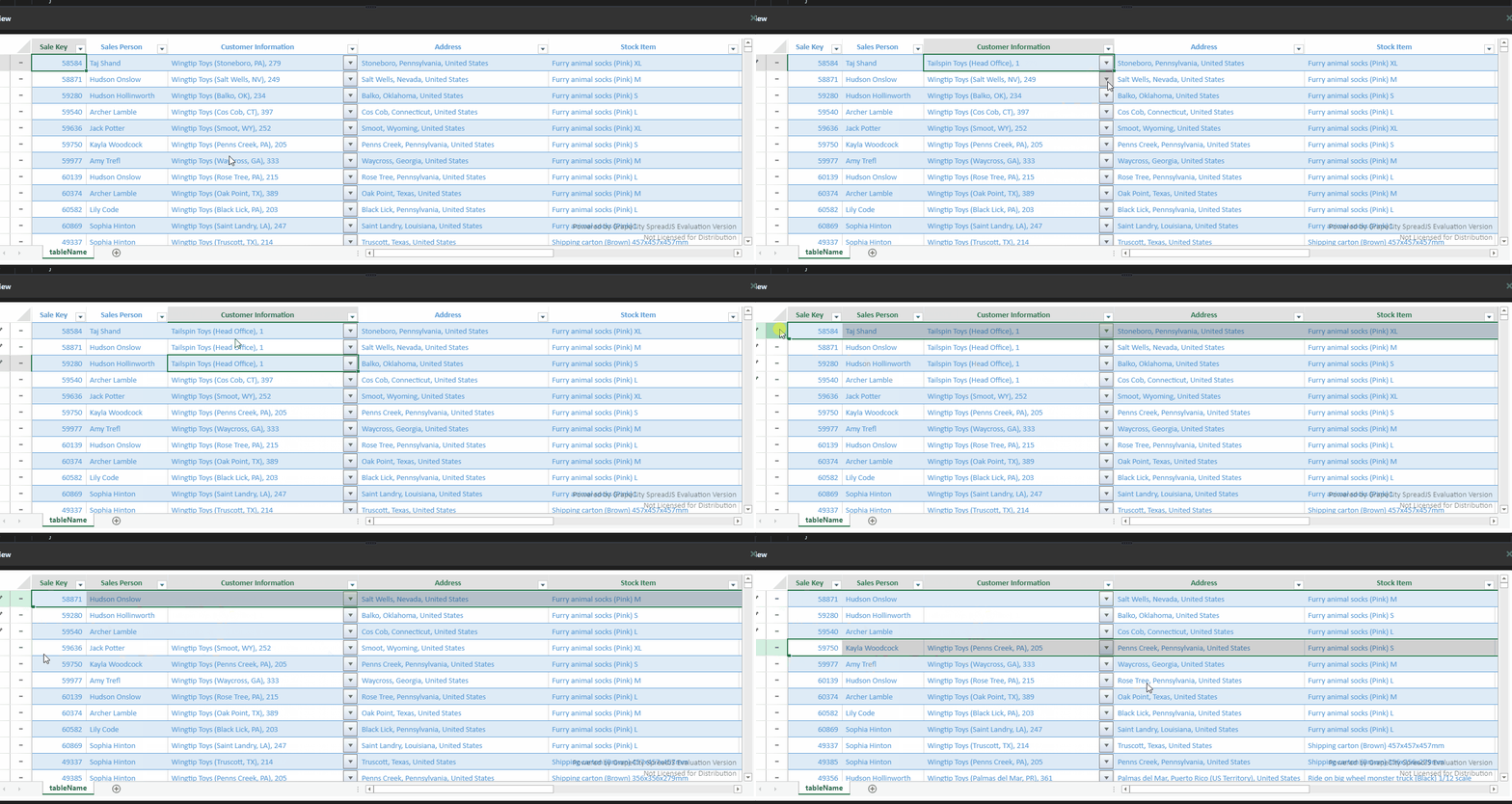
    If you delete a record from the TableSheet, it seems to remove the record from the customerTable instead of removing the record from the salesTable.

    As a result the row does not disappear, but instead invalidates the value of the “Customer Information” column because there is no longer a successful join on “customerKey” because that item was removed. Any records displayed that had the same “customerKey” also have their “Customer Information” field wiped out.

    However if you attempt to delete the record a 2nd time, it does remove it from the salesTable

    Below is a demo i modified to illustrate the issue. To really see the impact, please update the Customer Information field so that the first few records all have the same customer value. Then try and delete the 1st record. You will see that it is not removed, but instead all records that have that same customerKey will have the “Customer Information” column cleared out.

    https://jscodemine.grapecity.com/sample/gVt6joPgF066O8RznA-Hcg//
  • Posted 1 September 2022, 5:17 am EST

    HI,

    Thanks for the information. we are also able to observe the same hence we have escalated this issue to the concerned team for further investigation. We will update you regarding this as we get any information from the team.

    The internal ID for this issue will SJS-14508.

    Regards,

    Avinash

  • Posted 5 September 2022, 11:52 pm EST

    Hi,

    The team informed us that this is by design.

    The relationship in the data manager has a direction that is similar as the relationship in the relational database,

    According to the provided sample, the table on the one side of the relationship should be a primary table and the sales table on the many sides should be the related table,

    The previous table in the addRelationship could be the related table, the next table could be the primary table in the many- to-one relationship.

    Please change the below line to fix the issue.

    dataManager.addRelationship(customerTable, "customerKey", "mySales", salesTable, "customerKey", "myCustomer");
    

    to

    dataManager.addRelationship(salesTable, "customerKey", "myCustomer", customerTable, "customerKey", "mySales");
    

    Regards,

    Avinash

Need extra support?

Upgrade your support plan and get personal unlimited phone support with our customer engagement team

Learn More

Forum Channels
