TableSheet IColumn DataType String vs Number

Posted by: michael.thrift2 on 29 August 2022, 8:41 pm EST

    • Post Options:
    • Link

    Posted 29 August 2022, 8:41 pm EST - Updated 3 October 2022, 9:04 am EST

    I have a dataset in which i provide an Array<GC.Data.IColumn> which defines the dataType for each column. The dataType may be listed as string, but if I type in a numeric value, the resulting batch changes has changedthe property type to number. See gif attached. For the Column “DeptID” which comes in originally as a string value “0140”, when I update the value, the resulting property value does not have the quotes.

  • Posted 31 August 2022, 6:26 am EST

    Hi Michael,

    This is the expected behavior of SpreadJS. When you define the data type of a column, SpreadJS will treat the upcoming column data as the dataType defined and SpreadJS will parse the data to the defined dataType.

    For example, if you define the dataType to be string, SpreadJS expects the upcoming data to be of string type and will store it as string type. But when you change the data to say number, SpreadJS will send the result as number. You should validate the dataType at the server.

    Regards

    Ankit

  • Posted 31 August 2022, 6:44 pm EST

    I understand that in Excel that behavior makes sense. But in a TableSheet, the data is bound to a collection which has a specific type.

    Also, the issue is that while DEPTID column (In my example) is made up of numbers, it is designed to be a string type because some values start with a 0.

    So “0140” comes into the tablesheet. If someone wants to update that to “0250”, they type into the cell “0250”. But what gets persisted to the underlying collection in memory is 250. Because it treats it as a number it drops the leading zero.

    I think if the IColumn defines the column as a string it is reasonable to parse the updated value into a string.

    Is there a way I can at least have leading zero input persisted when a user types it into a cell?

  • Posted 1 September 2022, 4:35 am EST - Updated 3 October 2022, 9:04 am EST

    Hi Michael,

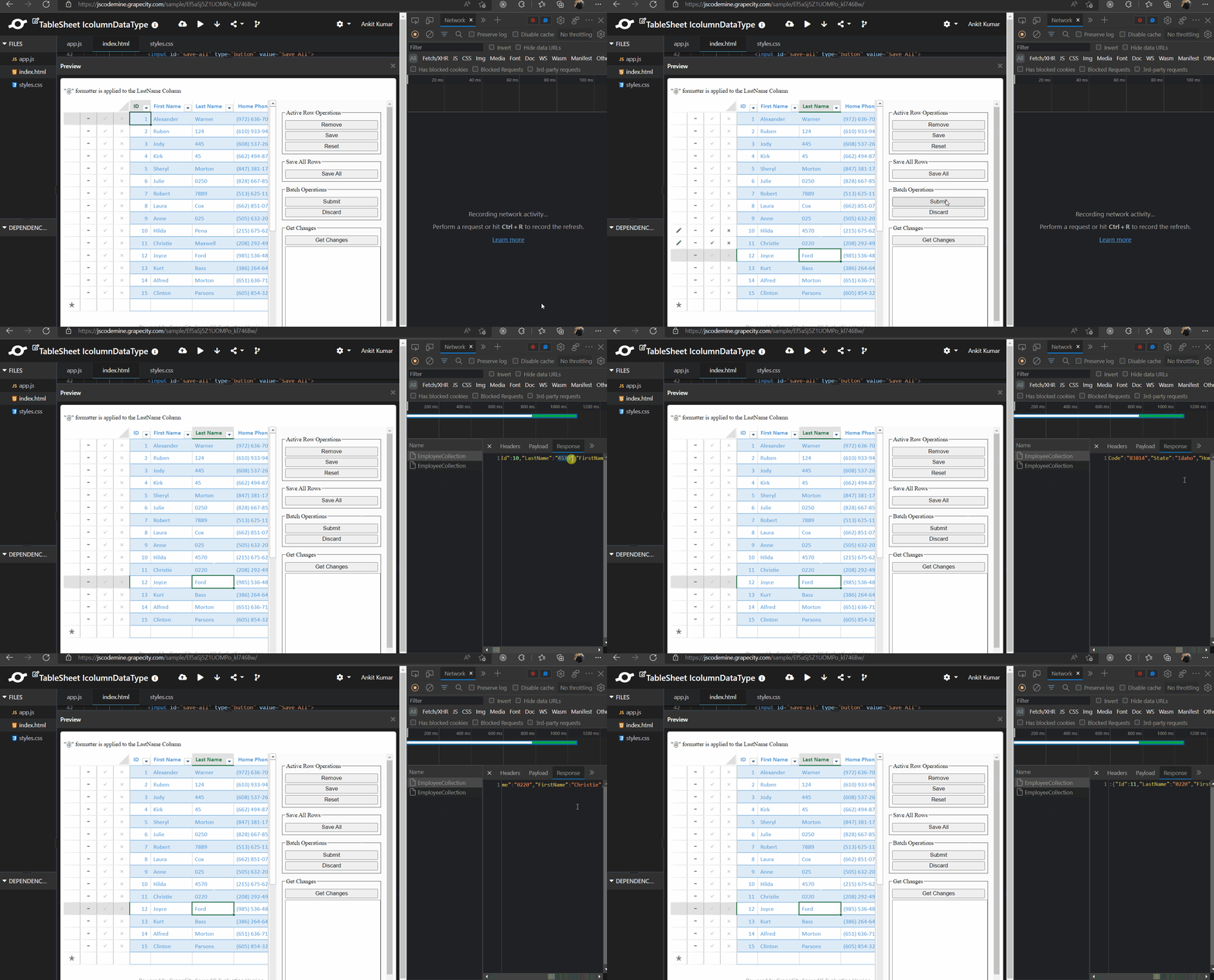
    You could define the string type formatter for the column. This will show the cell value as “string” type and will also send the “string” type to the server.

    For example, you can refer to the following sample that I have created for you: https://jscodemine.grapecity.com/share/4yLtLLElkkWeRlWT0UzLlg/

    In the sample, if you enter the any number in the “Last Name” column, it will show it as a string and will also send the “string” type to the server on Batch Operations.

    Regards

    Ankit

Need extra support?

Upgrade your support plan and get personal unlimited phone support with our customer engagement team

Learn More

Forum Channels