Posted 7 May 2026, 9:20 am EST
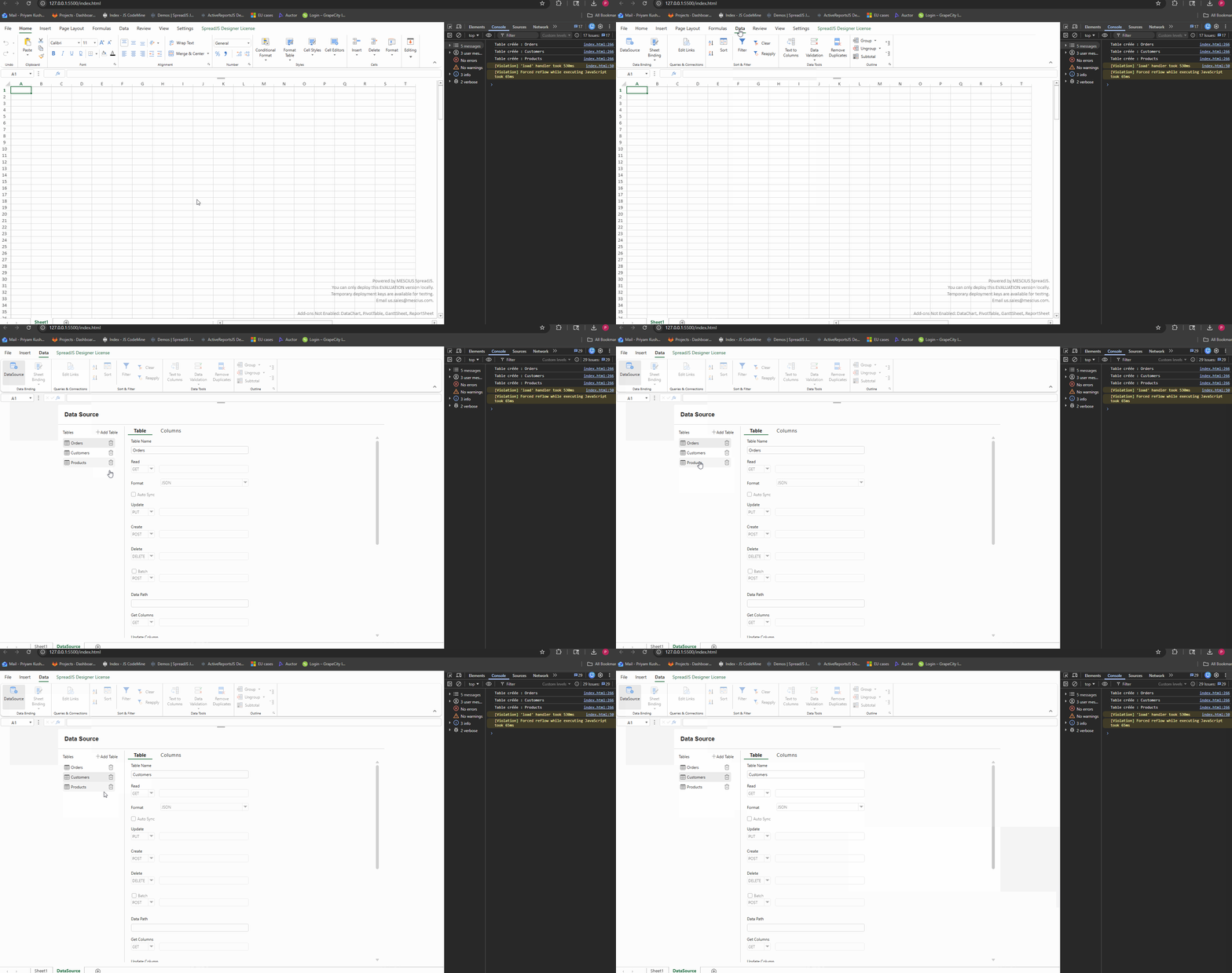
I’m using GC.Data.DataManager() to add tables, but when I go to the “Data Sources” tab, the tables don’t appear.
What do I need to do to make them appear?
[code]// Création du DataManager
const dataManager = new GC.Data.DataManager();
// Boucle sur toutes les dataclasses 4D
for (const dc of catalog.dataClasses) {

    const tableName = dc.name;

    // Création de la table dans le DataManager
    dataManager.addTable(tableName, {

        remote: {

            // READ
            read: async function (params) {

                const skip = params.skip || 0;
                const take = params.take || 100;

                let url =
                    `http://localhost:8080/rest/${tableName}` +
                    `?$skip=${skip}` +
                    `&$top=${take}`;

                // TRI
                if (params.sort &&
                    params.sort.length) {

                    const orderBy =
                        params.sort
                            .map(s =>
                                `${s.field} ${s.dir}`
                            )
                            .join(",");

                    url +=
                        `&$orderby=${orderBy}`;
                }

                // FILTRE SIMPLE
                if (params.filter &&
                    params.filter.field) {

                    url +=
                        `&$filter=${params.filter.field}="${params.filter.value}"`;
                }

                const response =
                    await fetch(url);

                const json =
                    await response.json();

                return {
                    data: json.__ENTITIES,
                    totalCount:
                        json.__COUNT ||
                        json.__ENTITIES.length
                };
            },

            // CREATE
            create: async function(entity) {

                const response = await fetch(
                    `http://localhost:8080/rest/${tableName}`,
                    {
                        method: "POST",
                        headers: {
                            "Content-Type":
                                "application/json"
                        },
                        body: JSON.stringify(entity)
                    }
                );

                return await response.json();
            },

            // UPDATE
            update: async function(entity) {

                const response = await fetch(
                    `http://localhost:8080/rest/${tableName}(${entity.ID})`,
                    {
                        method: "PATCH",
                        headers: {
                            "Content-Type":
                                "application/json"
                        },
                        body: JSON.stringify(entity)
                    }
                );

                return await response.json();
            },

            // DELETE
            destroy: async function(entity) {

                await fetch(
                    `http://localhost:8080/rest/${tableName}(${entity.ID})`,
                    {
                        method: "DELETE"
                    }
                );
            }
        }
    });

    console.log(
        `Table créée : ${tableName}`
    );
}

return dataManager;[/code]