Spread Sheet JSON data has empty DataTable

Posted by: rtiwari on 24 July 2020, 9:59 am EST

  • Posted 24 July 2020, 9:59 am EST

    Hi,

    We have bought spread sheet designer code and now we are able to render designer plus spreadsheet. We put the entire spread in Iframe and inside the iframe I have written a method to fetch the state in json format.

    I am writing below line of code to achieve this.

    
    (function() {
      'use strict';
      var spread = new GC.Spread.Sheets.Workbook(
        document.getElementById('ss'),
      );
      var spreadsheetData = JSON.stringify(
        spread.toJSON({ includeBindingSource: true }),
      );
    
      console.log('exported state', spreadsheetData);
    })();


    It is returning a json however the dataTable node is empty.

    "data": {"dataTable: {}"} ... 
    

    I am making sure that below line is called once and it is correctly pointing to the instance of the spreadsheet.

     var spread = new GC.Spread.Sheets.Workbook(
        document.getElementById('ss'),
      );
    

    So please help me what am I missing? I am getting the json however the spread sheet cell data is not coming. This is little urgent issue for us. Need your guide.

  • Posted 27 July 2020, 3:04 am EST

    Hi Rupesh,

    You do not need to use the spread workbook constructor, spread instance is created for us by the designer. You may get the spread instance used by the designer like:

    var designer = GC.Spread.Sheets.Designer;
    var spread = designer.wrapper.spread;
    

    After getting the spread instance, you may simply use the toJSON method

    var spreadsheetData = JSON.stringify(
        spread.toJSON({ includeBindingSource: true }),
      );
    

    Regards

    Sharad

  • Posted 29 July 2020, 3:31 pm EST

    Thanks Sharad this worked for me.

  • Posted 29 July 2020, 3:36 pm EST

    Now I have another 2 issues:

    1- Spread sheet is not resizing. I have spreadsheet opening in jquery dialog inside iframe. When I am resizing the jquery dialog I am also updating the iframe height & width however the spread sheet is not resizing. It is disappearing and its height is becoming very less. I tried calling disigner.wrapper.reset() still not working. I debugged and found the

    updateLayout
    method is getting called in index/index.js file but that is not fixing the resize. please help here.

    2- We also want to remove couple of tabs from the designer ribbon. However we I remove HTML from ribbon.html then designer is not rendering properly. Do you have any guide line how can I hide settings tab, illustration div. what is the steps to do that ?

  • Posted 30 July 2020, 2:50 am EST

    1). You need to call spread.refresh() method after resizing to update the spread’s layout according to new dimensions.

    var designer = GC.Spread.Sheets.Designer;
    var spread = designer.wrapper.spread;
    spread.refresh();
    

    2). Could you please let us know what issue you are facing when removing tabs from ribbon.html. It should work fine. To remove the settings tab, we need to update ribbon.html file and remove div whose id is “settingsTab” and li item which contains link to settingsTab div i.e

  • SETTINGS
  • .

    Please make sure that you have removed both of these elements and let us if you face any issues.

  • Posted 5 August 2020, 5:04 pm EST - Updated 3 October 2022, 10:14 am EST

    Hi

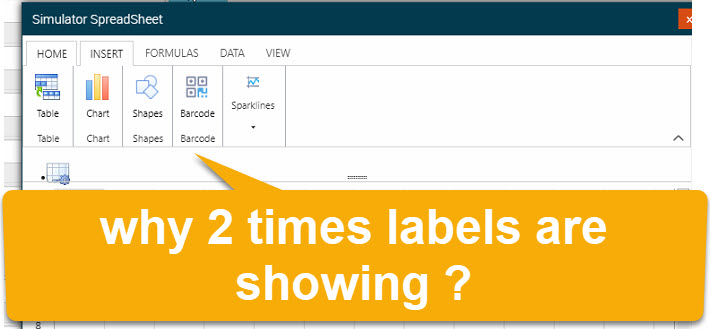
    Can you please help us to know is it a bug or feature why labels are showing 2 times.


    This is how the ribbon labels are showing 2 times.

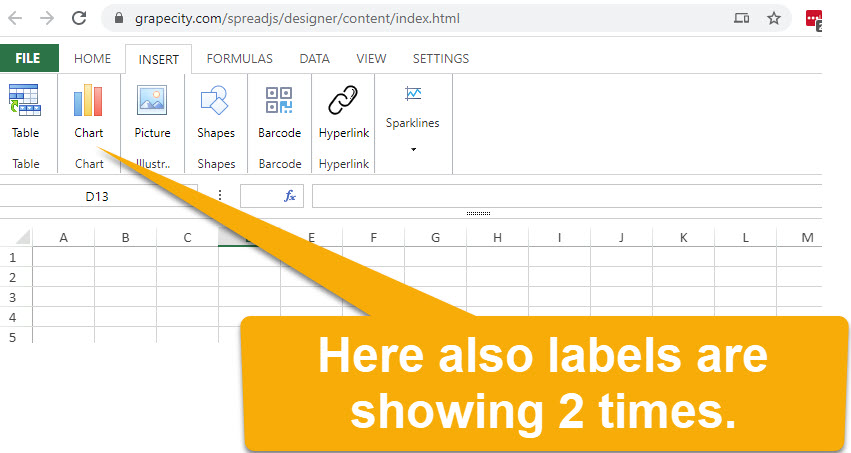
    I also checked the grapecity designer link https://www.grapecity.com/spreadjs/designer/content/index.html there also it is showing 2wice.

  • Posted 6 August 2020, 3:24 am EST - Updated 3 October 2022, 10:14 am EST

    Hi,

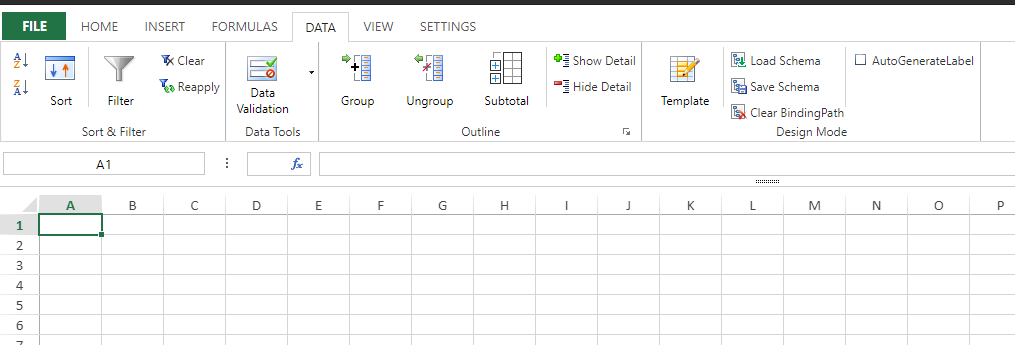
    This is not a bug, The bottom label is the category label and the top label is actual feature label, one category could have multiple features. This is more clear in other tabs. Please refer to the following snapshot:

    Regards

  • Posted 6 August 2020, 9:09 am EST

    Thank you

  • Posted 6 August 2020, 9:16 am EST - Updated 3 October 2022, 10:14 am EST

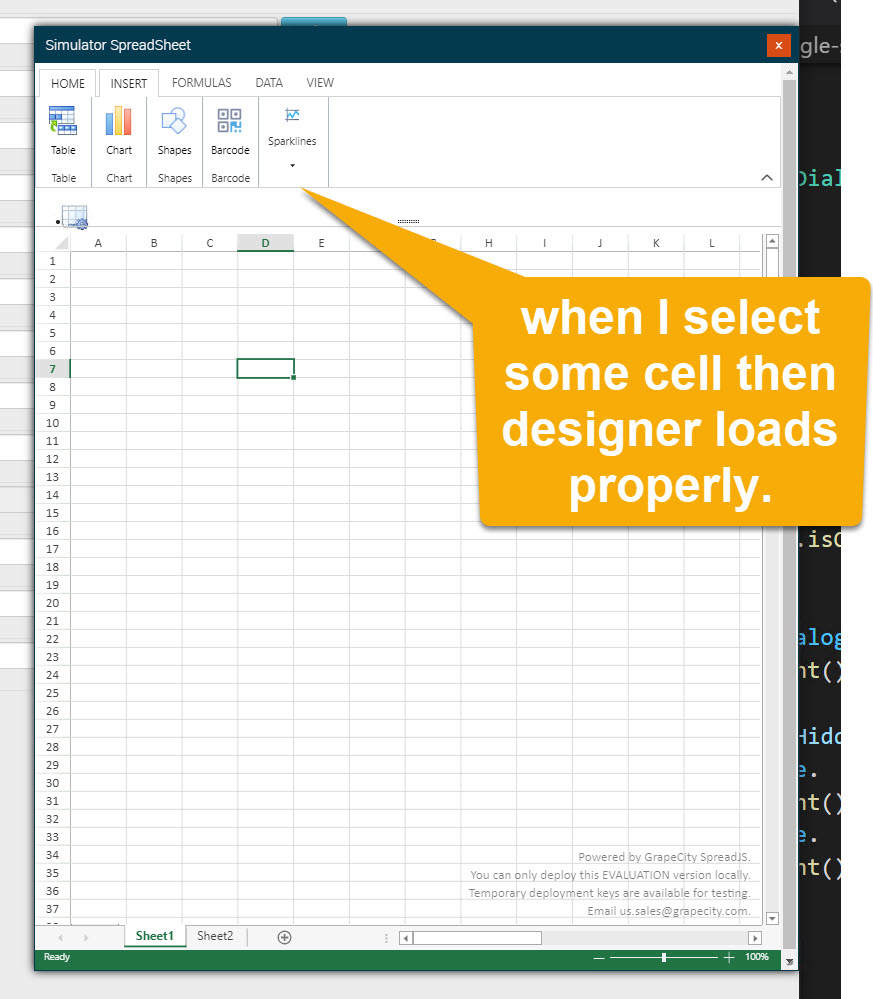
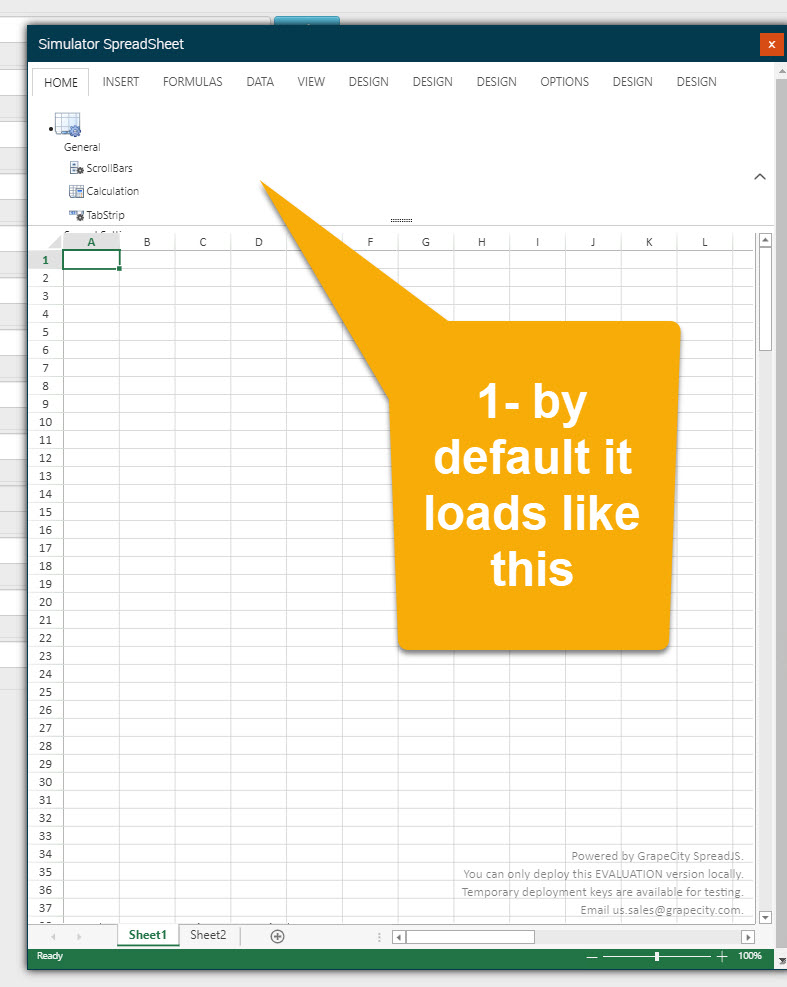
    Still our designer is not loading properly.

    When I open the dialog it shows spreadsheet however the designer is not showing.

    Then Once I select cell on spreadsheet then designer is loading properly.

  • Posted 6 August 2020, 9:42 am EST - Updated 3 October 2022, 10:14 am EST

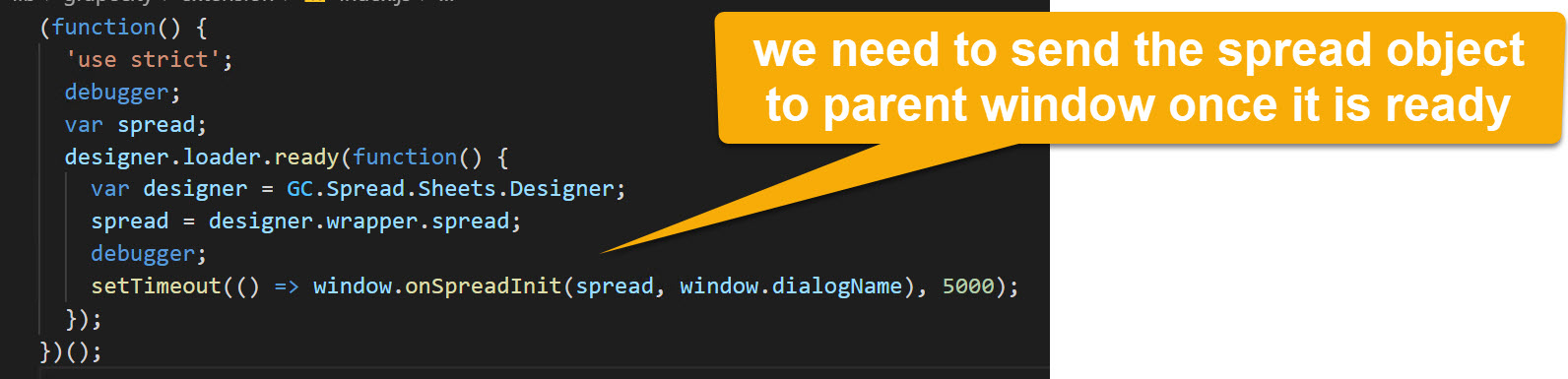
    Basically in designer iframe window we are waiting till designer loaded then we are sending the spread object to other function for future referencing.

  • Posted 7 August 2020, 9:42 am EST

    Hi,

    we are working on this, we will update you on this soon.

  • Posted 10 August 2020, 6:20 am EST

    Hi,

    We tested the designer by loading it into an iframe, the designer loads correctly and we were unable to replicate the issue. Attached is the sample file we used to load designer, please have a look at it and let us know if we are missing something in order to replicate the issue.

    You may also share your sample(after removing spreadjs designer source files) that replicates the issues so that we could further investigate it and assist you accordingly.

    Regards

  • Need extra support?

    Upgrade your support plan and get personal unlimited phone support with our customer engagement team

    Learn More

    Forum Channels