SheetTab AutoScroll

Posted by: yijia on 3 November 2025, 5:52 pm EST

    • Post Options:
    • Link

    Posted 3 November 2025, 5:52 pm EST

    Is there a way to enable the sheet tab to autoscroll to active sheet when using ctrl+pgup/dn to move between sheets? right now if there are more sheets than the space permits, you don’t see the active sheet if you move with shortcuts

  • Posted 4 November 2025, 4:48 am EST - Updated 4 November 2025, 4:55 am EST

    Hi,

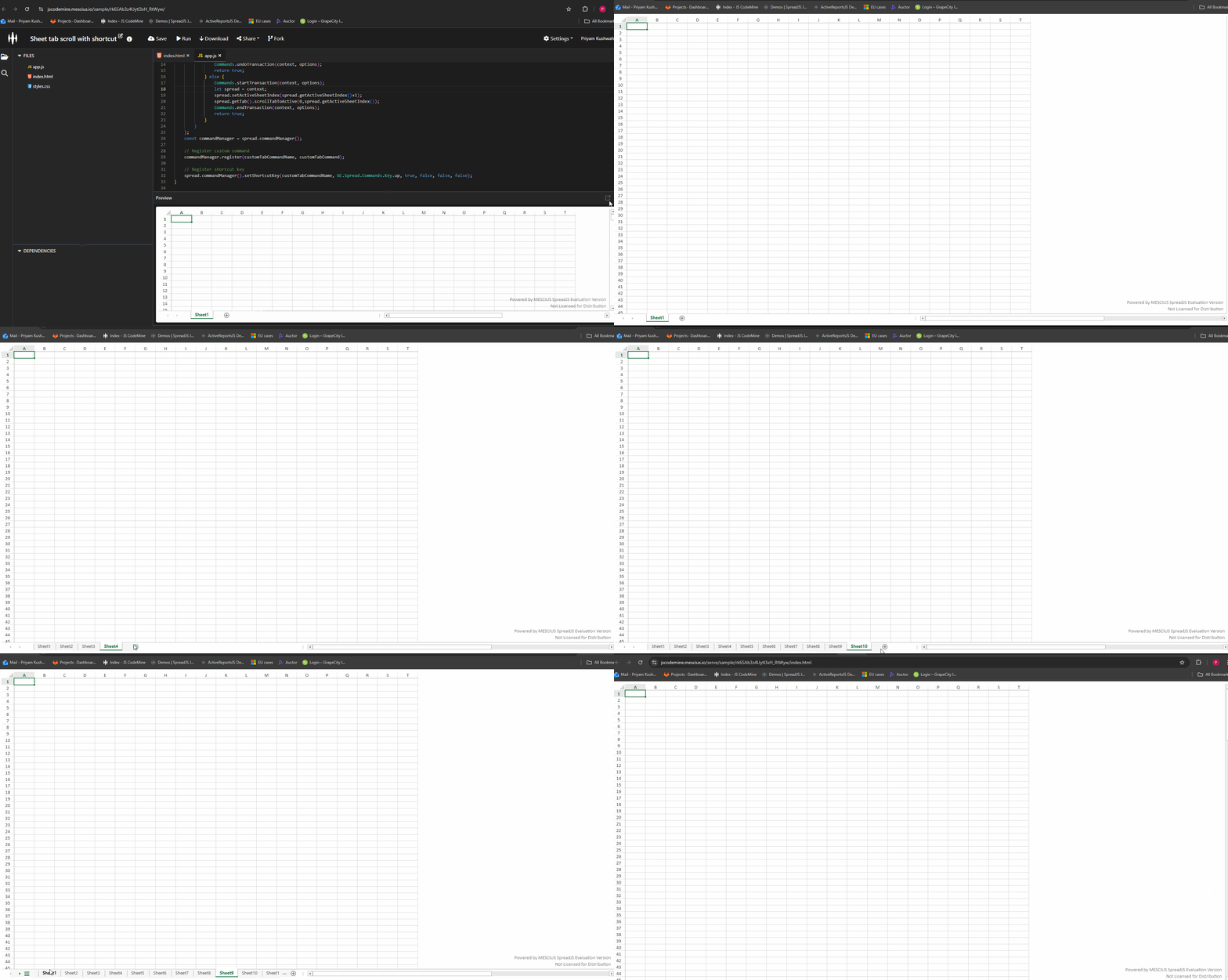
    You can use the internal API scrollTabToActive to make the sheet tab automatically move to the active sheet while switching between sheets.

    I’ve attached a sample where pressing Ctrl + Up navigates to the next sheet and also scrolls the tab strip accordingly for reference: https://jscodemine.mescius.io/share/EKSYE-Tiqku8TZLZ5f8-7g/?IsEmbed=false&Theme=Unset&PreviewDirection=0&IsEditorShow=true&IsExplorerShow=true&IsPreviewShow=true&IsConsoleShow=true&IsRunBTNShow=false&IsResetBTNShow=false&IsOpenInCodemineBTNShow=false&PanelWidth=20&PanelWidth=50&PanelWidth=30&defaultOpen={"OpenedFileName"%3A["%2Findex.html"%2C"%2Fapp.js"]%2C"ActiveFile"%3A"%2Fapp.js"}

    Gif:

    You can apply the same approach using scrollTabToActive in your custom shortcut.

    Regards,

    Priyam

  • Posted 4 November 2025, 12:47 pm EST

    Does this work for pgdown actions too (scroll to previous sheet?)

  • Posted 6 November 2025, 1:41 am EST

    Hi,

    It’s not reliably possible to override the Ctrl + Page Up or Ctrl + Page Down browser shortcuts using client-side JavaScript. These shortcuts are reserved for switching browser tabs and are handled by the browser itself before JavaScript on the page can intercept them. Therefore, it’s recommended to use a different key combination instead.

    Regards,

    Priyam

  • Posted 10 November 2025, 6:20 pm EST

    Hi @priyam - wondering if it’s possible to enable the trackpad (on laptops) to scroll left/right through sheettabs?

  • Posted 11 November 2025, 2:40 am EST

    Hi,

    This is not supported, as SpreadJS is designed to align with Excel, and this behavior is not consistent with Excel.

    Regards,

    Priyam

Need extra support?

Upgrade your support plan and get personal unlimited phone support with our customer engagement team

Learn More

Forum Channels