Posted 19 October 2022, 9:24 am EST - Updated 7 November 2023, 5:48 pm EST
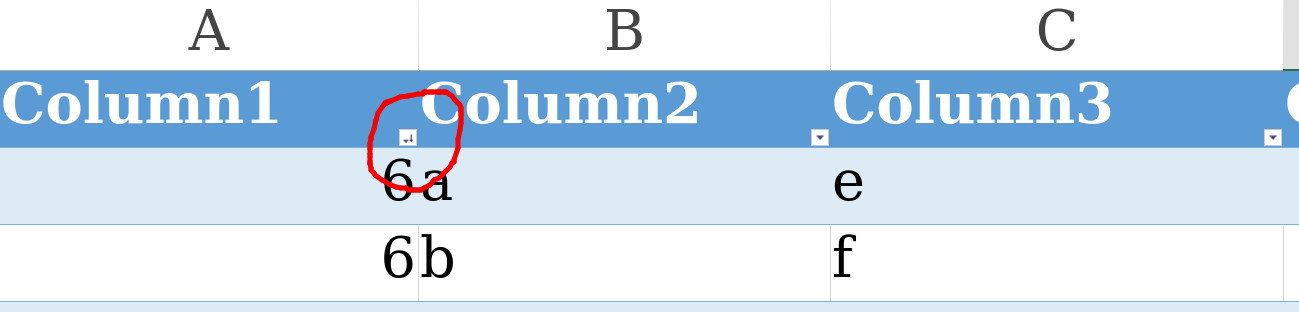
Set Filter/Sort icons on the custom column header
Posted by: sharaththota.zem on 19 October 2022, 9:24 am EST
-

sharaththota.zem
-
sharaththota.zem
Posted 20 October 2022, 2:27 am EST
Hi team!
unable to see your comment -

avinash.pathak
Posted 20 October 2022, 3:16 am EST
Hi,
We are sorry but this is not supported. We can not change the filer/sort icon without actually filtering/sorting the data. We are sorry for the inconvience.
Regards,
Avinash -

evk1027917
Posted 20 October 2022, 1:53 pm EST
Hi,
Is there any other way to replace the drop down icon(ref. above picture) in the column header in a table by code. We have a use case where , based on certain criteria we have to set drop down icon along with filter/sort icon in the custom header cell just like the column looks filtered/sorted. If yes, Please post a sample demo for our reference. -
avinash.pathak
Posted 20 October 2022, 11:02 pm EST
HI,
We are sorry but currently changing the filter icon is not supported with spreadJS. We are sorry for the inconvenience.
Regards,
Avinash