Posted 25 June 2026, 3:01 am EST
- Updated 25 June 2026, 3:06 am EST
Hi,
This is expected behavior. In SpreadJS, word wrapping and auto-resizing are two separate functionalities. Unlike Excel, SpreadJS does not automatically resize rows or columns when word wrap is applied, as it is designed to preserve user-defined sizing rather than adjusting it automatically.
In Excel, when text spans multiple lines and does not fit within a cell, both word wrapping and resizing may occur automatically. In SpreadJS, however, these actions are not triggered automatically—the wrapped text is preserved without changing the existing row height or column width.
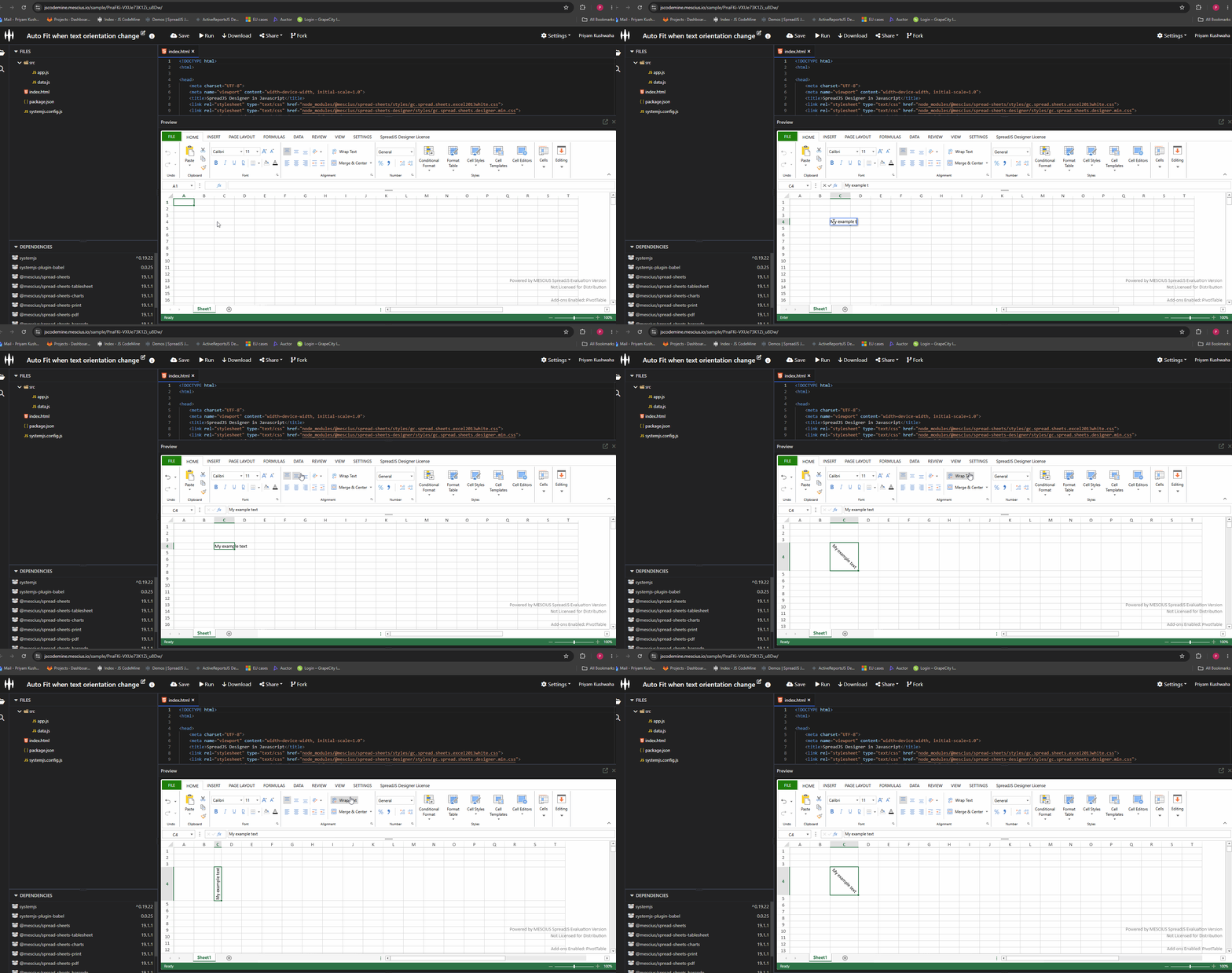
However, you can achieve Excel-like behavior by using the addListener method to monitor command executions. When the orientation-related command is executed, you can detect it and then call the autoFitRow and autoFitColumn APIs to resize the row and column based on the required space. Refer to the attached snippet:
spread.commandManager().addListener("app", (args) => {
    if(args.actionType == 0 &&( args.command.cmd == "Designer.setTextOrientation" || (args.command.cmd == "Designer.setFormatDialog" && args.command.value.textOrientation))){
        let activeColIndex = args.command.activeColIndex;
        let activeRowIndex = args.command.activeRowIndex;

        let sheet = spread.getActiveSheet();

        sheet.autoFitRow(activeRowIndex);
        sheet.autoFitColumn(activeColIndex)
    }
})
Please refer to the attached sample: https://jscodemine.mescius.io/share/FudPQ75VH0inZ9m33nJlPQ/?defaultOpen={"OpenedFileName"%3A["%2Findex.html"%2C"%2Fsrc%2Fapp.js"]%2C"ActiveFile"%3A"%2Fsrc%2Fapp.js"} and GIF for an example implementation.
You can also refer to the following forum discussion for more information: https://developer.mescius.com/forums/spreadjs/wordwrap-issues
Regards,
Priyam