Posted 21 March 2022, 10:49 am EST
When Pivot Table expands, it overtakes the cells that have data in them. How can I prevent it from happening?
Forums Home / Spread / SpreadJS
Posted by: zhoubing.yang on 21 March 2022, 10:49 am EST

zhoubing.yang
Posted 21 March 2022, 10:49 am EST
When Pivot Table expands, it overtakes the cells that have data in them. How can I prevent it from happening?

ankit.kumar

Posted 22 March 2022, 3:34 am EST
Hi Zhoubing,
You need to take care of situations when the PivotTable overtakes the cells containing data. You can get the pivotTable range using the getRange() method. Add the required no of rows to the sheet using addRows() method.
getRange method: https://www.grapecity.com/spreadjs/docs/latest/online/SpreadJS~GC.Spread.Pivot.PivotTable~getRange.html
addRows method: https://www.grapecity.com/spreadjs/docs/latest/online/SpreadJS~GC.Spread.Sheets.Worksheet~addRows.html
Please let us know if you face any further issues.
Regards
Ankit
zhoubing.yang
Posted 22 March 2022, 4:20 pm EST
Hi Ankit,
Thank you for taking your time to answer my question. In our codebase, we used build-in pivot panel control to add/remove fields.
By the time when pivot area expanded it’s already overtook neighboring cells. Do we have ways to detect or calculate the range of pivot table before it finally expanded?
ankit.kumar
Posted 24 March 2022, 8:47 am EST
Hi Zhoubing,
Currently, we don’t have any public API to calculate the range of pivot table before it finally expanded. SpreadJS will overtook neighboring cell as it is the same behavior as seen in the Excel.
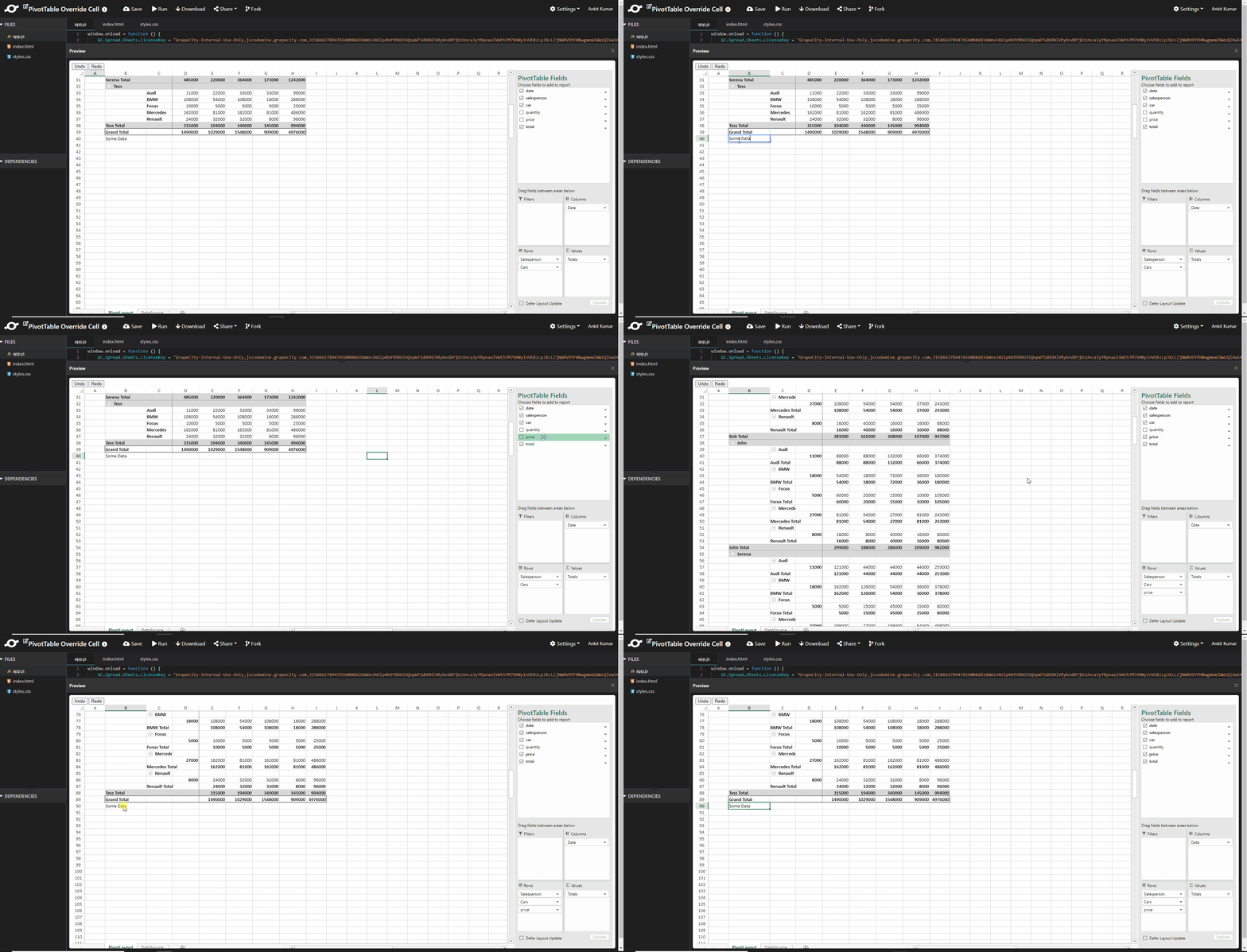
However, you can try a workout by undoing the add field operation, calculate the rows to be added, add the required number of rows and then redoing the add field operation.
Please refer to the following sample that I have created for you: https://jscodemine.grapecity.com/share/DgiLiUzXdkmrYsONIwE5Uw/
Similar to the sample, you can handle it for other operations.
Note: Take precautions while handling undo/redo operations.
PivotTableChanged Event: https://www.grapecity.com/spreadjs/docs/latest/online/SpreadJS~GC.Spread.Sheets.Events~PivotTableChanged_EV.html
Regards
Ankit
ankit.kumar
Posted 24 March 2022, 8:47 am EST - Updated 3 October 2022, 9:22 am EST