Posted 11 December 2019, 1:05 am EST - Updated 3 October 2022, 10:36 am EST
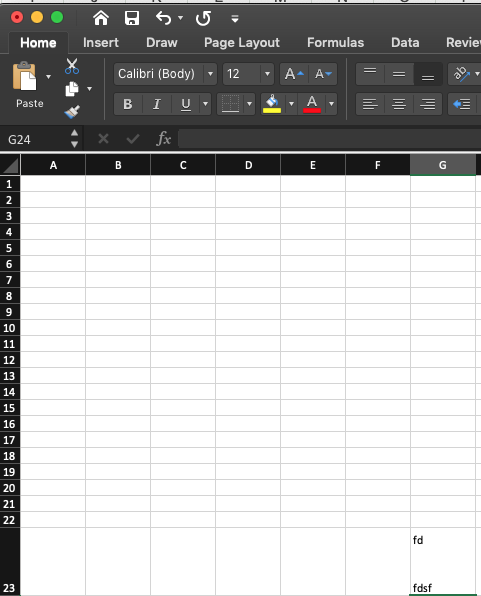
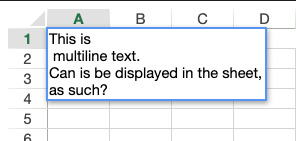
I need a multi line cell input to show in the spreadsheet as such.
https://codesandbox.io/s/rows-deleted-and-pushed-down-d3in8

Forums Home / Spread / SpreadJS
Posted by: jeff on 11 December 2019, 1:05 am EST

jeff
Posted 11 December 2019, 1:05 am EST - Updated 3 October 2022, 10:36 am EST
I need a multi line cell input to show in the spreadsheet as such.
https://codesandbox.io/s/rows-deleted-and-pushed-down-d3in8

manish.gupta

Posted 11 December 2019, 5:53 am EST
Hi,
For this, we need to set the wordWrap for targetted cell for which MultiLine text is written and call the autoFitRow() method for the targetted row.
Please refer to the following code snippet and attached sample which has implementation for editing cell with MultiLine text too.
function resizeCell(sheet,cellInfo){
            sheet.getRange(cellInfo.row,cellInfo.col,cellInfo.rowCount,cellInfo.colCount).wordWrap(true);
            sheet.autoFitRow(cellInfo.row);
        }
resizeCell(sheet,{row:0,col:0,rowCount:1,colCount:1});
Regards,
Manish Gupta
jeff
Posted 11 December 2019, 6:27 pm EST
Kinda hacky. I wish this was a more elegant feature for the sheet to behave like Excel.
jeff
Posted 11 December 2019, 6:28 pm EST
The global “_isAutoFitRow” is especially worrisome.

sharad.tomer
Posted 12 December 2019, 12:56 am EST
Hi Jeff,
MS Excel autosize rows if the new cell value contains newline character or wrapwrap is enabled so we may also do the same to make it more excel-like by checking for the newline character in the editing text property of the event args inside the EditEnded event. Please refer to the following code snippet and the sample demonstrating the same:
sheet.bind(GC.Spread.Sheets.Events.EditEnded, function(sender, args) {
    let style = sheet.getActualStyle(args.row, args.col);
    if (style.wordWrap) {
      sheet.autoFitRow(args.row);
    } else if (args.editingText && args.editingText.indexOf("\n") >= 0) {
      sheet.getRange(args.row, args.col, 1, 1).wordWrap(true);
      sheet.autoFitRow(args.row);
    }
  });
https://codesandbox.io/s/spread-js-starter-h8z9y
Regards
Sharad