Posted 4 December 2020, 1:59 pm EST - Updated 3 October 2022, 10:04 am EST
Hi there,
I’m currently facing navigation inconsistencies with the keyboard prebuilt events.
-
Ctrl+arrow up or arrow down should normally go to the next filled cell up or down but it appears to go right to the top or bottom of the page.
-
Ctrl + Shift + arrow up(or arrow down) and Ctrl + Shift + arrow left (or arrow right) should normally be able to select all the cells as far as the next filled cell (up, down, left or right respectively)
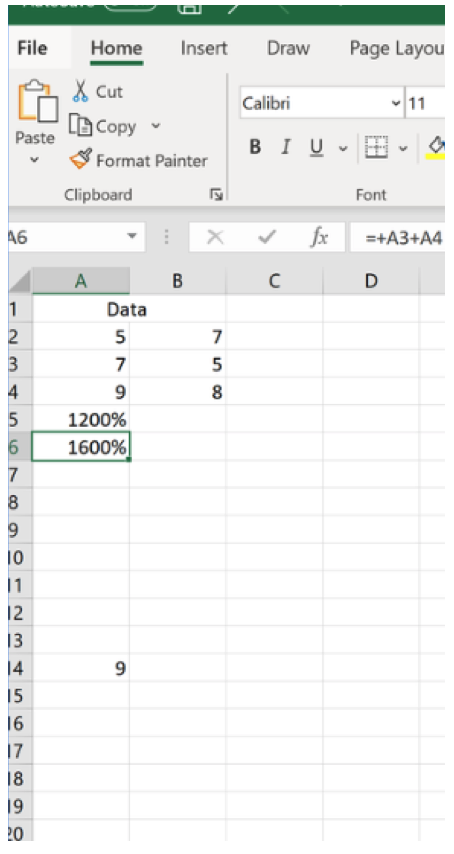
In the example below in excel I was in cell A14,
I then pressed Ctrl-arrow up and I ended up in cell A6.
This is the result we’d like from SpreadJS spreadsheets but it does seems a bit different (you can check in any example from your demos page: https://www.grapecity.com/spreadjs/demos/showcase/financialkpis/purejs)