Posted 25 August 2026, 5:36 am EST - Updated 25 August 2026, 5:41 am EST
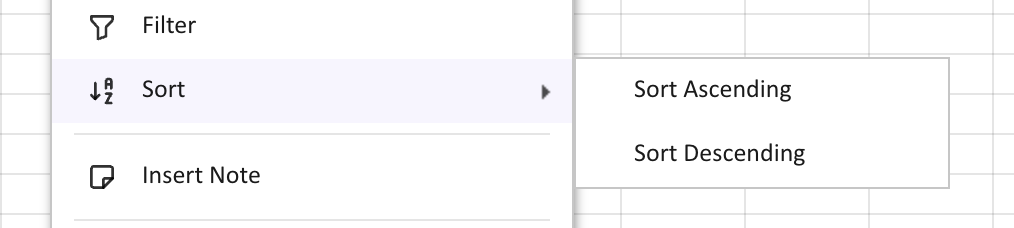
Is their a way to shift items of context submenu to left
Posted by: averma on 25 August 2026, 5:36 am EST
-

averma
-

chirag.gupta

Posted 25 August 2026, 8:24 am EST - Updated 25 August 2026, 8:29 am EST
Hi Ashish,
Yes, the required submenu styling can be achieved.
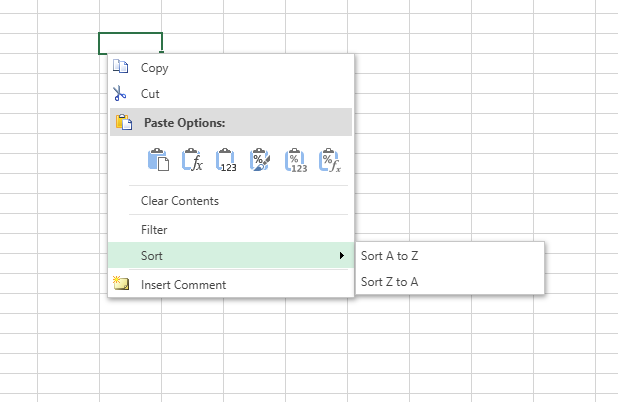
The submenu items retain the space allocated for the icons even after the icons have been removed, which results in the text appearing indented. Please refer to the attached sample below, where we have customized the context menu behavior to remove this unused space specifically from the submenu items.
Since SpreadJS creates submenu elements dynamically, the sample monitors the rendered DOM and applies the customization when the submenu is created. The icon placeholders are hidden only within the submenu, allowing the text to align further to the left.
Please let us know if you require any further assistance.
Best Regards,
ChiragAttachments: subContextMenuModification.zip
-
averma
Posted 25 August 2026, 8:46 am EST - Updated 25 August 2026, 8:51 am EST
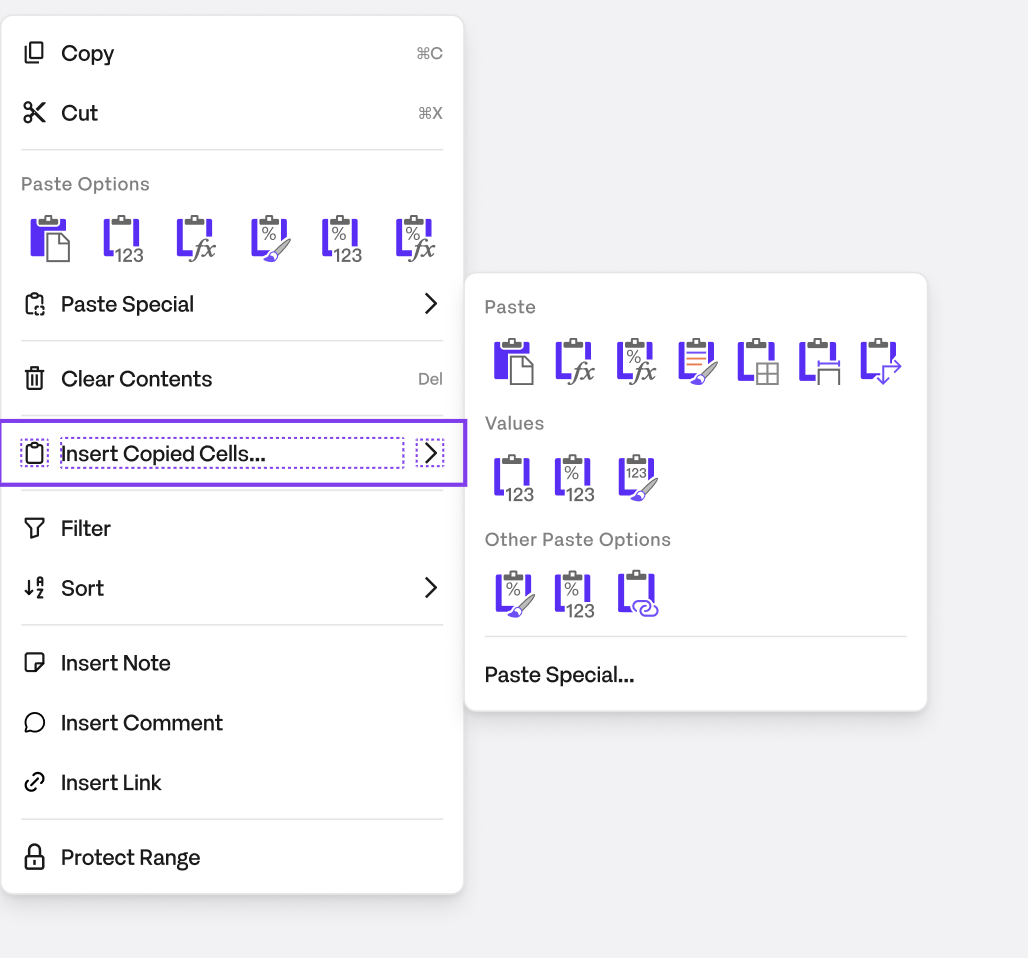
Hi, thanks for the sample. Since filing this ticket we’ve added custom icons to some submenu items (specifically the Paste Special flyout — All / Formulas / Values / etc.), so removing all .gc-ui-contextmenu-icon elements inside .gc-ui-contextmenu-subitems-container would strip those too, which we don’t want.
Is there a way to scope the fix to only submenu items that have no icon (i.e. collapse the placeholder space only when the icon element is empty), rather than removing icons from all submenu items unconditionally? Or alternatively, can you confirm the exact class/attribute SpreadJS uses to distinguish an icon-less submenu row (e.g. Sort Ascending/Descending) from an icon-bearing one (e.g. Paste Special’s All/Formulas rows), so we can target just the former on our end?
-

priyam.kushwaha
Posted 27 August 2026, 9:05 am EST
Hi,
Yes, this can be scoped specifically to submenu items that do not have an actual icon, so the custom icons added to items such as Paste Special (All, Formulas, Values, etc.) are not affected.
In the sample, instead of removing the .gc-ui-contextmenu-icon class from all submenu items, we have customized the MenuView.createMenuItemElement() method and checked the menu item’s text. For the icon-less Sort items, we remove the icon class from the corresponding icon element, which collapses the unused icon space while leaving icon-bearing submenu items unchanged.
For example:
import * as GC from '@mescius/spread-sheets';

const SUBMENU_ICON_SELECTOR = '.gc-ui-contextmenu-icon';

export class SubmenuIconFixMenuView extends GC.Spread.Sheets.ContextMenu.MenuView {
    createMenuItemElement(menuItemData) {
        const containers = super.createMenuItemElement(menuItemData);
        const itemContainer = containers[0];

        const itemText = itemContainer.textContent.trim();

        if (itemText === 'Sort A to Z' || itemText === 'Sort Z to A') {
            const iconEl = itemContainer.querySelector(SUBMENU_ICON_SELECTOR);

            if (iconEl) {
                iconEl.classList.remove('gc-ui-contextmenu-icon');
            }
        }

        return containers;
    }
}
This approach only targets the specific icon-less submenu items and does not modify the icon elements of other submenu items. Therefore, custom icons configured for items such as Paste Special remain unaffected.
The customized MenuView can then be assigned to the context menu as follows:
spread.contextMenu.menuView = new SubmenuIconFixMenuView();
This also avoids using a MutationObserver, since createMenuItemElement() is invoked when the context-menu item is created.
Refer to the attached smaple: Sample.zip
You can also refer to this demo: https://developer.mescius.com/spreadjs/demos/features/worksheet/context-menu/custom-menu-view/purejs or doc: https://developer.mescius.com/spreadjs/docs/features/worksheet/UsingtheContextMenu#customize-the-view-and-structure-of-the-menu
Best Regards,
Priyam