Posted 3 October 2019, 10:03 am EST
- Updated 3 October 2022, 10:40 am EST
Hi,
I appreciate your help.
The problem has been solved For DragDrop/DragFill operations.
very easy-to-understand sample,
thank you very match.
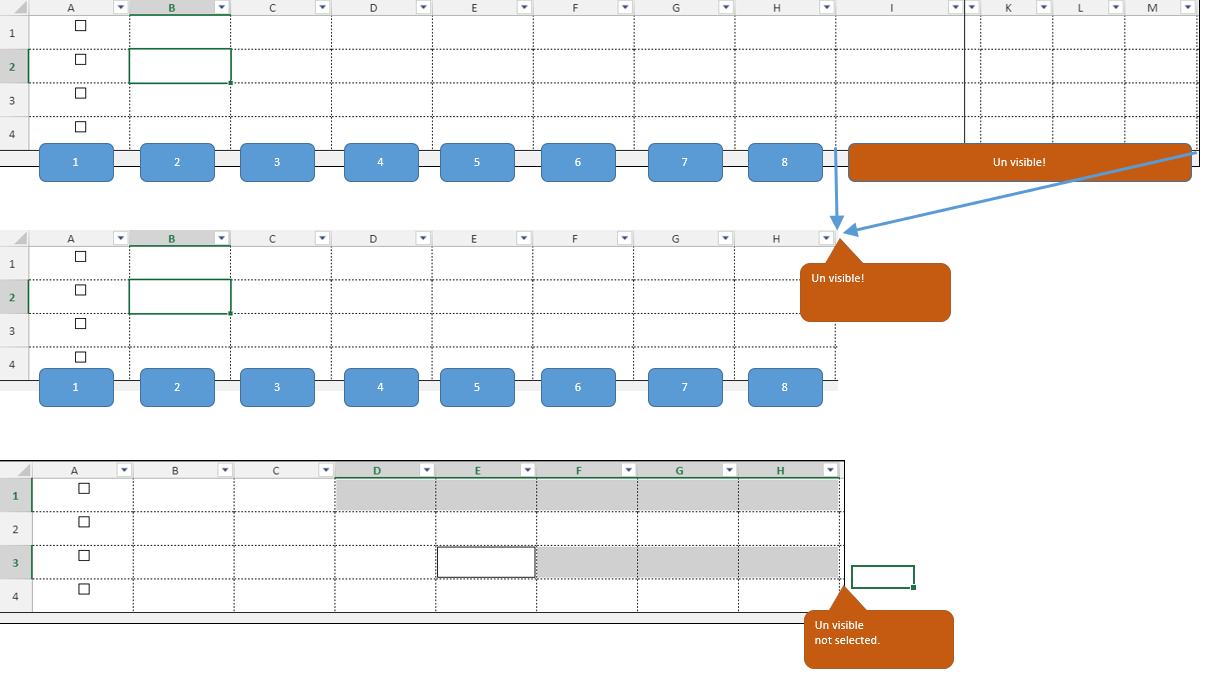
The reason why we don’t want to selection is un visible columns has contains control values.
Therefore, Troubled if the value is erased.
However. I don’t want to lock the cell because I want to copy the row.
Ctrl+Shift+end key:un visible column was not selected.
but, In case of mouse drag , un visible column is selected.
If we delete in that case, values for control is disappears.
I solved the problem as follows.
spread.bind(GC.Spread.Sheets.Events.SelectionChanged, function (sender, args) {
    let colIndexMaxShow = 8; // (example) visible column max index.
    let sheet = args.sheet;
    let selsBuff = sheet.getSelections();
    for (var i = 0; i < selsBuff.length; i++) {
        if (selsBuff[i].col + selsBuff[i].colCount > colIndexMaxShow) {
            var selsDef = sheet.getSelections();
            sheet.setSelection(selsBuff[i].row, selsBuff[i].col, selsBuff[i].rowCount, colIndexMaxShow - selsBuff[i].col);
            for (var k = 0; k < selsDef.length; k++) {
                if (i !== k) {
                    sheet.addSelection(selsDef[k].row, selsDef[k].col, selsDef[k].rowCount, selsDef[k].colCount);
                }
            }
        }
    }
});
Please let me know if there is a better way.