Posted 3 February 2021, 9:37 pm EST - Updated 3 October 2022, 9:58 am EST
How to add custom drop down menu in SpreadJS Designer Components?
Posted by: roywebweb123 on 3 February 2021, 9:37 pm EST
-

roywebweb123
-

avinash.pathak
Posted 4 February 2021, 6:12 am EST
Hi Roy,
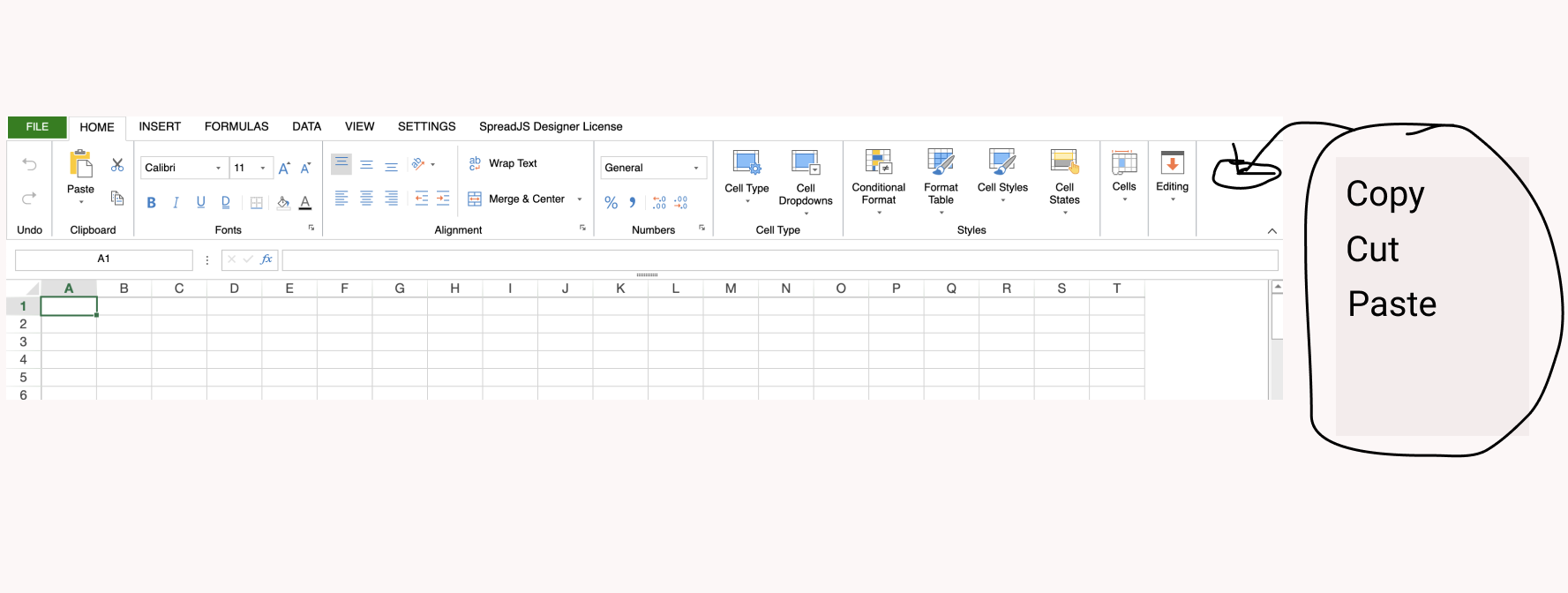
If I understand correctly you want to add the items to the ribbon tab. You may add elements to the config.ribbon[index].buttonGroups as type of dropdown. Please refer to the following code snippet and attached sample that demonstrates the same.
var config = GC.Spread.Sheets.Designer.DefaultConfig;
		config.ribbon[0].buttonGroups.splice(0, 0, {
			// Custom "Save Data" button

                "label": "Save Data",
				"thumbnailClass": "",
				"type": "dropdown",
                "commandGroup": {
                    "children": [
						{
                         "direction": "vertical",
                         "commands": [
                         "cmdSaveData"
                          ]
						},
                      ]
                   }

		});
		config.commandMap = {
   cmdSaveData: {
      title: "Save data to server",
	  text: "Paste Custom",
	  type: "dropdown",
      iconClass: "cmdSaveData",
	  bigButton: "true",
	  commandName: "cmdSaveData",
	  subCommands: [
"pasteAll"
, "pasteFormulas"
, "pasteValues"
, "pasteFormatting"
, "pasteValuesAndFormatting"
, "pasteFormulasAndFormatting"],
      execute: async (context, propertyName, fontItalicChecked) => {
      // customize operator

     }
   }
Regards
Avinash -
roywebweb123
Posted 4 February 2021, 12:48 pm EST
I got it to work. Thank you Avinash