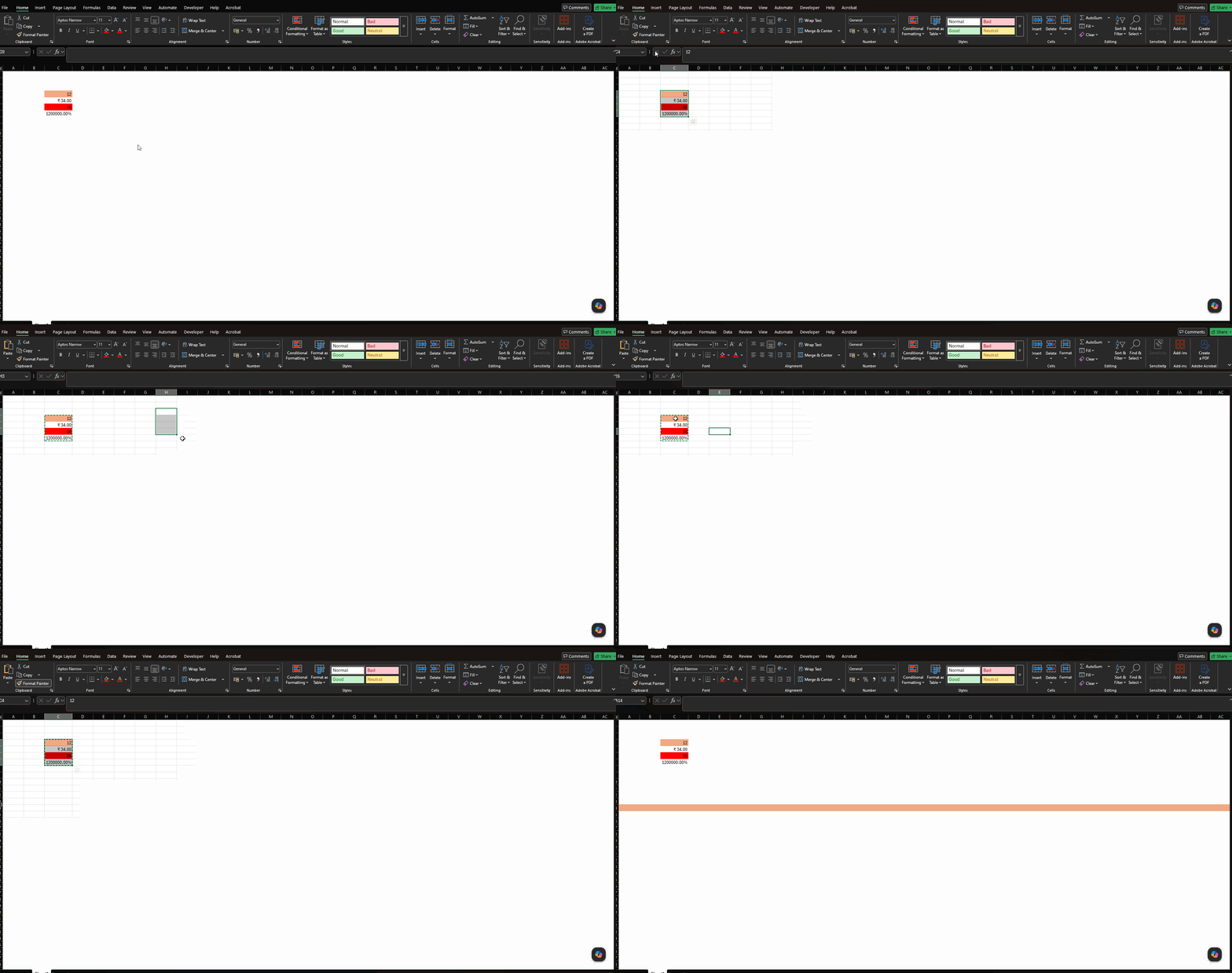
Format Painter applies only first cell formatting when pasting

Posted by: dpandey on 29 June 2026, 7:35 am EST

  • Posted 29 June 2026, 7:35 am EST - Updated 29 June 2026, 8:07 am EST

    Hi there,

    When formatting from a vertically selected range is copied using Format Painter and applied to a single cell, formatting is correctly propagated across the corresponding range.

    However, when the same formatting is applied to an entire row, only the formatting from the first source cell is applied and the remaining formatting from the source range is not carried over.

    Steps to Reproduce

    Enter data and apply different formatting to cells A1:A10.

    Select range A1:A4

    Click Format Painter.

    Click on any row header (say A10)

    Observe that only formatting of first row is getting applied from the selected range.

    Recording for reference:
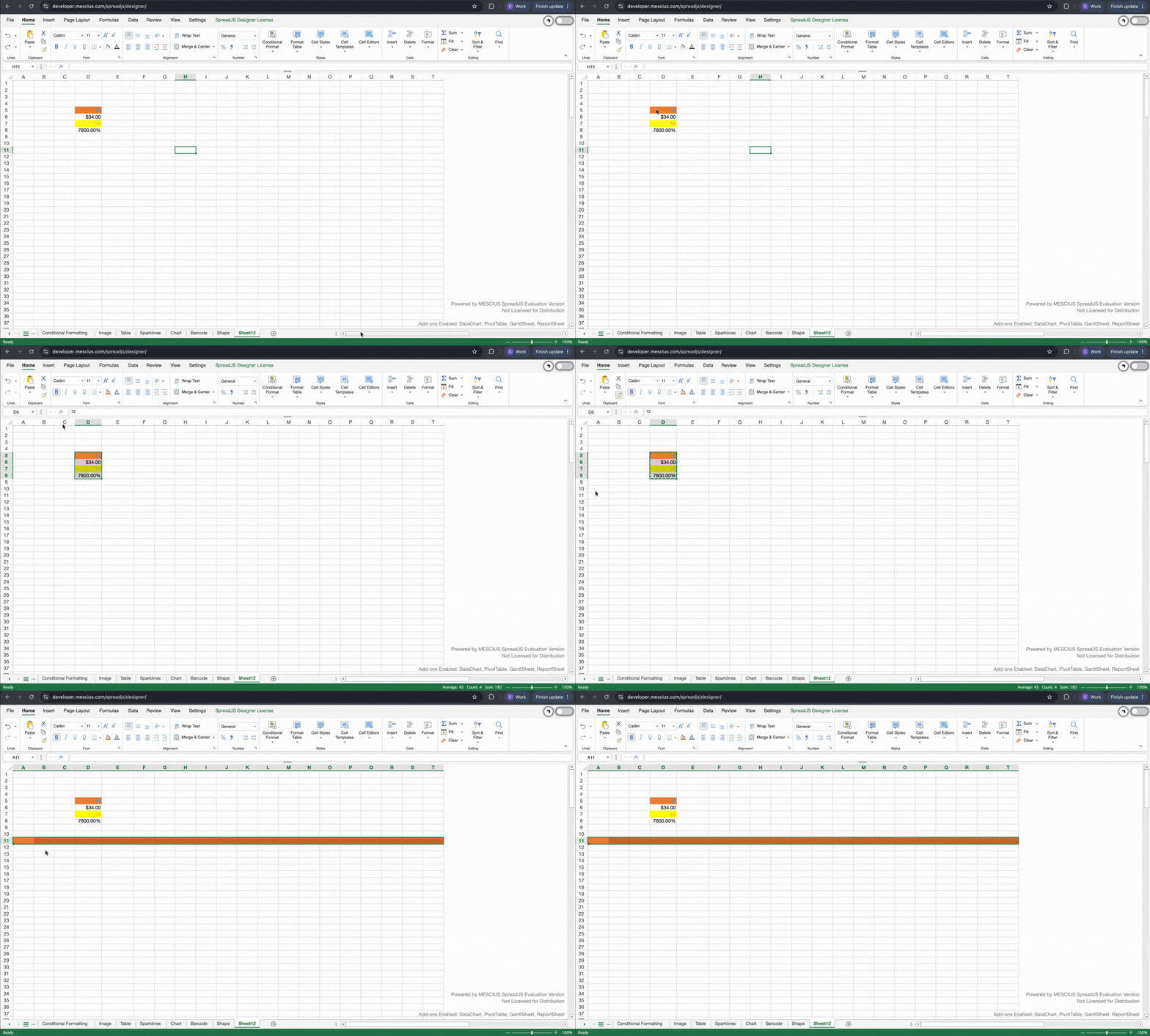
  • Posted 30 June 2026, 2:16 am EST - Updated 30 June 2026, 2:21 am EST

    Hi,

    Thank you for providing the required information. We were able to replicate the behavior on our end.

    After some investigation, it appears that this is expected behavior. SpreadJS is designed to behave as closely as possible to Excel. After verifying the behavior in Excel, we found that Excel also exhibits the same behavior. Please refer to the attached GIF.

    Regards,

    Priyam

Need extra support?

Upgrade your support plan and get personal unlimited phone support with our customer engagement team

Learn More

Forum Channels