Font difference between Spread JS v9 and v11

Posted by: soumen.choudhury on 26 November 2018, 6:58 pm EST

    • Post Options:
    • Link

    Posted 26 November 2018, 6:58 pm EST - Updated 3 October 2022, 11:03 am EST

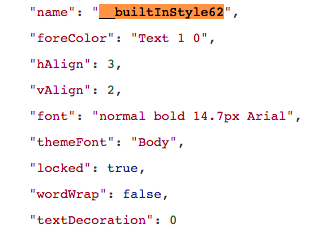
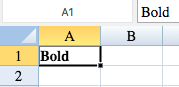
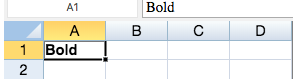
    The font of Spread JS is different between v9 and v11. Font in v11 looks bigger than v9. As we are migrating to v11, we don’t want end user to notice the font difference. The data we are getting from ExcelIO is same, but the font looks different in two versions.

    How I can get the same v9 font in v11?
  • Posted 26 November 2018, 7:00 pm EST

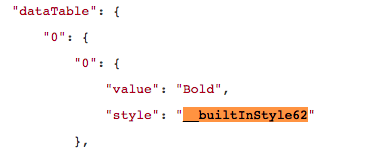
    Just to be clear bottom image is v11 and right side one is v9. The json is from ExcelIO.

  • Posted 27 November 2018, 7:32 am EST

    Hello Soumen,

    Could you please elaborate your issue once again as what exactly are you trying to do?

    Are you creating an Excel file with Arial/Bold/14.7 font and then trying to import it in SpreadJS V9 and exporting it to JSON and then again trying to load that JSON into SpreadJS V9 and similarly you are doing it in V11 by creating a JSON in v11 as well and while doing so, you are getting font difference in two versions?

    However, we have tried above mentioned scenario and we couldn’t notice any difference in fonts being rendered.

    Hence, please confirm the same and we request you to please share exact steps to replicate this issue and investigate it further.

    Thanks,

    Reeva

  • Posted 29 November 2018, 7:49 pm EST

    Thanks I got the issue at my side.

Need extra support?

Upgrade your support plan and get personal unlimited phone support with our customer engagement team

Learn More

Forum Channels