
Filtered rows when copied and pasted are getting pasted partially

Posted by: dpandey on 1 April 2026, 7:19 am EST

  • Posted 1 April 2026, 7:19 am EST - Updated 1 April 2026, 7:24 am EST

    Hi ,

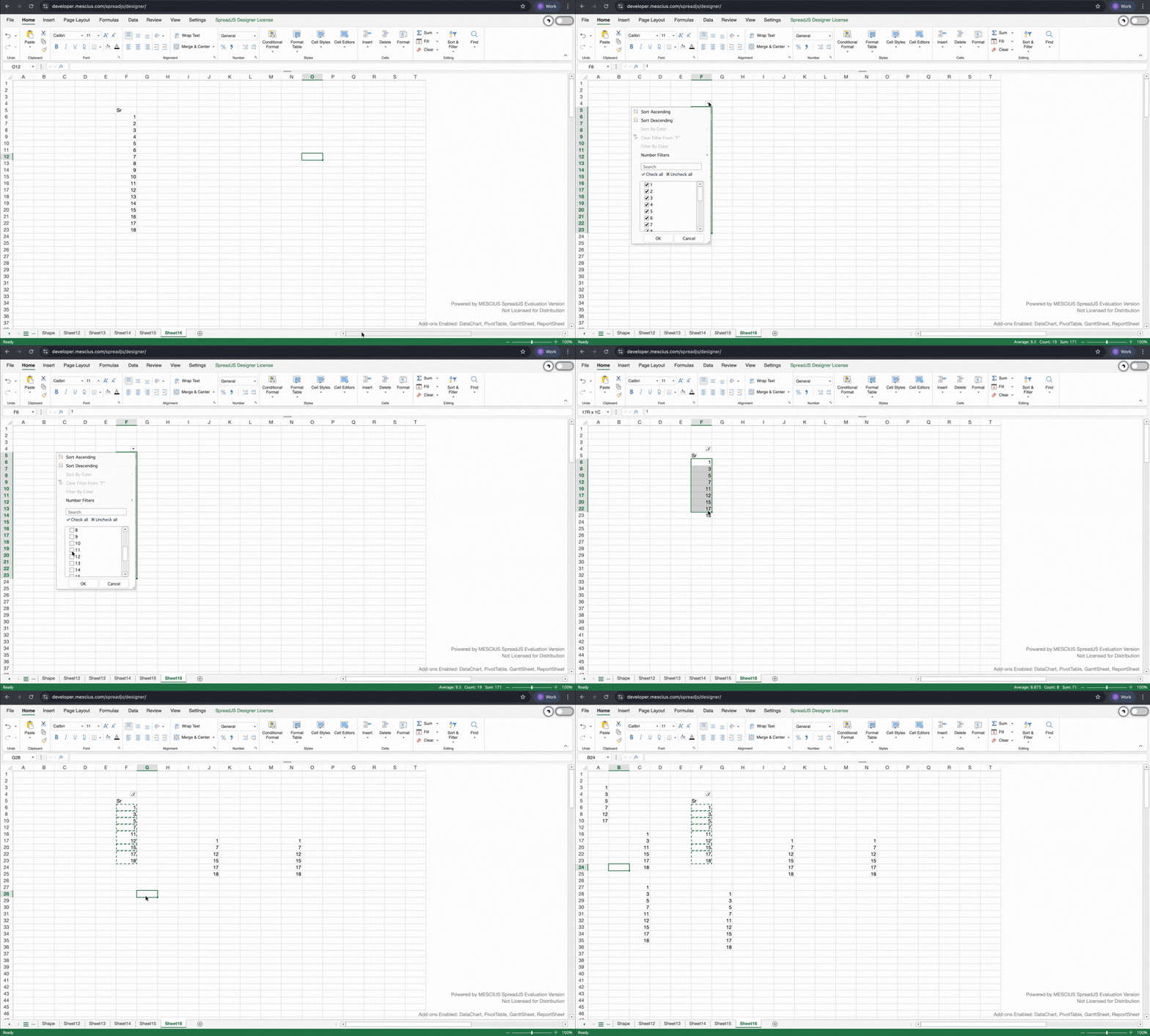
    When a filter is applied on the source data and random data is selected , copied and pasted, not all the selected data gets pasted to other cells.

    Steps to reproduce:

    1. Enter data and then apply filter on it.
    2. Uncheck all and then check random cells from the filter.(eg: data from cells A1, A2, A9,A10 or can refer to gif)
    3. Copy the filtered data apart from first row.

      4.Paste it to another sheet or cells in the same sheet.

    On pasting we get partial data , on each paste we get different values (some of them get pasted ,some not from the filtered data)

  • Posted 1 April 2026, 11:13 pm EST - Updated 5 May 2026, 6:59 am EST

    Hi,

    Thank you for reaching out on the forum.

    According to your account-specific details, we’re unable to continue providing support in this public setting for your questions. This appears to be a case-specific situation related to your account and licensing status.

    To assist you further, we kindly recommend contacting our support or billing team directly at customerengagement@mescius.com, where they can review your account details and help resolve the issue appropriately.

    Thank you for your understanding.

    Regards,

    Chirag

Need extra support?

Upgrade your support plan and get personal unlimited phone support with our customer engagement team

Learn More

Forum Channels