Export to Excel - license not found Error

Posted by: martin.mayr on 5 February 2019, 10:22 am EST

    • Post Options:
    • Link

    Posted 5 February 2019, 10:22 am EST

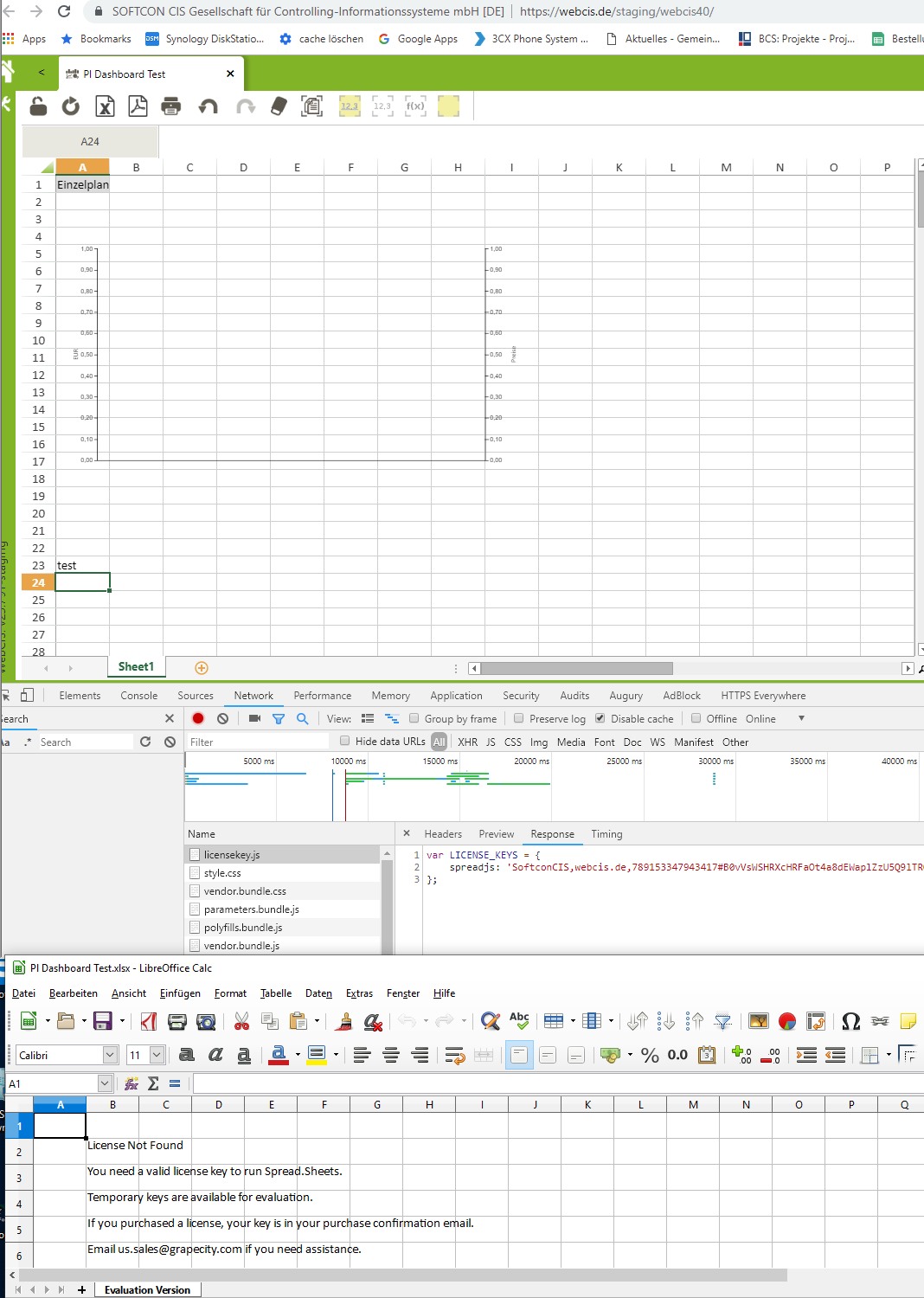
    we set the Key,

    GC.Spread.Sheets.LicenseKey =…

    everything OK in the sheet, no error, license found.

    But when we export to excel with npm excelio GC.Spread.Excel.IO we only get an xlsx file with

    License Not Found

    You need a valid license key to run Spread.Sheets.

    This used to work before we changed to SpreadJS 12

    Please help.

  • Posted 6 February 2019, 10:17 am EST

    Hello,

    Please make sure that you have assigned a valid production key to GC.Spread.Sheets.LicenseKey while deploying the website.

    The host must match the domain limit of License key (e.g. http://www.grapecity.com can not match the http://grapecity.com).

    Thanks,

    Deepak Sharma

  • Posted 6 February 2019, 12:25 pm EST - Updated 3 October 2022, 10:35 am EST

    as i wrote above, the SpreadJS works fine, license OK, but the download complains about the key.

  • Posted 6 February 2019, 6:04 pm EST

    The npm ExcelIO package needs to be licensed separately.

    It will use the same key as the Spread.Sheets component but requires an additional line of code:

    import * as GC from "@grapecity/spread-sheets";
    
    import * as ExcelIO from "@grapecity/spread-excelio";
    
    var SpreadJSKey = ;
    
    GC.Spread.Sheets.LicenseKey="YourKey";
    
    ExcelIO.LicenseKey = "YourKey";
    
  • Posted 19 November 2019, 3:54 am EST

    Hi, I’d like to confirm that this issue is present if you import using spread-excelio as well.

    This is quite a confusing design choice, isn’t spread-excelIO exclusively used with spreadJS? Why would they need to have the same license in 2 variables?

    Eitherway this forum post resolved our problem & saved the day, thank you for your answer Alex!

  • Posted 18 December 2019, 11:45 am EST - Updated 3 October 2022, 10:35 am EST

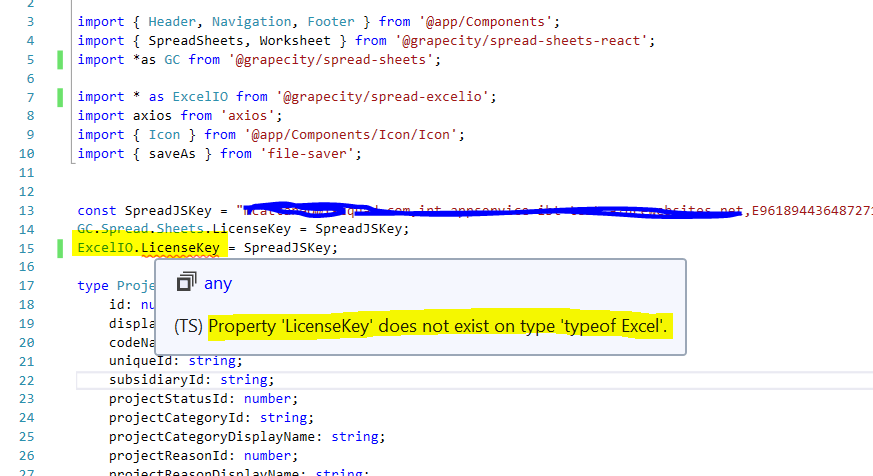
    We are having an issue with the latest version of SpreadJS. Our problem is that we cannot assign the LicenseKey to ExcelIO because the definition file does not contain a LicenseKey property for the ExcelIO module.

  • Posted 19 December 2019, 12:49 am EST

    Hi,

    For typescript files we need to typecast the excelIO module to any type. Please refer to the following code snippet:

    import * as excelio from "@grapecity/spread-excel-io";
    (excelio as any).LicenseKey = "your_distribution_key";
    

    Regards

Need extra support?

Upgrade your support plan and get personal unlimited phone support with our customer engagement team

Learn More

Forum Channels