Posted 19 April 2020, 8:14 pm EST - Updated 3 October 2022, 10:25 am EST
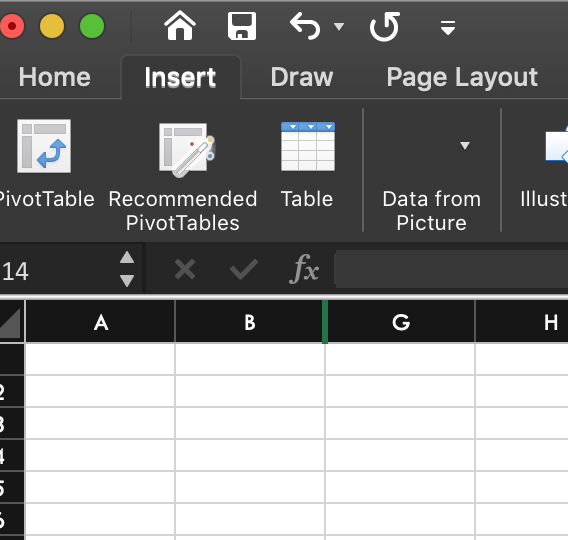
Excel Handy Hidden Column Indicator
Posted by: jeff on 19 April 2020, 8:14 pm EST
-

jeff
-

sharad.tomer

Posted 21 April 2020, 10:33 am EST
Hi,
SJS also has a resizeZeroIndicator option to show the zero size indicator. Please refer to the following code snippet:
spread.options.resizeZeroIndicator = GC.Spread.Sheets.ResizeZeroIndicator.enhanced;In SJS, zeroSizeIndicator is visible for the columns with zero width and not for the hidden column, so if you need to show the indicator when columns are hidden using the context menu, then you may override hide command as demonstrated in the following sample:
https://codesandbox.io/s/fervent-dijkstra-8dr5f
Further, we have also escalated(INternal tracking Id: SJS-4179) it to the dev team to confirm if this is the expected behavior. I will update you as I hear back from the team.Regards
Sharad