Designer issues, forgets formatting, text, etc

Posted by: brian.ploe on 22 April 2022, 5:24 pm EST

  • Posted 22 April 2022, 5:24 pm EST - Updated 3 October 2022, 9:15 am EST

    I’m using the installed SpreadJS Designer v15.

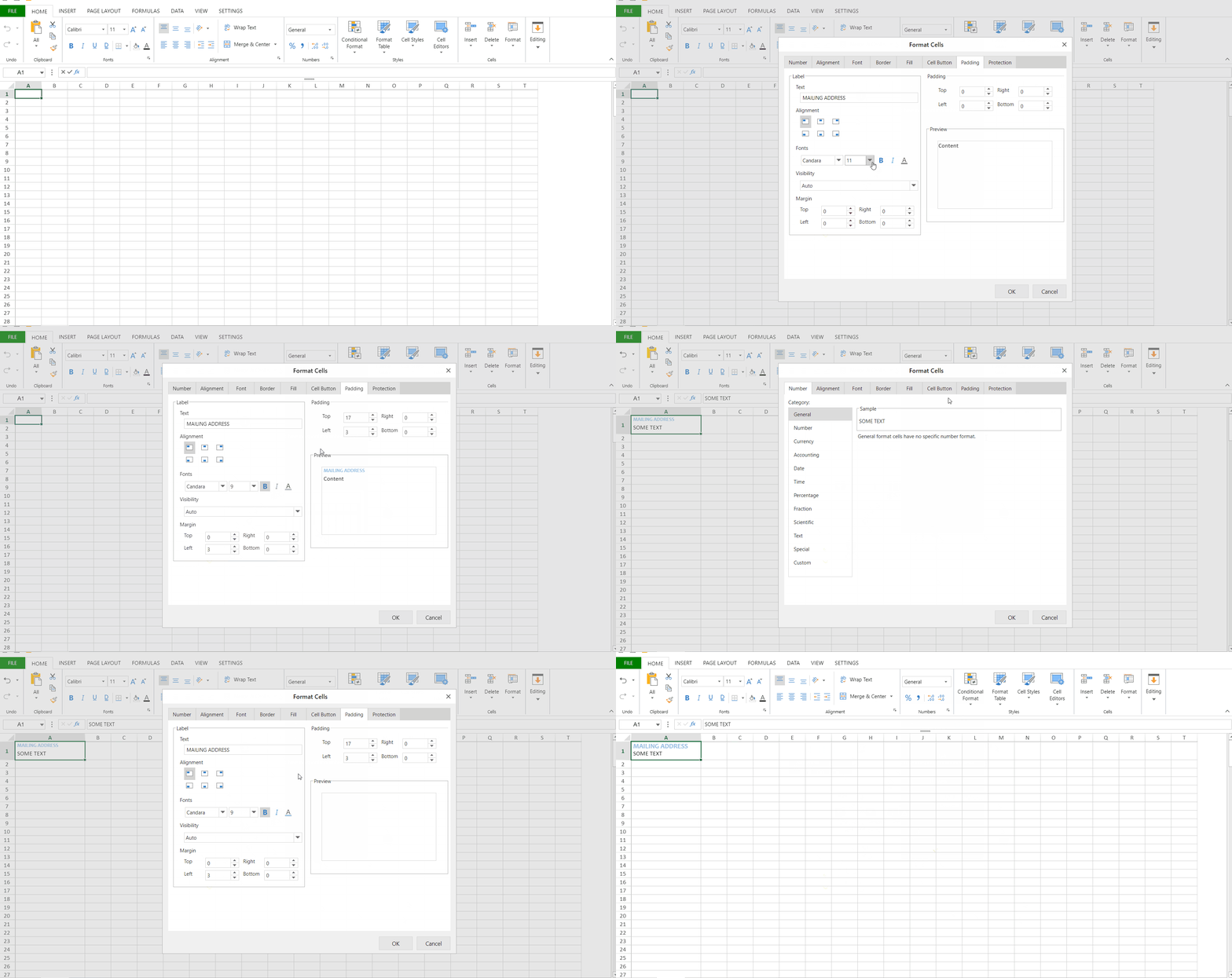
    I’m having numerous issues with the designer not being able to show settings that I applied using the designer previously. In the example attached, I set a water mark and padding properties and when I revisit the “Format Cells” dialog it forgot my prior settings and everything else that was defaulted such as font family and size. When it starts happening to one cell it happens to all the cells.

    This is a huge inconvenience as I now have to redo everything just to tweak one property. And then, when i have to make the same change to all cells I essentially am recreating all my work over again.

    I’ve tried closing the designer and reloading it but the bug persists.

    Please help, this is a considerable speed bump in getting anything done.

  • Posted 25 April 2022, 5:08 am EST - Updated 3 October 2022, 9:15 am EST

    Hi Brian,

    I tested out with the latest version of SpreadJS Designer(V15.0.7) and was unable to replicate the issue at my end. You can refer to the attached gif and let us know if we are missing any step in order to replicate the issue at our end. I am running Windows 10 Pro 64 bit.

    Download SpreadJS latest version: https://www.grapecity.com/spreadjs/download

    If the issue still persists for you, please share the system configuration and the Designer version that you are using so that we can test on a similar environment.

    Regards

    Ankit

  • Posted 27 April 2022, 2:14 pm EST

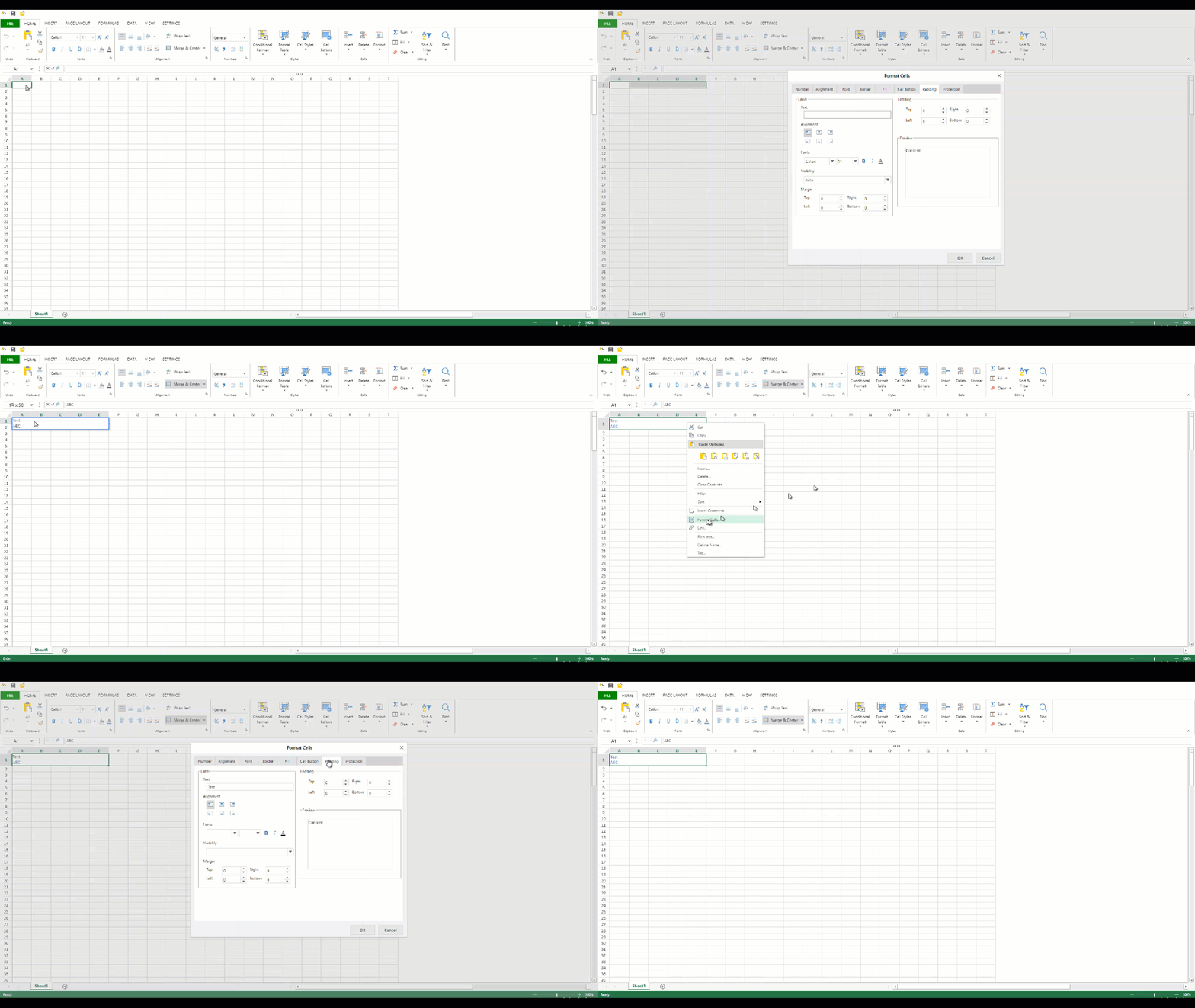
    I was able to reproduce the issue from scratch. Please see the following video.

    The problem seems to happen in a very specific scenario where I have merged cells and also change the watermark color to be different than the cell color.

    I was able to reproduce this problem using the installed designer as well as the GrapeCity online designer demo for SpreadJS.

  • Posted 27 April 2022, 2:17 pm EST - Updated 3 October 2022, 9:15 am EST

    I don’t see the video I uploaded. Trying again by converting my MP4 to gif.

  • Posted 28 April 2022, 6:16 am EST

    Hi Brian,

    Thanks for the gif. We were able to replicate the issue at our end. We have forwarded this as a bug to the concerned team for further investigation. The internal id for this is: SJS-12843. We will let you know when we hear from the devs.

    Regards

    Ankit

  • Posted 26 May 2022, 12:39 pm EST

    Hi Brian,

    This issue has been fixed in the latest version of SpreadJS(V15.1.0). Please upgrade to the latest version.

    SpreadJS Designer(V15.1.0): https://www.grapecity.com/spreadjs/designer/index.html

    Regards

    Ankit

Need extra support?

Upgrade your support plan and get personal unlimited phone support with our customer engagement team

Learn More

Forum Channels