Posted 30 March 2022, 11:04 am EST
Hi,
I am using the Designer Component v14.2.
I have found that the Home / Cells / Delete / “Delete Sheet Rows” toolbar button is not functioning - i.e. it does nothing.
Is there a fix for this please.
Thx.
Forums Home / Spread / SpreadJS
Posted by: mhill on 30 March 2022, 11:04 am EST

mhill
Posted 30 March 2022, 11:04 am EST
Hi,
I am using the Designer Component v14.2.
I have found that the Home / Cells / Delete / “Delete Sheet Rows” toolbar button is not functioning - i.e. it does nothing.
Is there a fix for this please.
Thx.
mhill
Posted 30 March 2022, 11:09 am EST
Sorry. Specifically version 14.2.5

ankit.kumar

Posted 30 March 2022, 11:50 pm EST - Updated 3 October 2022, 9:21 am EST
Hi,
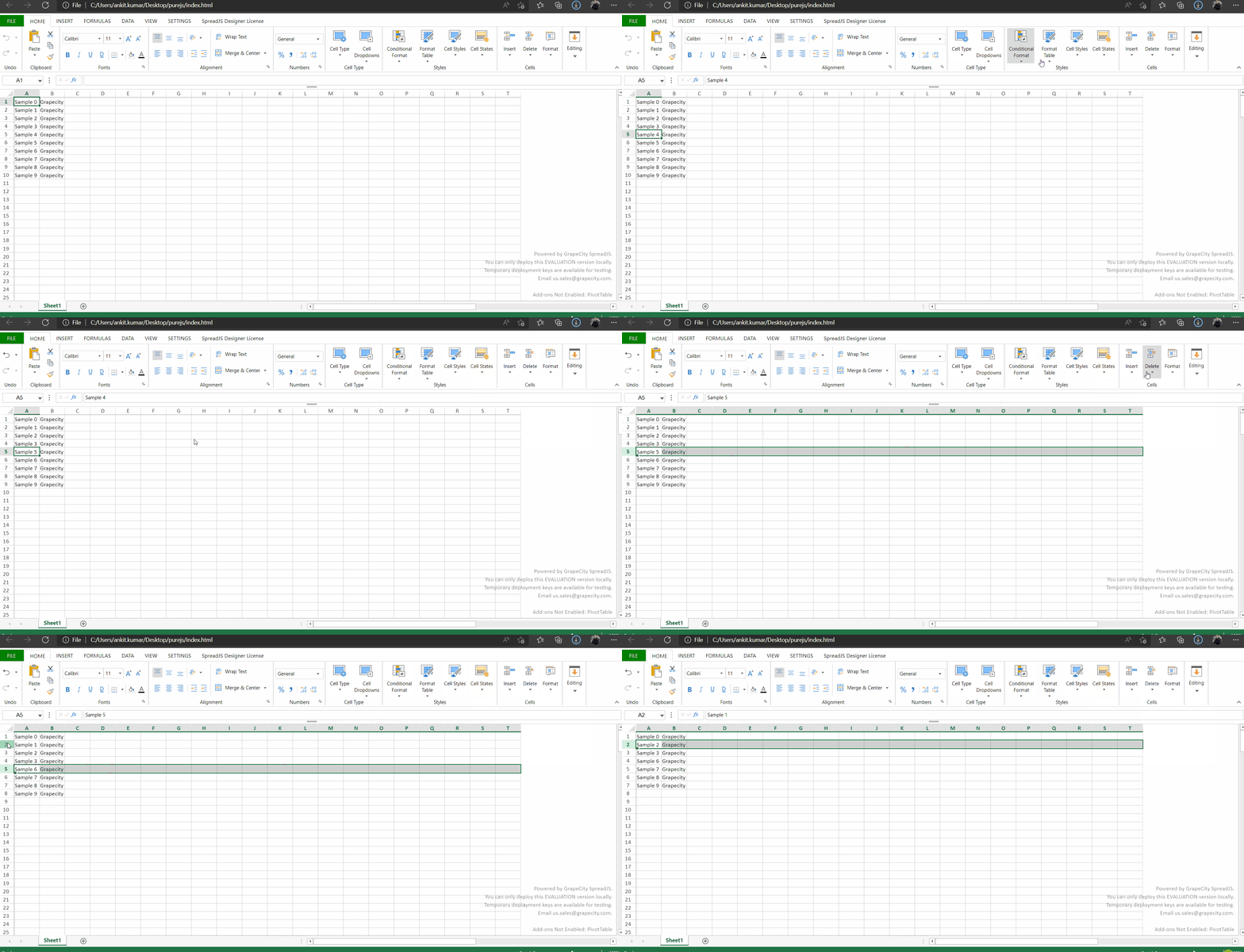
We tested out with the Version 14.2.5 but we were not able to replicate the issue at our end. You can refer to the attached sample that we have used for testing.
If the issue still persists for you, please share a working sample and the steps you have followed so that we can investigate it at our end and assist you accordingly.
Regards
Ankit
mhill
Posted 31 March 2022, 4:58 am EST
Thank you for your reply.
I can see that your simple example works fine. I suspect the problem is something I’m doing on my end - but I can’t for the life of me figure out what I’m doing that would interfere with this particular function. I’ve tried stripping out whole chunks of my code but I can’t get this damned button working.
Never mind - I will probably for now simply remove this button from the config for the toolbars.
Thanks again for looking into it.
Mark
ankit.kumar
Posted 31 March 2022, 11:43 pm EST
Hi,
You can try out different approaches and debug your application. It would be hard for us to comment on the nature of the issue without the sample.
If the issue still persists, please share a working sample so that we can investigate it at our end and assist you accordingly.
Regards
Ankit