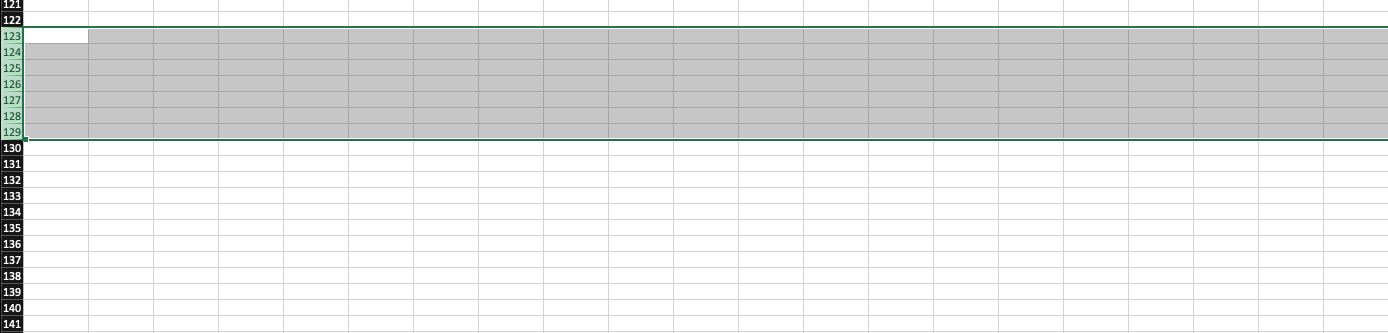
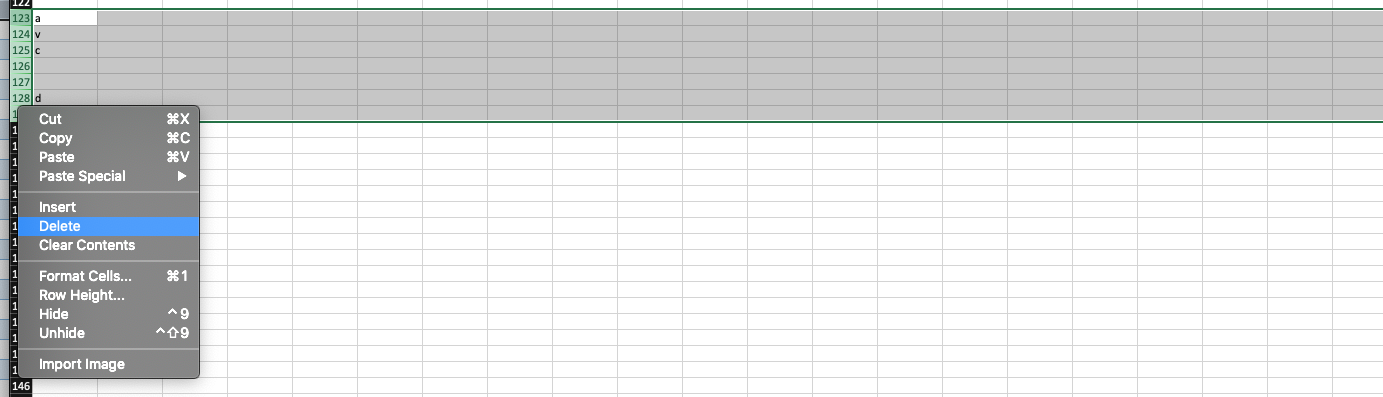
Posted 10 March 2020, 2:13 am EST - Updated 3 October 2022, 10:24 am EST
Delete Multiple Rows/Columns/Cells
Posted by: jeff on 10 March 2020, 2:13 am EST
-

jeff
-

sharad.tomer

Posted 11 March 2020, 1:31 am EST - Updated 3 October 2022, 10:24 am EST
Hi Jeff,
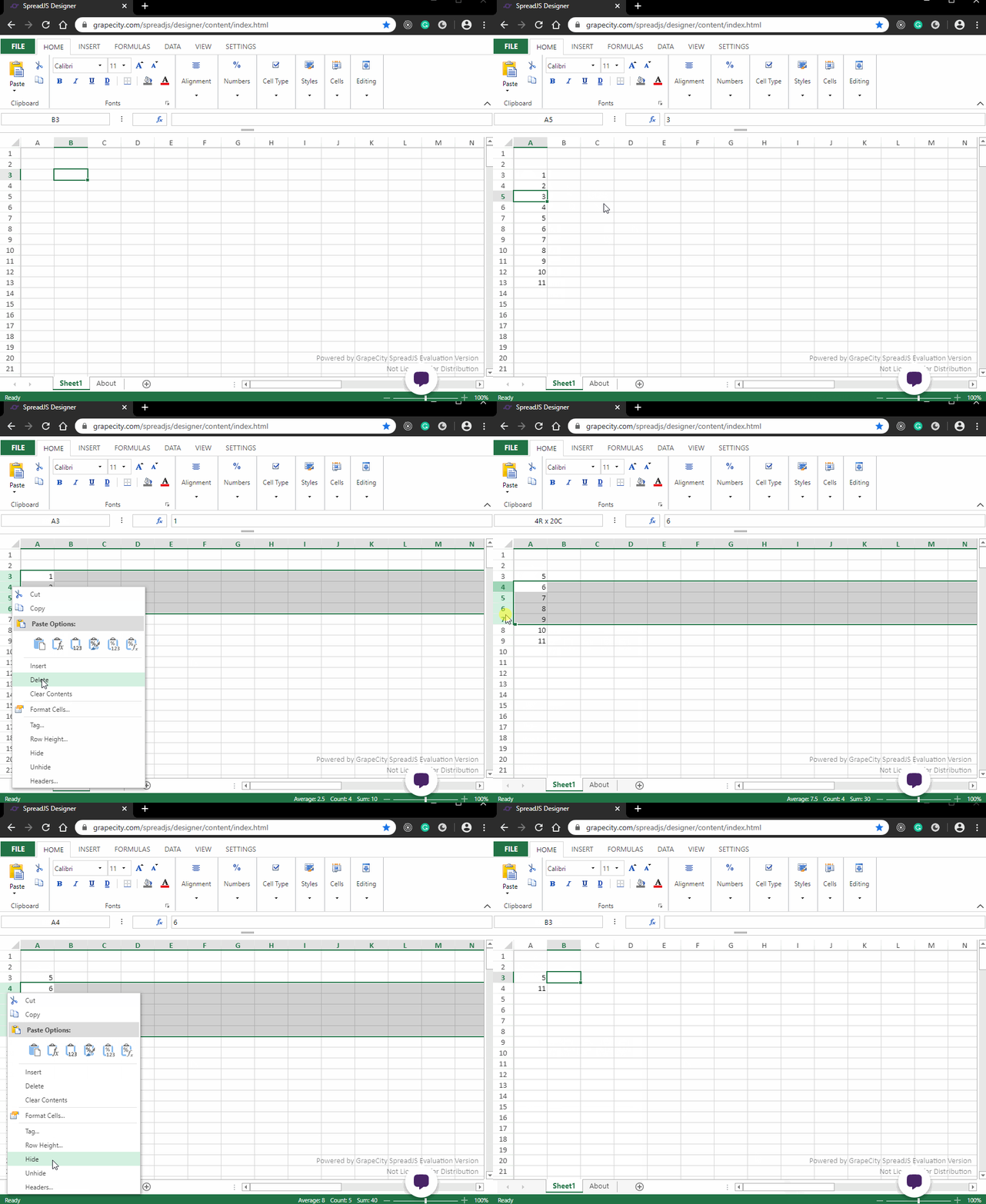
SpreadJS supports the excel-like deletion of multiple rows/columns by first selecting the multiple rows/columns by click and dragging the mouse over the row/column headers and then choosing the delete option from the context menu.
The attached gif demonstrates the process of deleting multiple rows in SJS.
Regards
-
jeff
Posted 12 March 2020, 3:10 pm EST - Updated 3 October 2022, 10:24 am EST
Sharad,
Got it. On PC this work great. It’s a Mac bug. I use the control + left mouse on Mac to activate the context menu. This does not hold the multiple selection for spreadJS.
Mac right click docs.
https://support.apple.com/en-us/HT207700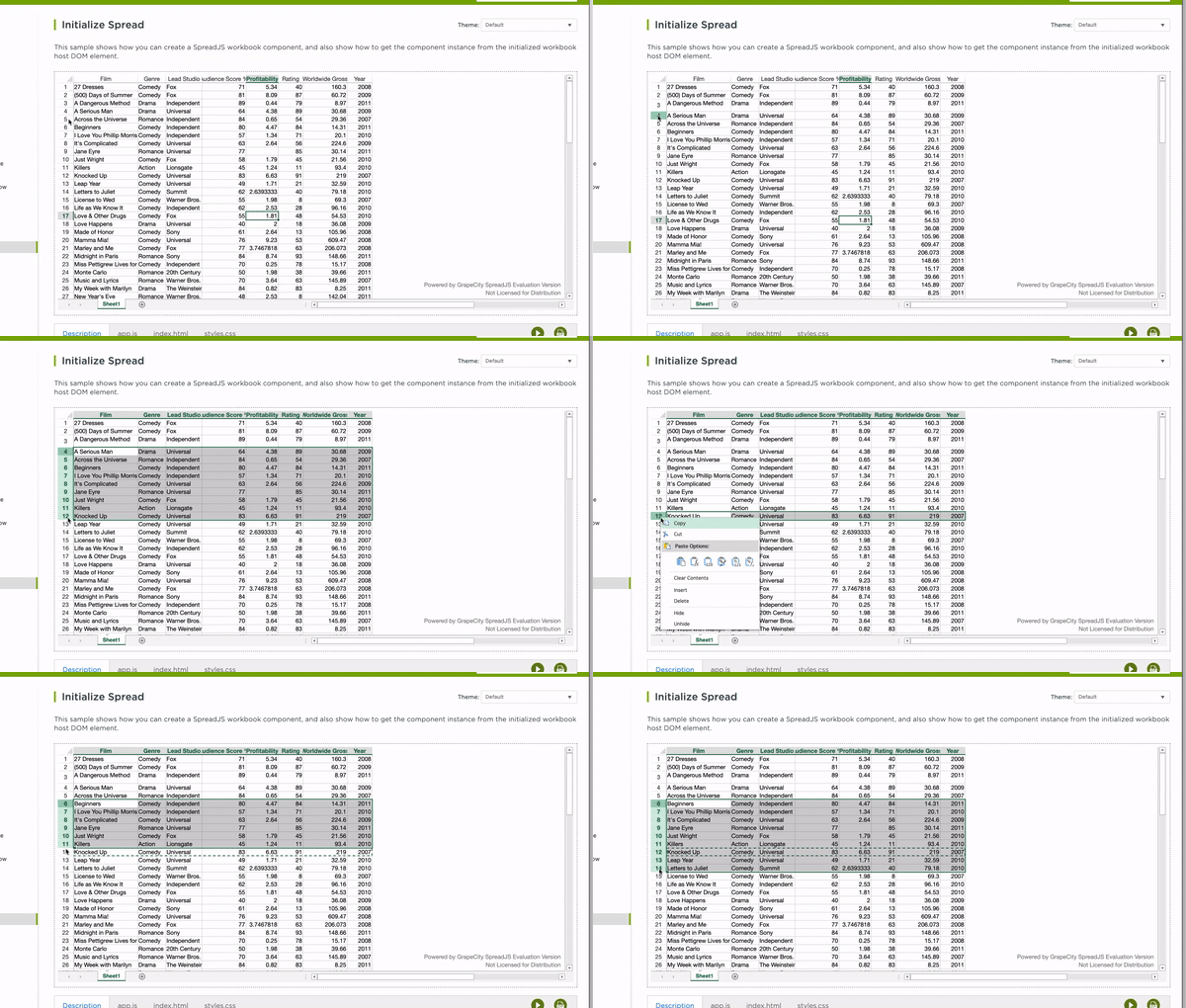
-
jeff
Posted 12 March 2020, 3:11 pm EST
Mac, Chrome (Version 80.0.3987.132 (Official Build) (64-bit))
-
sharad.tomer
Posted 13 March 2020, 7:36 am EST
Hi Jeff,
Thank you for the additional details, we are able to replicate the issue at our end and hence we have forwarded it to the concerned team for further investigation of the issue. The internal tracking id for the issue is SJS-3825. We will let you know about any updates regarding the same.
Regards
Sharad -
jeff
Posted 14 March 2020, 4:13 pm EST
Thanks Sharad
-
sharad.tomer
Posted 24 April 2020, 5:04 am EST
Hi Jeff,
This issue is fixed in our latest build 13.1.0. You may get the latest build from npm or download using the following link:
http://cdn.grapecity.com/spreadjs/13.1.0/Files/SpreadJS.Release.13.1.0.zip
Please update to the latest version and let us know if the issue persists for you.Regards