Posted 17 September 2020, 10:49 am EST
Hi Sharad,
Thanks for your answer.
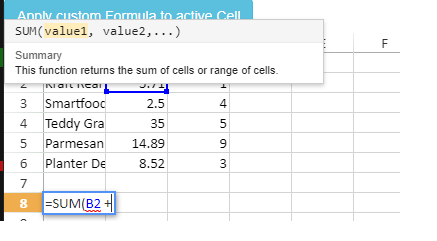
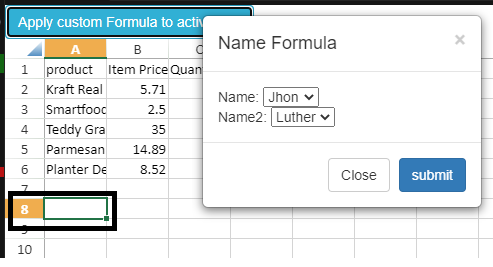
I followed your steps and added gcuielement=“gcEditingInput” on both my modal popup and button.
My HTML snippet for button is
<button class="my-class" gcuielement="gcEditingInput" onclick="void(0);" type="button" id="add-function" title="Add Formula at the Selected Cell" aria-label="Add Formula at the Selected Cell">
	Add Custom Function</button>
My Modal Popup HTML is
<div id="customFormula" class="t-DialogRegion js-modal js-draggable js-resizable js-dialog-size600x400" gcuielement="gcEditingInput" style="width: auto; min-height: 0px; max-height: none; height: 351px;">

  -- Inner HTML--

</div>
On Submit button code
var formula = "MY CUSTOM FORMULA" // Hardcoded as of now
var r = activeSheet.getActiveRowIndex(),
    c = activeSheet.getActiveColumnIndex();
var curEditingFormulaEl = document.querySelector(
    '[gcuielement="gcSpread"] [gcuielement="gcEditingInput"]'
);
console.log(curEditingFormulaEl); /* This will not have any innerText attribute*/
if (curEditingFormulaEl && curEditingFormulaEl.innerText) {
    var curFormulaText = curEditingFormulaEl.innerText;
    console.log("Here VP == " + curFormulaText); /* This is NULL */
    curEditingFormulaEl.innerText = curFormulaText + formula;
    curEditingFormulaEl.focus();
} else {
    activeSheet
        .getCell(r, c)
        .formula(formula); // Append the new Formula
}
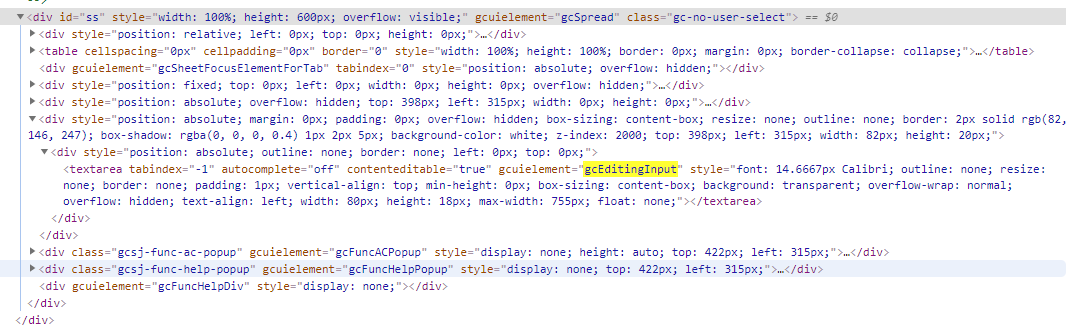
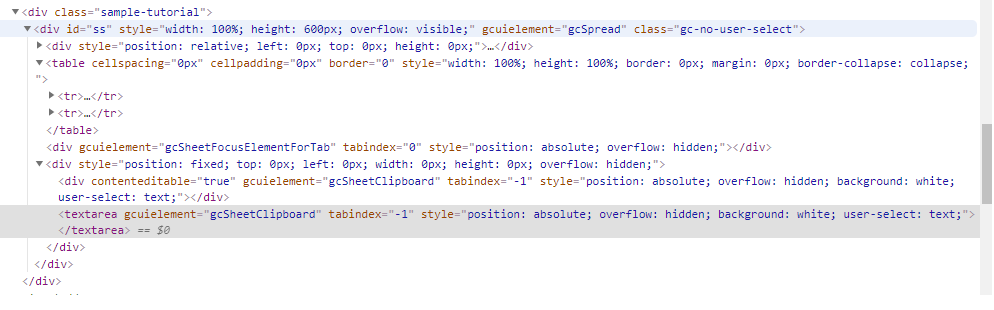
The console.log for curEditingFormulaEl
The “if” part always fails so, it “else” is executed.
Is there anything I am missing?
Please suggest.
Thanks