Posted 3 August 2026, 9:00 am EST - Updated 3 August 2026, 9:05 am EST
Hi,
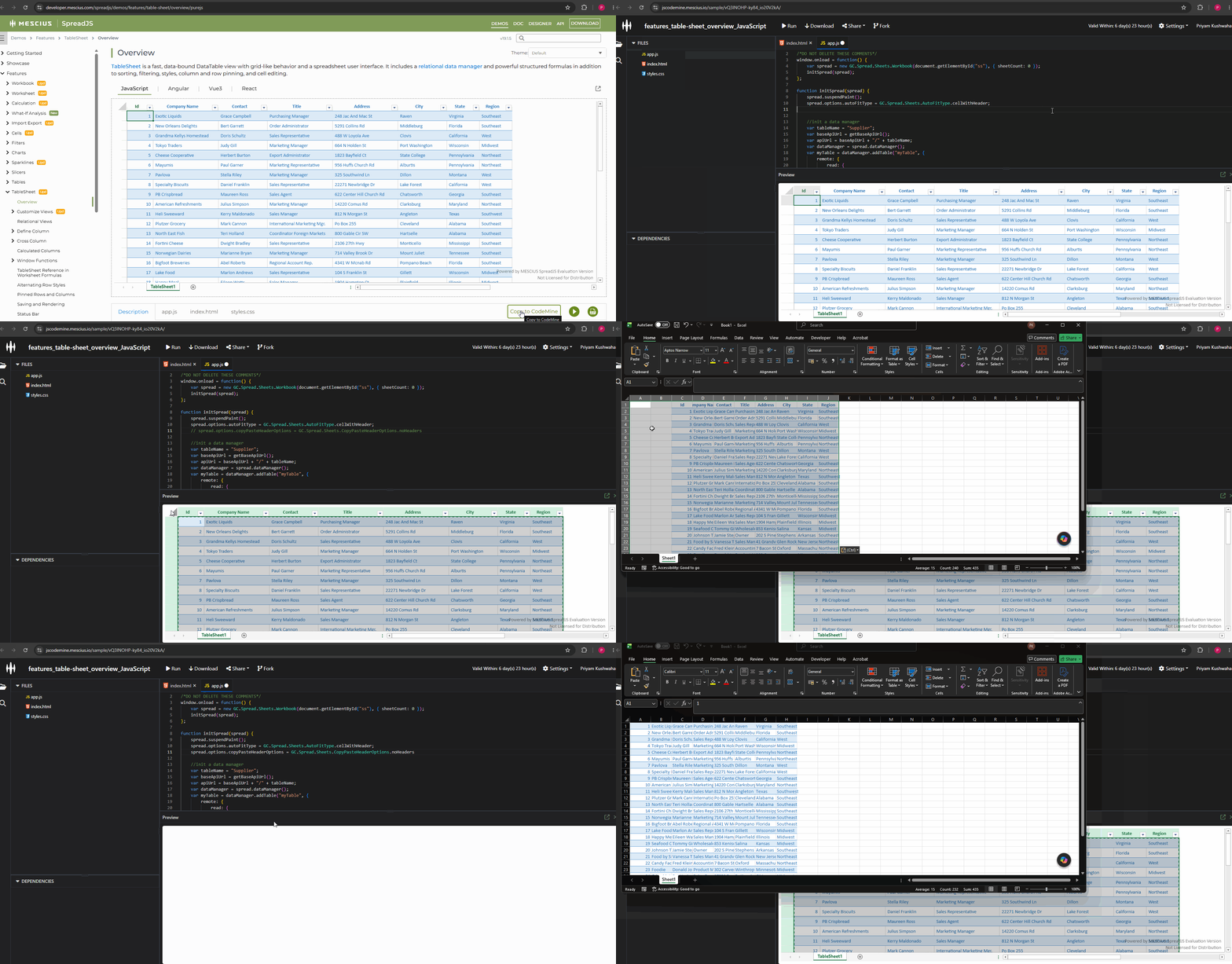
When I select the entire SpreadJS TableSheet by clicking the corner header and copy the content with Ctrl+C, then paste it into an Excel worksheet, Excel always includes two empty columns (Column A and Column B).
Is there any way to exclude these empty columns when copying to the clipboard?
Below is the TableSheet sample and the result after pasting its content into an Excel worksheet:
https://developer.mescius.com/spreadjs/demos/features/table-sheet/overview/purejs
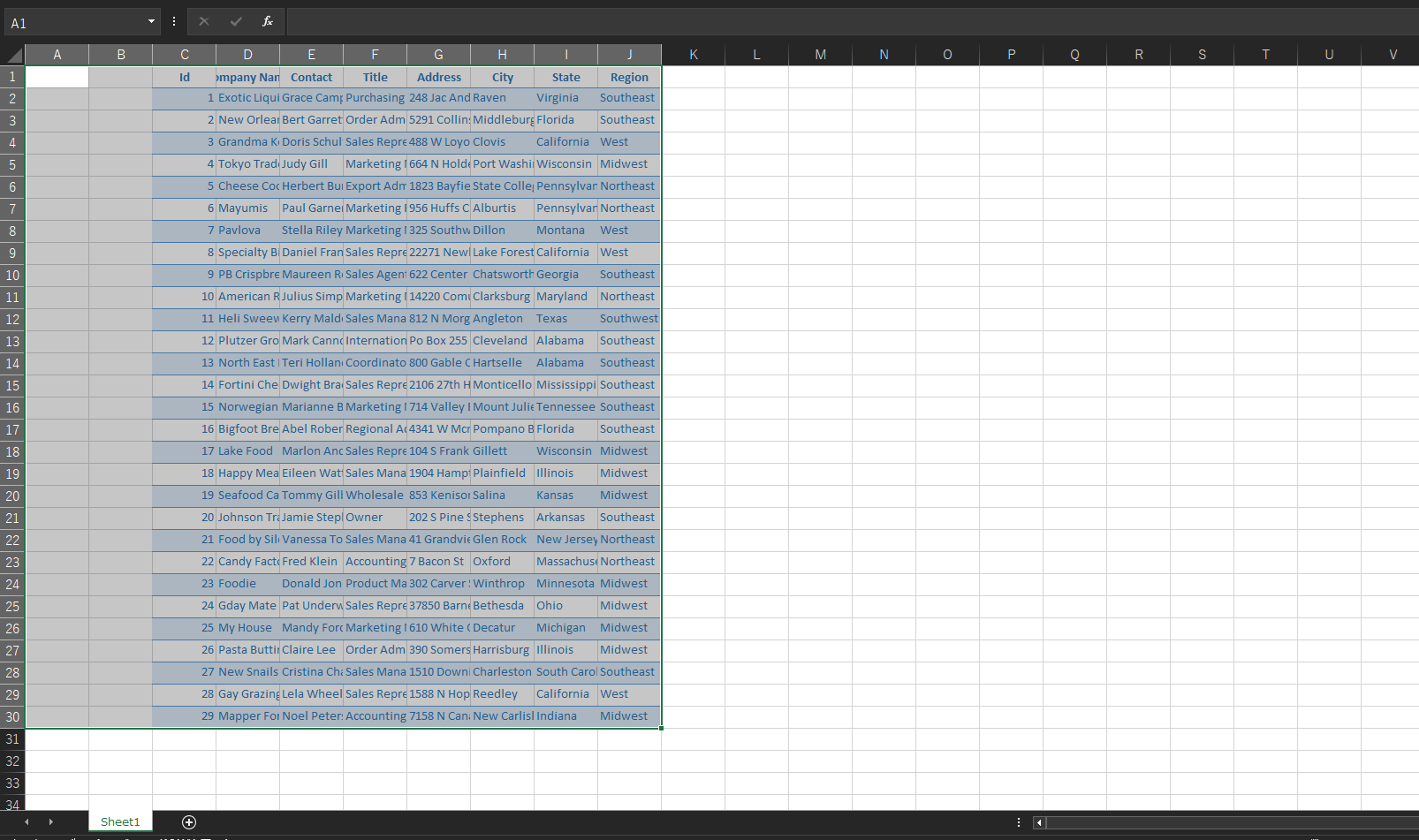
Additionally, even when I try to exclude column headers by specifying
CopyPasteHeaderOptions.noHeadersIs there any workaround for this?
spread.options.copyPasteHeaderOptions = GC.Spread.Sheets.CopyPasteHeaderOptions.noHeaders;
References:
https://developer.mescius.com/spreadjs/api/interfaces/GC.Spread.Sheets.IWorkbookOptions#copypasteheaderoptions
https://developer.mescius.com/spreadjs/api/enums/GC.Spread.Sheets.CopyPasteHeaderOptions#noheaders