Posted 18 October 2022, 5:02 pm EST - Updated 18 October 2022, 5:07 pm EST
Hi there,
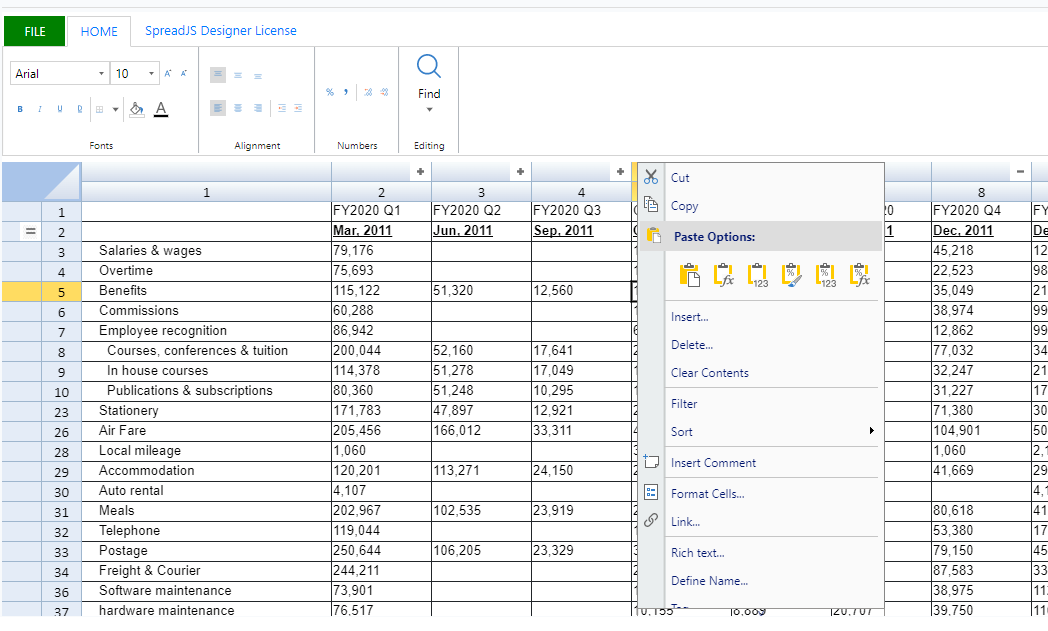
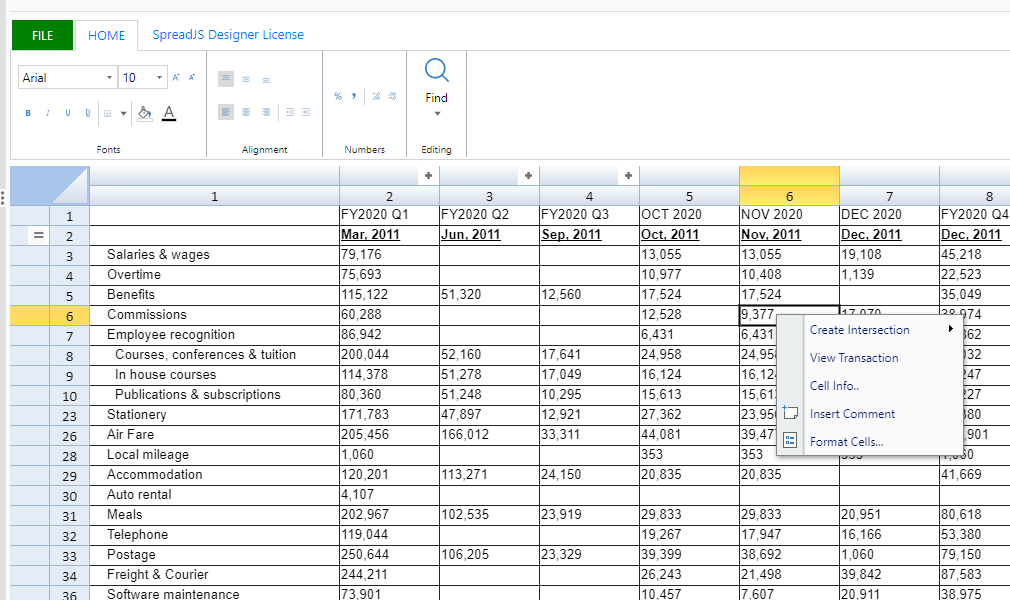
I have problem with spreadJs designer, when I am trying to add deployment license then context menu change back to default.
Code that I wrote:
[code]var designer = new GC.Spread.Sheets.Designer.Designer(document.getElementById(‘DesignerHost_’ + self.uniqueFormNameID), config, spread);
function ContextMenu() { }
ContextMenu.prototype = new GC.Spread.Sheets.ContextMenu.ContextMenu(spread);
ContextMenu.prototype.onOpenMenu = function (menuData, itemsDataForShown, hitInfo, spread) {
//here I am adding command Manager for each menu items
}
function CustomMenuView() {
}
CustomMenuView.prototype = new GC.Spread.Sheets.ContextMenu.MenuView(spread);
CustomMenuView.prototype.getCommandOptions = function (menuItemData, host, event) {
if (menuItemData && menuItemData.text === “Delete Comment”) {
self.setCellComment();
}
else if (menuItemData && menuItemData.text === “Edit Comment”) {
self.setCellComment();
}
};
spread.contextMenu.menuView = new CustomMenuView;[/code]
I am attaching 2 screenshot one before temporary deployment license key and one after