Posted 26 June 2026, 3:13 am EST
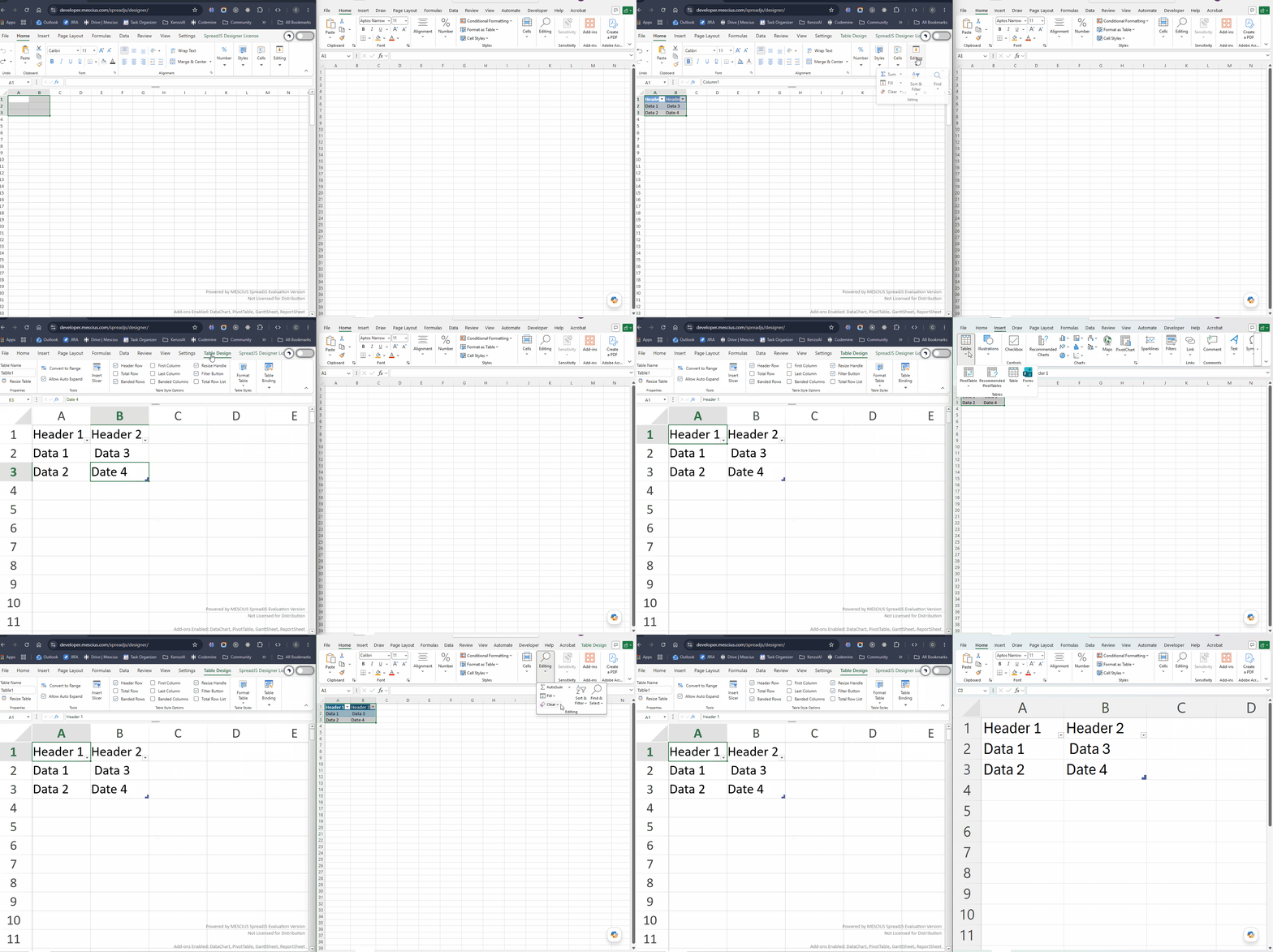
Enter table type data and insert table, now clear → Clear Formatting, see table header are still present.
Expected: The clear format should remove all formatting from the table header.
Forums Home / Spread / SpreadJS
Posted by: ajha on 26 June 2026, 3:13 am EST

ajha
Posted 26 June 2026, 3:13 am EST
Enter table type data and insert table, now clear → Clear Formatting, see table header are still present.
Expected: The clear format should remove all formatting from the table header.
ajha
Posted 26 June 2026, 3:13 am EST
Attached screen recording
ajha
Posted 26 June 2026, 3:17 am EST
Attached screen recording

chirag.gupta

Posted 26 June 2026, 6:27 am EST - Updated 26 June 2026, 7:00 am EST
Hi Aman,
Thank you for the details.
We tested the scenario by entering data, converting it to a table, and then using Home => Editing => Clear => Clear Formats.
The behavior you observed is expected and is consistent with Microsoft Excel. Clear Formats only removes the cell formatting (such as font, fill color, borders, etc.). It does not convert the table back to a normal range or remove the table headers. Therefore, the table structure and its header row remain intact after the operation.
If you expect to remove the table itself, Excel requires converting the table back to a normal range (Table Design => Convert to Range) rather than using Clear Formats.
Additionally, if you were trying to demonstrate a different feature, the screen recording you mentioned was not attached.
Please refer to the attached screen recording below, which demonstrates the same behavior in both SpreadJS and Microsoft Excel regarding table clear formats.
Please let us know if you require any further assistance.
Kind Regards,
Chirag
Working: