Posted 10 April 2018, 2:07 pm EST
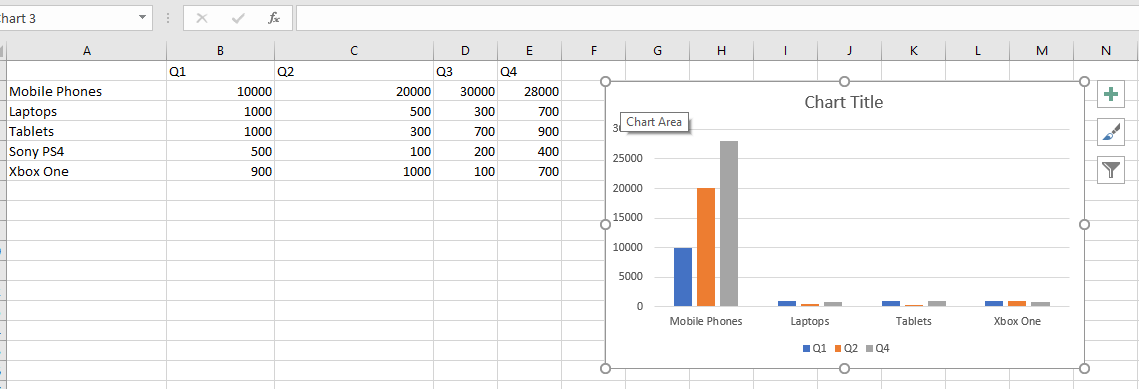
Is it possible to have chart rendered based multiple ranges
Eg. A1:C5, A7:C10
Forums Home / Spread / SpreadJS
Posted by: hghanta on 10 April 2018, 2:07 pm EST

hghanta
Posted 10 April 2018, 2:07 pm EST
Is it possible to have chart rendered based multiple ranges
Eg. A1:C5, A7:C10

deepak.sharma

Posted 11 April 2018, 6:04 am EST
Hello,
You can have multiple chart series and set data for them. Please have a look at the documentation given below on how to set the series for a chart:
http://help.grapecity.com/spread/SpreadSheets11/webframe.html#ConfiguringSeries.html
Thanks,
Deepak Sharma
deepak.sharma
Posted 16 April 2018, 10:36 am EST
Hello,
With Spread.Sheets currently there seems to be no direct way of having non contiguous range for data points. You would need to remove the row/column before setting the range. Or may set the value as 0 before setting the data range.
Thanks,
Deepak Sharma
hghanta
Posted 17 April 2018, 11:33 am EST
Both the solutions proposed are not flexible. Can you please discuss the same with your product management & ensure the same is added as part of your backlog ?
deepak.sharma
Posted 18 April 2018, 10:14 am EST
Hello,
I have submitted it as an enhancement request for future release. The request id for this is 257247.
Thanks,
Deepak Sharma
deepak.sharma
Posted 19 April 2018, 4:52 am EST
Hello,
Development team suggested that you can hide the row or column for which you do not want to show the data in chart. Then the chart will also ignore these hidden data.
Thanks,
Deepak Sharma