Posted 24 August 2022, 10:32 am EST
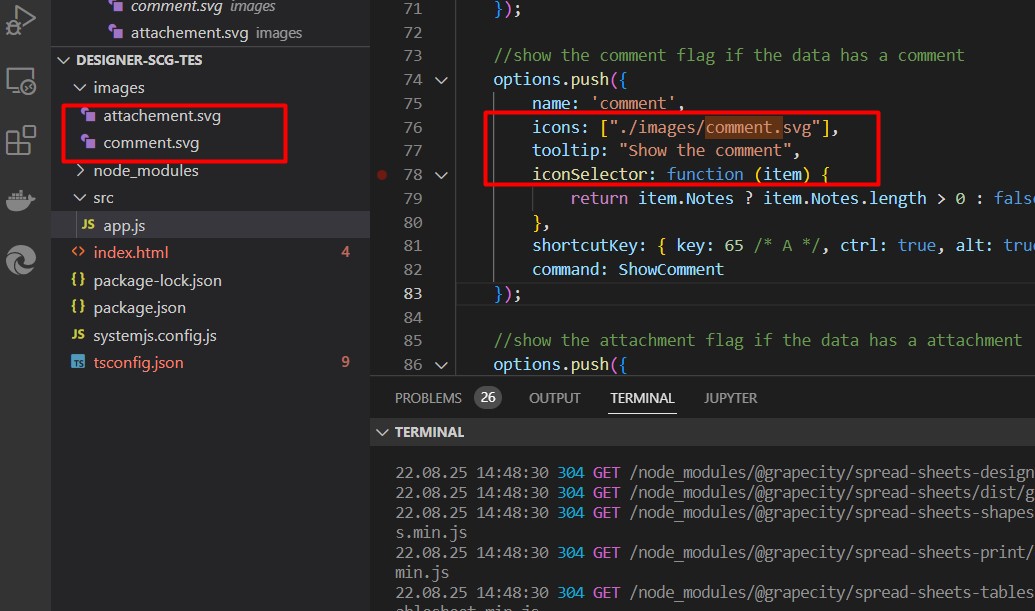
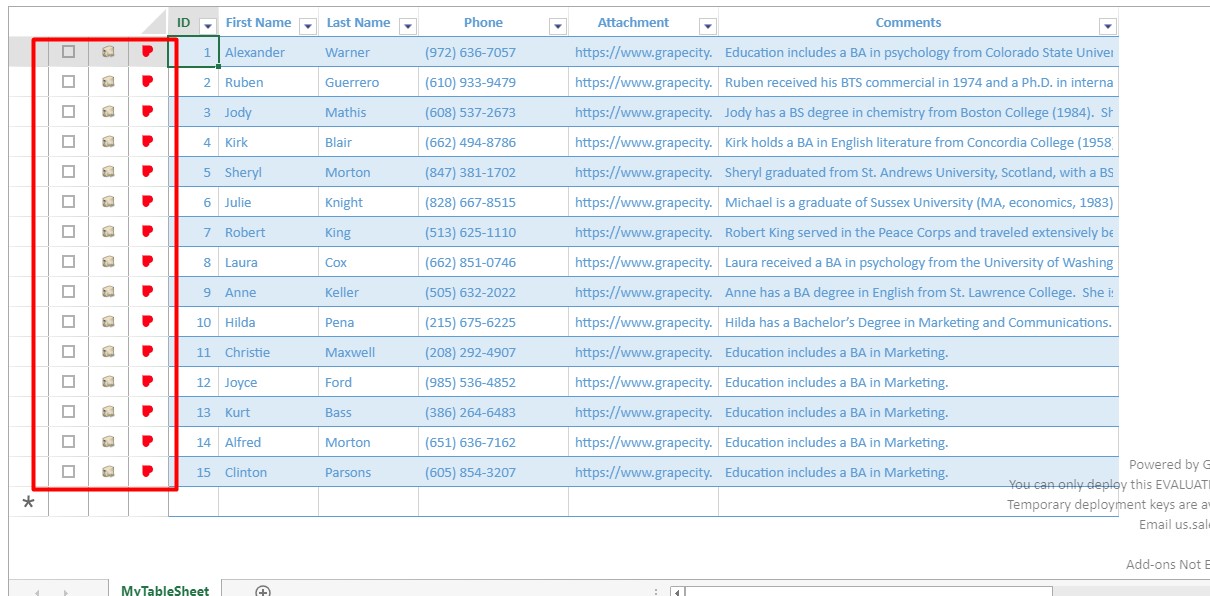
Below are two examples of using the IRowActionOptions to create custom row actions within the TableSheet. Are there any other formats that can be used? Can HTML be used?
options.push({
        name: 'check',
        icons: ["data:image/svg+xml;base64,PHN2ZyB3aWR0aD0iMTIiIGhlaWdodD0iMTIiIHZpZXdCb3g9IjAgMCAxMiAxMiIgZmlsbD0ibm9uZSIgeG1sbnM9Imh0dHA6Ly93d3cudzMub3JnLzIwMDAvc3ZnIj4KPHJlY3Qgd2lkdGg9IjEyIiBoZWlnaHQ9IjEyIiBmaWxsPSJ0cmFuc3BhcmVudCIvPgo8cmVjdCB3aWR0aD0iMTIiIGhlaWdodD0iMTIiIGZpbGw9InRyYW5zcGFyZW50Ii8+CjxwYXRoIGZpbGwtcnVsZT0iZXZlbm9kZCIgY2xpcC1ydWxlPSJldmVub2RkIiBkPSJNMTIgMEgwVjEySDEyVjBaTTEgMTFWMUgxMVYxMUgxWiIgZmlsbD0iIzY2NjY2NiIvPgo8L3N2Zz4K", "data:image/svg+xml;base64,PHN2ZyB3aWR0aD0iMTIiIGhlaWdodD0iMTIiIHZpZXdCb3g9IjAgMCAxMiAxMiIgZmlsbD0ibm9uZSIgeG1sbnM9Imh0dHA6Ly93d3cudzMub3JnLzIwMDAvc3ZnIj4KPHJlY3Qgd2lkdGg9IjEyIiBoZWlnaHQ9IjEyIiBmaWxsPSJ0cmFuc3BhcmVudCIvPgo8cmVjdCB3aWR0aD0iMTIiIGhlaWdodD0iMTIiIGZpbGw9InRyYW5zcGFyZW50Ii8+CjxwYXRoIGZpbGwtcnVsZT0iZXZlbm9kZCIgY2xpcC1ydWxlPSJldmVub2RkIiBkPSJNMTIgMEgwVjEySDEyVjBaTTEgMTFWMUgxMVYxMUgxWiIgZmlsbD0iIzY2NjY2NiIvPgo8cGF0aCBkPSJNNS4yNSA5TDIgNS42MTI5TDMuMDA3MTQgNC41NjMyOEw1LjI1IDYuODkzM0w4Ljk4NTcxIDNMMTAgNC4wNDk2M0w1LjI1IDlINS4yNVoiIGZpbGw9IiM2NjY2NjYiLz4KPC9zdmc+Cg=="],
        tooltip: "Check/Uncheck",
        iconSelector: function (item) {
            return !!checkMap[item.Id];
        },
        command: CheckRow
    });

    //show the comment flag if the data has a comment
    options.push({
        name: 'comment',
        icons: ["./image/comment.png"],
        tooltip: "Show the comment",
        iconSelector: function (item) {
            return item.Notes ? item.Notes.length > 0 : false;
        },
        shortcutKey: { key: 65 /* A */, ctrl: true, alt: true },
        command: ShowComment
    });