allowExtendPasteRange isn't working in V15

Posted by: davide.vago on 3 March 2022, 8:31 am EST

    • Post Options:
    • Link

    Posted 3 March 2022, 8:31 am EST

    Hi there,

    The allowExtendPasteRange option to permit the user pasting data with more columns than the default A-T is not working anymore, please see the example:

    https://jscodemine.grapecity.com/sample/99jNiFHAbUmclBAk-TOyEw/

    Within the example try pasting an A-AA data set

    Expected behaviour:

    the sheet should gets the pasted data and expand automatically the columns to A-AA

    Current behaviour:

    the sheet remains white, nothing gets pasted

  • Posted 4 March 2022, 2:11 am EST - Updated 3 October 2022, 9:19 am EST

    Hi,

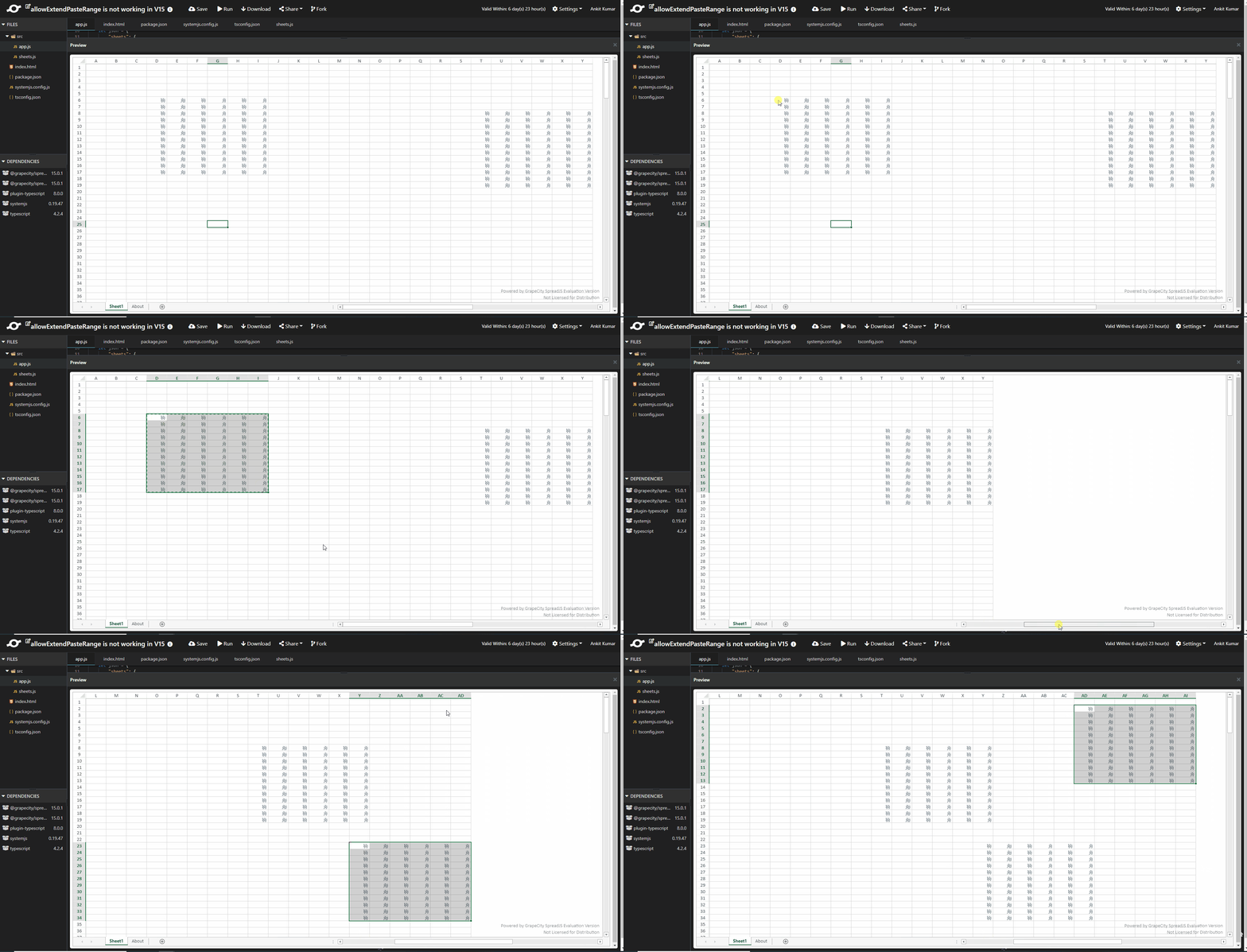
    Upon investigation, it is found out that there is some problem with the json that you are loading(line no 53) and its causing this issue.

    Please refer to the sample in which I have used another json and the extended pasting is working fine as expected: https://jscodemine.grapecity.com/share/FuBt9W7KBUmlxKWpQZ_DTA/

    Please let us know if you face any further issues.

    Regards

    Ankit

  • Posted 9 March 2022, 5:05 am EST

    Dear Ankit,

    I’m not able to verify the code I provided as your sandbox tool is making examples expiry in 6 days, could you please highlight what was the issue within the json structure so I can try to replicate it?

    Also, would you please request the removal of this 6 days expiry date within your sandbox tool? It’s a bit nonsensical, if the problem is “wasting resources” at least allow:

    1 - to provide dev keys for working with sandboxes from different services such as codesandbox

    2 - extend to at least 30 days (the forum is public and people might find useful resources and examples at different time so ideally you don’t even want an expiry)

    Looking forward to hearing from you

  • Posted 10 March 2022, 1:41 am EST

    Hi,

    We are sorry but we also don’t have access to your json as the link has been expired. We request you to share the json again. Also, please mention how you have generated the json. You can find the above attached sample to verify that the extended pasting is working fine. Also, you can share offline sample to us.

    1. We will discuss this issue with the concerned team and will let you know.

    2. We understand your concern. You can share the resources on our private portal: https://www.grapecity.com/my-account/my-support

    Regards

    Ankit

  • Posted 25 April 2022, 7:06 am EST

    Dear Ankit,

    Please find the code sanbox which includes the allowExtendPasteRange option here: https://codesandbox.io/s/spreadjs-workbook-allowextendedpasterange-vwr0o6?file=/src/components/WorkBookInstance.vue

    When pasting (ctrl/cmd+V) something which contains a much larger set of columns it doesn’t work, note, the same implementation did work before version 15

  • Posted 26 April 2022, 12:06 am EST

    Hi Davide,

    Thanks for the smaple. the issue is you are using fromJSON after initializing the spread Options. When we use from JOSN the existing workbook option will be replaced and picked from the JSON that we pass in fromJSON method. For this, you need to set the option after using the fromJSON. Please refer to the following code snippet and attached sample that explains the same.

    
       this.workBook.fromJSON(json);
       this.workBook.options.allowExtendPasteRange = true;


    sample: https://codesandbox.io/s/spreadjs-workbook-allowextendedpasterange-forked-3472vt?file=/src/components/WorkBookInstance.vue

    Regards,

    Avinash

Need extra support?

Upgrade your support plan and get personal unlimited phone support with our customer engagement team

Learn More

Forum Channels